Overview of the Samsung Print Service Plugin
The Samsung Print Service Plugin is a powerful and user-friendly app designed to streamline wireless printing for Samsung device users. It enables effortless printing of photos, web pages, and documents directly from your smartphone or tablet without the need for additional drivers or complicated setup procedures. Whether you're at home, in the office, or on the go, this plugin transforms your mobile device into a portable printing station, enhancing productivity and convenience.
Features and Benefits
Seamless Printing Experience
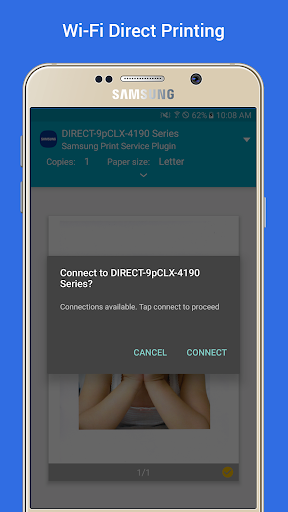
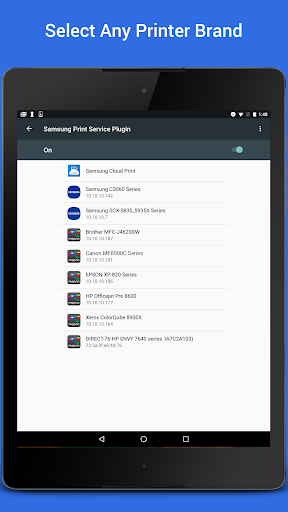
With the Samsung Print Service Plugin, you can quickly print essential documents, images, and web content. The system integrates Mopria technology, making it compatible with a wide range of printers from various brands like Brother, Canon, Dell, Epson, HP, and more. You don't need to worry about installing separate drivers or configuring complex settings; as long as your printer is Mopria-certified and connected to the same Wi-Fi network as your device, printing is straightforward.
Assistant for Your Digital Life
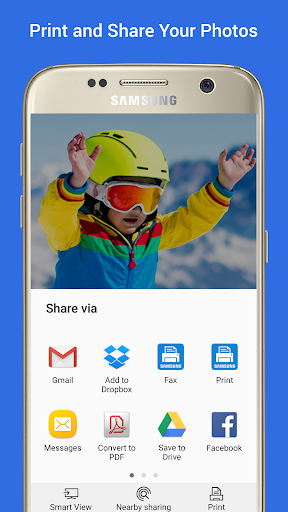
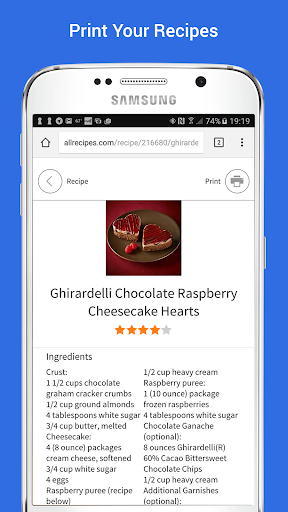
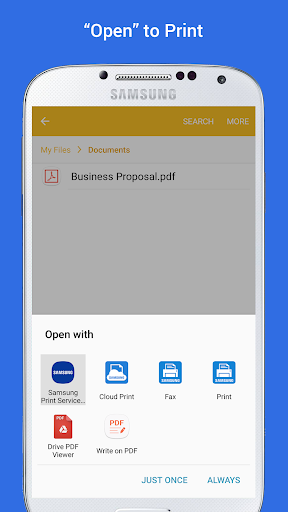
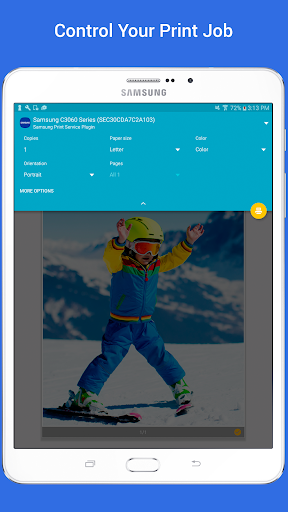
This plugin acts as your dedicated digital printing assistant, allowing you to share your life's printable moments, like photos and web pages, effortlessly. It supports printing from popular apps such as Gallery, Chrome, Gmail, Google Drive, Adobe Reader, Microsoft Office (Word, Excel, PowerPoint), and many others. The interface is designed to be simple and intuitive, requiring minimal setup and no advanced technical knowledge. Enhanced print controls include options for color, copies, paper orientation, and double-sided printing.
Compatibility and Easy Setup
The plugin is pre-installed on many Samsung Galaxy phones, including models like S4, S5, S6, S7, and others. For other devices running Android KitKat (4.4) or higher, installation is quick and simple via the device's settings under "Connections" > "Printing." It supports a broad range of printers from multiple brands, ensuring versatility for most users. When updates are available, the device will notify you, keeping your printing capabilities current and secure.
Supported Devices and Printer Compatibility
Compatible Devices
Samsung Galaxy smartphones and tablets—like S4, S5, S6, S7, and later models—come with the plugin pre-installed. For other Galaxy devices or Android phones running KitKat (4.4) or newer, you can download and install the plugin easily from your device settings. The plugin is designed to be non-intrusive and cannot be uninstalled from supported devices, ensuring seamless performance.
Printer Support and Certification
Most modern printers from brands such as Brother, Canon, Dell, Epson, Fuji Xerox, HP, Konica Minolta, Kyocera, Lexmark, Pantum, Ricoh, Sharp, Toshiba, and Xerox are Mopria-certified. This certification guarantees easy and reliable wireless printing. To verify whether your printer model is supported, visit mopria.org/certified-products. Supported Samsung printers include models such as M2020/2070/283x series, CLP and CLX series, ML series, and more, covering a broad spectrum of color and monochrome multifunction printers suitable for home and office use.
Why Use the Samsung Print Service Plugin?
For anyone who needs to print documents, photos, or web content directly from their Android device, this plugin is an invaluable tool. It simplifies the printing process, removes the need for bulky software, and supports a variety of printer brands and models. The efficiency and convenience offered by this app make it ideal for busy professionals, students, and casual users alike.
Getting Started with Printing
To begin printing:
- Ensure your printer is Mopria-certified and connected to the same Wi-Fi network as your device.
- Go to your device's Settings and locate "Printing" or similar options.
- Enable the Samsung Print Service or install the plugin if it's not pre-installed.
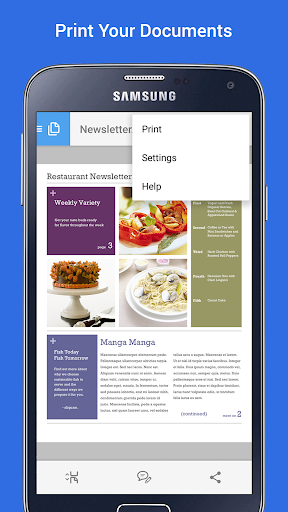
- Open your desired app, tap the Share or Menu options, and select the print icon to start printing.
The process is so straightforward that even beginners can enjoy hassle-free wireless printing without the need for complicated configurations.
Conclusion
The Samsung Print Service Plugin stands out as a reliable, easy-to-use wireless printing solution tailored for Samsung device users. By supporting a wide range of compatible printers and offering a simple setup process, it enhances everyday printing tasks—making document sharing, photo printing, and web content printing seamless and efficient. Whether you're working from home, at the office, or on the move, this app helps you stay productive with just a few taps. If you're looking to simplify your mobile printing experience, giving this plugin a try could transform the way you handle printing tasks daily.
Pros
- Seamless integration with Samsung devices.
- Supports a variety of printer brands.
- User-friendly interface with simple setup.
- Efficient printing with minimal delays.
- Regular updates improve functionality.
Cons
- Limited advanced printing features.
- May need occasional manual updates.
- Compatibility issues with older printers.
- Uses significant background system resources.
- Does not support cloud storage integration.