

Introduction to QuickBooks Workforce
QuickBooks Workforce is an innovative app designed to streamline payroll management and employee time tracking for small businesses and freelancers. As an essential tool in the QuickBooks ecosystem, this application offers a seamless way for team members and employers to manage their payroll and scheduling tasks effortlessly. Whether you're on the go or at your desk, QuickBooks Workforce provides a user-friendly interface that helps teams stay connected and productive. The app supports integration with QuickBooks Online Payroll, QuickBooks Desktop Payroll, and QuickBooks Time (formerly TSheets), making it a versatile solution for various business needs. With features tailored for both employees and administrators, QuickBooks Workforce enhances efficiency, accuracy, and compliance in payroll and time management processes.
Main Features of QuickBooks Workforce
For Team Members
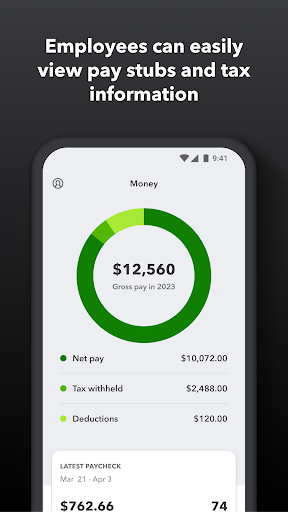
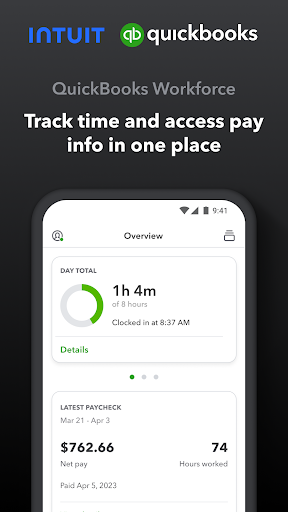
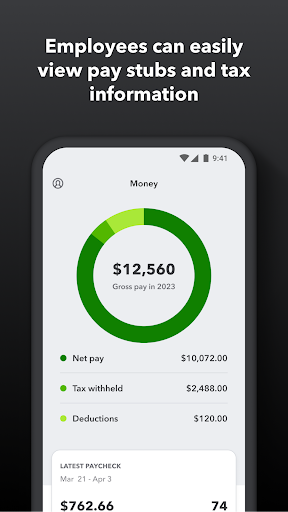
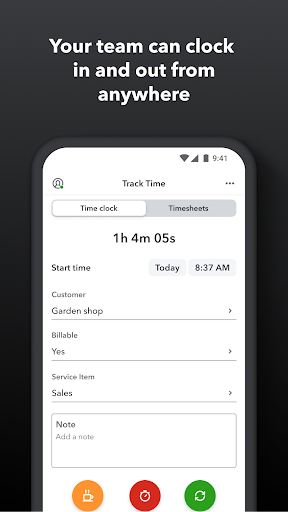
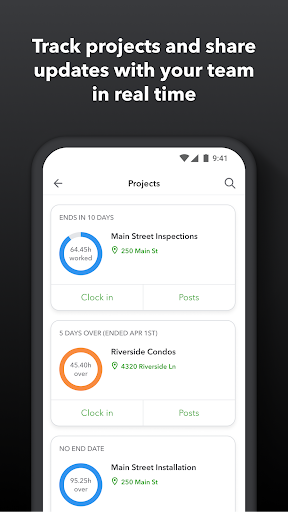
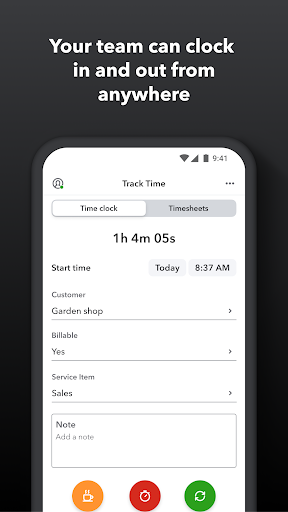
Employees and team members can access vital pay information and track their working hours conveniently through the QuickBooks Workforce app. Key features include the ability to view pay stubs, W-2 forms, and other payroll details anytime and anywhere, eliminating the need to wait for paper copies. The app allows users to clock in and out even without an internet connection, ensuring accurate time logging regardless of location. Additionally, team members can submit and monitor paid time off, sick days, and holidays. Managing schedules becomes simple with options to edit timesheets, switch jobs, pause tracking, or take breaks. For field employees or remote workers, the app offers GPS location-based time tracking, enhancing accuracy and accountability. The premium version, QuickBooks Time Elite, also enables users to add photos and updates in a project activity feed, fostering real-time collaboration on projects.
For Employers and Admins
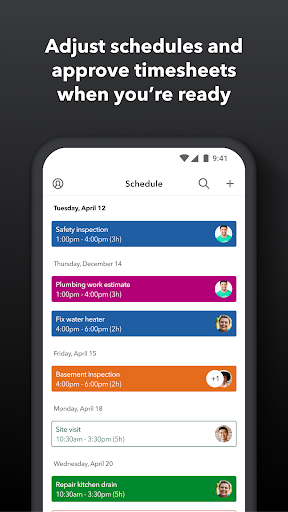
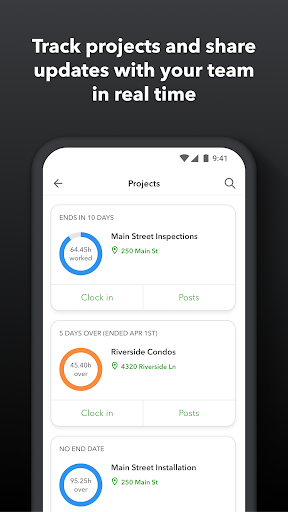
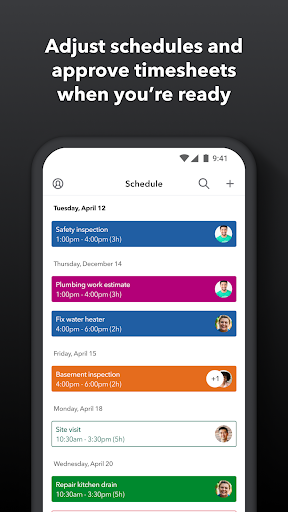
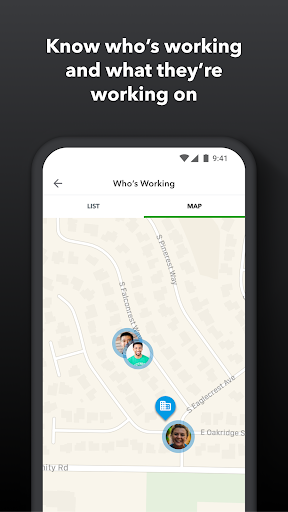
Employers and administrators benefit from robust tools to oversee their workforce efficiently. They can approve, modify, or delete timesheets, and create or adjust schedules by job or shift. The app provides real-time visibility into who is working and their location, facilitating effective workforce management. Administrators can set up geofences to send reminders for employees to clock in or out when entering or leaving a job site, especially useful with QuickBooks Time Elite. The system allows for automatic alerts—via push notifications, texts, or emails—for issues like missed clock-ins or approaching overtime. Additionally, managers can track employees' vacation, sick leave, or holiday accruals, and review comprehensive time reports to analyze productivity. For project oversight, the app enables adjustments in budgets, deadlines, and resource allocation, scaling the team's efficiency with QuickBooks Time Elite.
Additional Benefits and Integrations
QuickBooks Workforce offers various extra benefits that simplify business operations. The app helps reduce payroll costs and minimizes manual data entry by providing real-time, accurate time logs. It supports multiple report formats, including PDF, CSV, HTML, and online dashboards, facilitating data analysis and record-keeping. The seamless integration with QuickBooks Online and QuickBooks Desktop versions (Pro, Premier, Enterprise) ensures that payroll and invoicing are synchronized, saving time and reducing errors. Beyond QuickBooks, it also connects with other payroll, accounting, and invoicing software to create a comprehensive financial management ecosystem. Additionally, detailed time logs protect businesses from labor disputes and audits, providing transparency and legal compliance. The system promotes faster payroll processing, accurate invoicing, and overall operational efficiency.
Getting Started with QuickBooks Workforce
Launching into QuickBooks Workforce is straightforward. The app boasts a clear and intuitive interface that makes setup quick and hassle-free—simply accept an employer’s email invitation, and you’re ready to use it. Available on both Android and iOS devices, QuickBooks Workforce ensures accessibility across various platforms. Once inside, users can easily view pay stubs from current or past pay periods, allowing easy tracking of earnings. The app also stores W-2 forms, removing the annual stress of locating paper copies during tax season. The clean design promotes a smooth user experience, with helpful notifications to keep you updated on schedules, clock-ins, or other important events. With top-tier security measures like encryption, QuickBooks Workforce keeps your sensitive payroll data safe. As a trusted financial tool from Intuit, it provides reliable performance and ongoing support, making payroll management simpler and more accurate for small businesses and freelancers.
Conclusion
In summary, QuickBooks Workforce is a powerful, versatile app that transforms the way small businesses handle payroll and employee time tracking. Its comprehensive features for employees and administrators streamline workflows, improve accuracy, and enhance productivity—all from the convenience of a mobile device. Whether you’re managing payroll, tracking hours, or ensuring compliance, QuickBooks Workforce offers a reliable solution that integrates seamlessly with existing QuickBooks products and other financial software. Embracing this app means saving time, reducing costs, and gaining better oversight of your team’s work hours and payroll information. If effortless payroll management and real-time employee monitoring are priorities for your business, QuickBooks Workforce is undoubtedly a tool worth exploring.
Pros
- User-friendly interface accessible to all users
- Smooth integration with QuickBooks
- Mobile access for convenient use on the go
- Effective payroll management
- Prompt updates and notifications
Cons
- Limited offline capabilities
- Dependence on a stable internet connection
- Potentially high subscription costs
- Few options for customization
- Initial setup may be challenging











