

QuickBend: Conduit Bending - The Ultimate Conduit Bending Calculator App
QuickBend is the fastest and most precise conduit bending calculator app designed to revolutionize your electrical projects. Crafted to be both innovative and intuitive, QuickBend boasts a visually appealing interface that makes conduit bending calculations straightforward and accessible. This advanced app ensures highly accurate measurements by factoring in variables such as the radius of the shoe and bender, alongside the conduit type and diameter size.
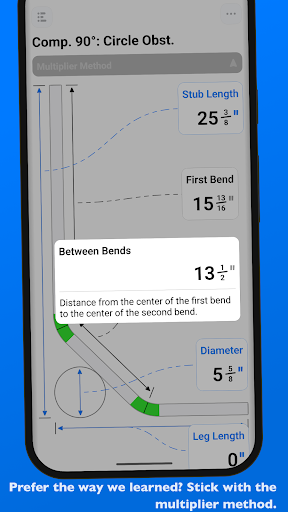
Using a robust centerline radius algorithm, all measurements within QuickBend are rigorously processed and field-tested to guarantee reliability. The app doesn't just generate bend data—it also creates bend visuals with the same precise engine, offering a seamless experience for users. Built for electricians by an electrician, QuickBend is perfect for anyone working with conduit or tubing—whether you're a seasoned professional, a novice, or a DIY enthusiast looking to get it right the first time. The app aims to help you avoid simple mistakes, saving you both time and money.
Intuitive Data Input & Versatile Features
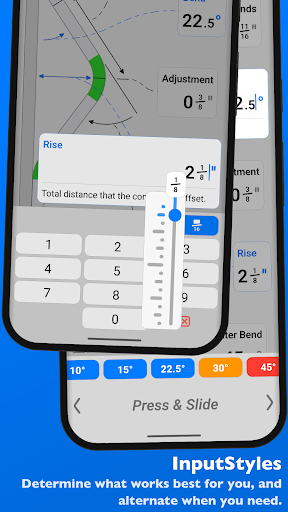
QuickBend offers the most intuitive method to input data, letting you choose between quick numeric entries or a more tactile Press & Slide interface, each with unique advantages. Users can toggle between measurements in inches and centimeters, making it adaptable to various regional standards. The integrated QuickCheck feature enhances user confidence by visually indicating if a bend is feasible (red) or unlikely (orange) before you even tap the bend amount, which helps prevent wasted effort and ensures your bends are achievable.
Supported Bend Types & Multi-Bend Layout
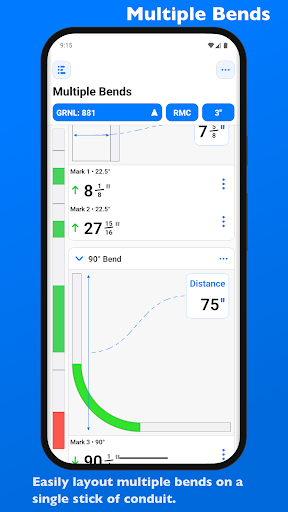
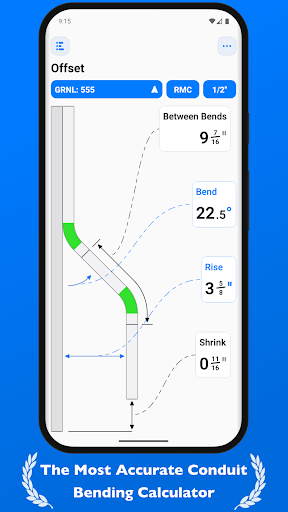
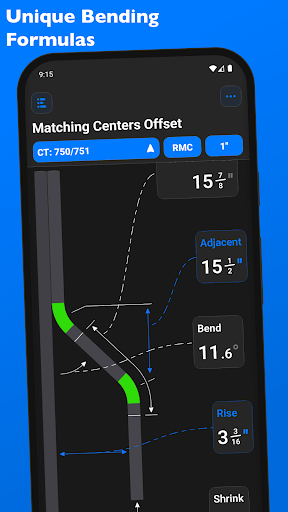
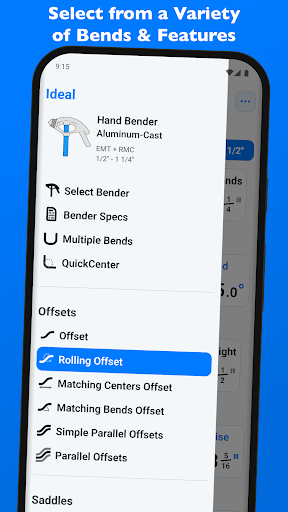
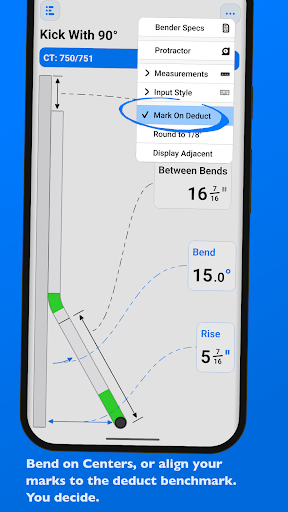
Supporting a wide range of bends, QuickBend handles Offset, Rolling Offset, Matching Bends Offset, Matching Centers Offset, Parallel Offsets, Three-Point Saddle, Four-Point Saddle, 90° Bend, Kick with 90°, and various Matching/Parallel Kicks. For complex installations, the app allows you to layout multiple bends on a single conduit, providing individual measurements for each bend and options to flip or adjust marks as needed.
Seamless Bender Management & Customization
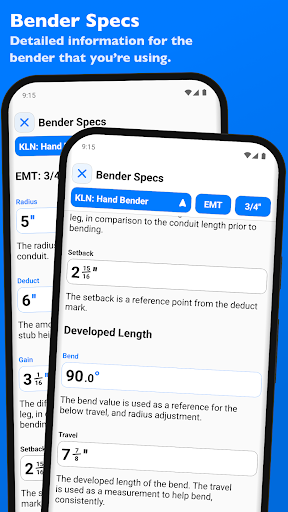
Changing and managing different bender configurations is effortless within QuickBend. You can select between various bender types, specify shoe sizes, and identify conduit type—all within the same screen you're working on, eliminating the need for complicated navigation. For frequently used benders, pinning options allow quick access and switching. All bender specifications are based on manufacturer data and include details like centerline radius, deduct, gain, setback, and adjustable radius for bends up to 90°.
User-Friendly Visualization & Editing
The Bender Specs feature visually presents all relevant parameters, allowing you to view and fine-tune your bender configurations easily. This ensures precise control over each bend, helping you achieve professional-quality installations effortlessly.
Why Choose QuickBend: Conduit Bending? A DIY Electrician’s Perspective
When it comes to electrical work, especially conduit bending, precision is everything. As someone with DIY experience, I understand the challenges of getting conduit bends just right. That’s where QuickBend: Conduit Bending truly shines—serving as a game-changer on the job site.
Getting started with QuickBend is a simple process. Available on both Android and iOS, the app installs quickly and features a clean, intuitive interface designed for quick navigation. This simplicity allows users to focus on the task at hand without wading through complex menus or settings, making it an indispensable tool during busy projects.
The app's standout features include detailed calculations for various bends like offsets, saddles, and standard 90° bends. It’s like having an experienced electrician guiding you step-by-step, ensuring every bend is accurate, which minimizes material waste and saves time. Moreover, QuickBend's ability to save bend configurations means you can revisit previous calculations or adjustments without starting from scratch—perfect for managing multiple project phases efficiently.
The user experience is highly adaptable: whether you're working with EMT, IMC, or PVC conduits, QuickBend adjusts its calculations accordingly, offering unmatched flexibility. Its clear graphics, step-by-step guidance, and straightforward layout make it suitable for beginners and seasoned professionals alike. This versatility makes QuickBend a must-have, simplifying complex conduit bending tasks and elevating the overall quality of your work.
In conclusion, QuickBend: Conduit Bending elevates the way electricians and DIY enthusiasts approach conduit installation. Its combination of speed, precision, and user-friendly features reduces errors and material costs while streamlining workflow. Whether you're tackling a small repair or a large electrical project, this app provides the tools necessary for precise, professional results every time. If you’re serious about conduit bending, giving QuickBend a try might be the best decision you make for your next project.
Pros
- Intuitive interface for quick learning
- Supports multiple conduit types
- Includes detailed bending charts
- Offers offline functionality
- Frequent updates with new features
Cons
- Limited to conduit bending tasks
- Requires in-app purchases for full features
- No cloud backup for projects
- Not available on all devices
- Lacks integration with CAD tools











