


Introduction to Phone Storage Clean
Are you often annoyed by redundant files on your phone? Excessive photos, cache buildup, background apps running silently—these issues can slow down your device and clutter your storage. Phone Storage Clean offers a comprehensive device maintenance solution designed to keep your smartphone tidy and running smoothly. With its user-friendly features, it empowers you to effortlessly manage your device's storage and performance, ensuring a seamless digital experience.
Main Features of Phone Storage Clean
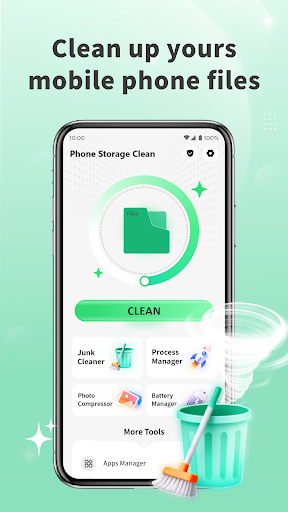
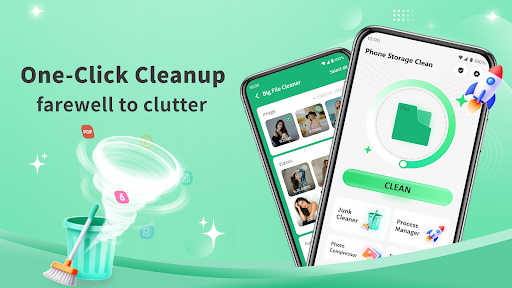
🧹 One-Click Cleanup
This feature quickly scans your device for unused files, app cache, junk files, and other useless content. With just a single tap, you can select all unnecessary data and clean them efficiently, freeing up storage space instantly.
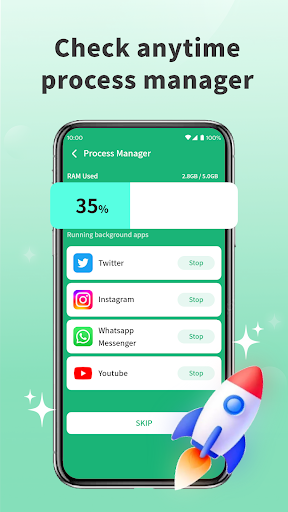
📱 Process Manager
Keep your device responsive by viewing all running background processes at any moment. Easily identify and close unnecessary apps to enhance your phone's speed and battery life.
🖼️ Photo Compression
Automatically detects large photos that consume significant storage space. The app compresses these images while preserving their quality as much as possible. Users can preview photos before compression, ensuring their important images remain clear and sharp.
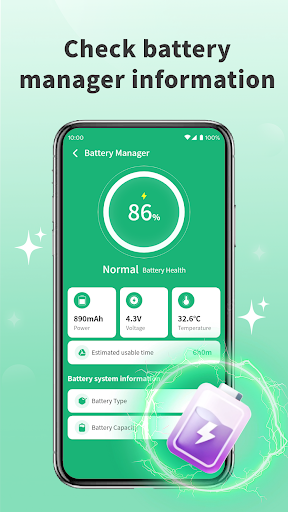
🔋 Battery Management
Monitor your device's battery health with detailed insights including battery level, remaining usage time, phone temperature, and voltage. This helps in optimizing battery performance and extends your device’s lifespan.
Why Choose Phone Storage Clean?
The app features a simple and intuitive interface that makes device maintenance accessible even for beginners. Users can also choose what to clean, ensuring important files are never deleted accidentally. This flexibility, combined with powerful cleaning tools, makes Phone Storage Clean your ideal partner in maintaining a light and fast digital life.
Conclusion
Overall, Phone Storage Clean is the perfect app for those seeking an effective and straightforward way to manage their smartphone's storage and performance. Whether it's freeing up space, managing background processes, compressing large photos, or keeping an eye on battery health, this versatile tool simplifies every aspect of device maintenance. Embrace a clutter-free, fast, and efficient mobile experience by making Phone Storage Clean your cleaning assistant today!
Pros
- High-quality performance that meets user expectations
- User-friendly interface making navigation simple
- Extensive features that enhance functionality
- Reliable and stable operation during use
- Great customer support and user assistance
Cons
- Premium pricing may be a barrier for some users
- Learning curve can be steep for beginners
- Occasional bugs or glitches affecting usability
- Limited customization options in certain areas
- Requires frequent updates to maintain performance











