
Discover the Powerful Features of PDF Viewer Pro
PDF Viewer Pro has quickly established itself as an essential tool for daily study, work, and personal life. This versatile application allows users to open, view, and manage various document formats effortlessly. Whether you're a student, professional, or casual user, PDF Viewer Pro offers an array of features that enhance your PDF handling experience. Download PDF Viewer Pro today and explore all its capabilities for free!
Key Features of PDF Viewer Pro
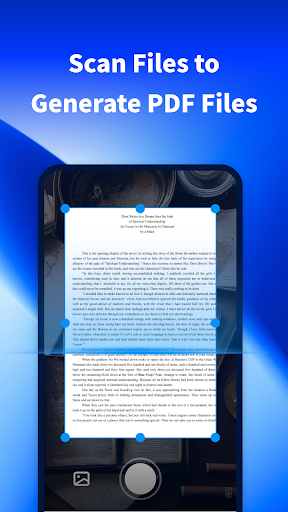
• Scan files to generate PDF files: Capture photos and scan physical documents to create high-quality PDFs. This feature makes digitizing paper documents quick and easy, saving you the hassle of manual data entry.
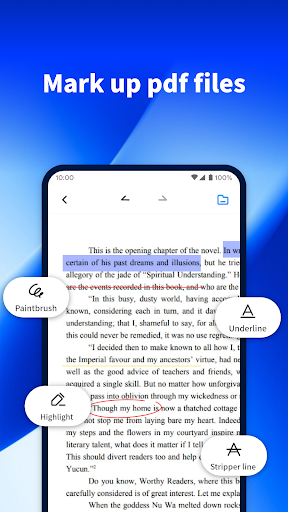
• Easy PDF annotation: Mark up your PDF documents with highlighting, shapes, comments, and more. This makes reviewing, editing, and collaborating on PDFs seamless, whether for work or study.
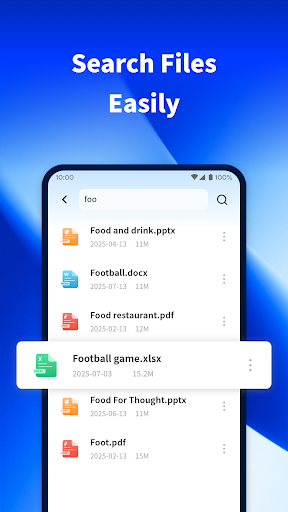
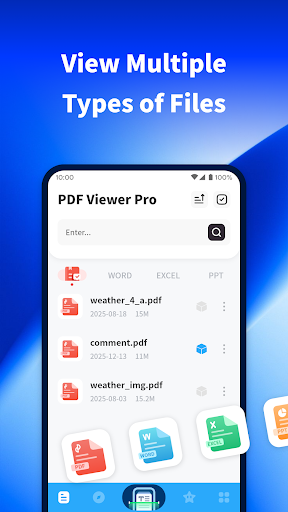
• Efficient file search: Quickly locate files stored on your device. The app’s fast search functionality helps you find needed documents in seconds, boosting your productivity.
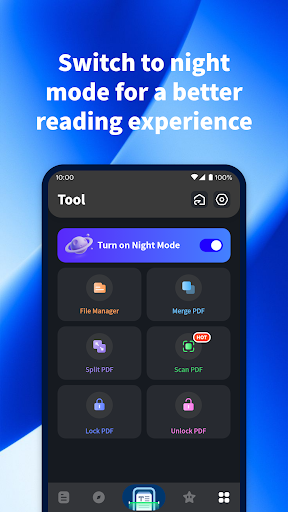
• Night mode reading: Switch to the soft night mode designed for comfortable reading in low light conditions. This feature reduces eye strain and provides a more pleasant reading experience during late-night study sessions or long reading periods.
• Easy PDF annotation: Mark up your PDF documents with highlighting, shapes, comments, and more. This makes reviewing, editing, and collaborating on PDFs seamless, whether for work or study.
• Efficient file search: Quickly locate files stored on your device. The app’s fast search functionality helps you find needed documents in seconds, boosting your productivity.
• Night mode reading: Switch to the soft night mode designed for comfortable reading in low light conditions. This feature reduces eye strain and provides a more pleasant reading experience during late-night study sessions or long reading periods.
Enhanced Reading and Editing Experience
PDF Viewer Pro isn’t just a simple viewer; it transforms the way you interact with your documents. The app's intuitive interface ensures that navigation and editing are straightforward, even for first-time users. You can easily zoom in and out, navigate large PDFs smoothly, and annotate documents with minimal effort. The built-in document signing feature allows you to digitally sign PDFs effortlessly, eliminating the need for printing and scanning. Your signatures are not only quick to add but also legally binding, making the app ideal for professional use.
Ready for On-the-Go PDF Management
Ever find yourself in a situation where you need to access or modify a PDF urgently? PDF Viewer Pro is always ready to step in. Its compact design and powerful features make handling PDFs on the move a hassle-free experience. Whether you’re reading e-books, manuals, or important documents, this app ensures you stay productive and organized. The fast performance even with large files guarantees a smooth user experience, preventing frustrating lag or delays.
Why Choose PDF Viewer Pro?
If you frequently work with PDFs or need a reliable app for casual reading, PDF Viewer Pro is a must-have. Its multifunctional design acts like a "Swiss Army knife" for documents—offering viewing, editing, signing, merging, and scanning features all in one place. This comprehensive tool streamlines your workflow, helps you stay organized, and saves time. Experience effortless PDF management anytime, anywhere—download PDF Viewer Pro now and boost your productivity with a free trial!
Pros
- User-friendly interface design.
- Supports multiple file formats.
- Offline access to documents.
- Easy annotation and editing of PDFs.
- Quick document rendering.
Cons
- Limited free features.
- Occasional syncing problems.
- Requires in-app purchases.
- Consumes significant storage space.
- Lacks integration with cloud storage services.











