
Introducing PDF Reader Zone: The Ultimate Document Management App
In the world of digital document handling, enhancing your workflow has never been easier with PDF Reader Zone. This versatile application is designed to meet all your needs—from reading and editing to scanning documents—making document management seamless and efficient. Whether you're a student, professional, or casual user, PDF Reader Zone packs a range of powerful features that help you handle your documents with ease.
Key Features of PDF Reader Zone
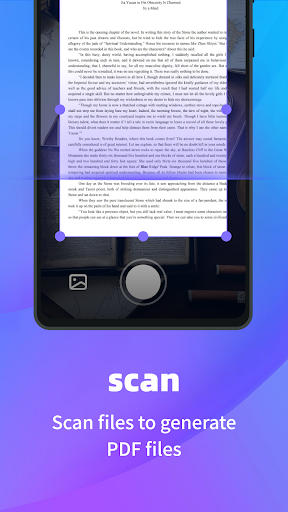
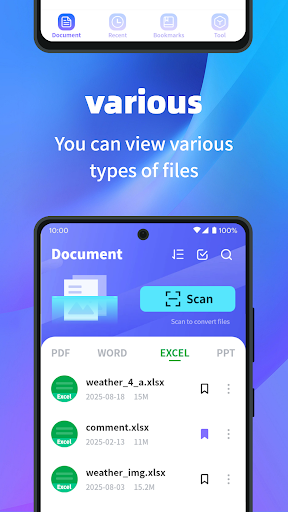
Versatile Document Support: PDF Reader Zone allows you to effortlessly access and view multiple document formats such as PDF, Word, PPT, Excel, and more. This flexibility ensures you can open and work with virtually any document type without switching between different apps or tools. Its intuitive interface provides quick access to your files, whether stored locally or in the cloud.Scan to PDF: Transform physical documents into digital files quickly using your phone’s camera. The scan to PDF feature is perfect for digitizing receipts, contracts, or handwritten notes, making archiving and sharing simpler than ever. Just capture, convert, and save—streamlining your document workflow on the go.PDF Merge and Split: Manage your PDF files efficiently with options to merge multiple PDFs into a single document or split large PDFs into manageable sections. This feature is ideal for organizing documents, preparing reports, or sharing specific sections without the need for additional editing software.Document Security: Protect sensitive information by encrypting your PDF files directly within the app. PDF Reader Zone offers robust security features to ensure your confidential data stays private, giving you peace of mind when handling sensitive documents.
Why Users Love PDF Reader Zone
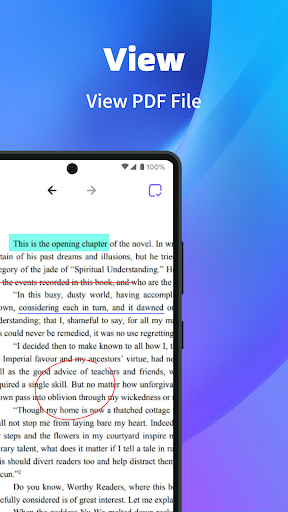
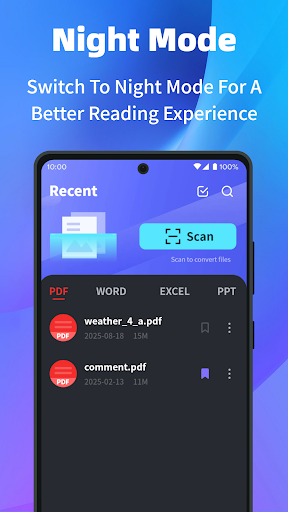
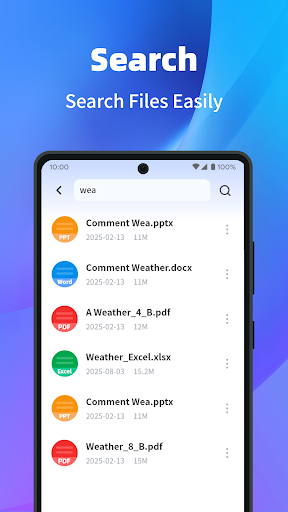
Getting started with PDF Reader Zone is straightforward, thanks to its clean, user-friendly interface. Available on both Android and iOS stores, downloading and installing this app takes just moments. Once installed, users are greeted with a simple navigation system that minimizes clutter and maximizes productivity. One of the app's standout features is its robust annotation tools. Users can easily highlight text, add sticky notes, or draw directly on documents, making it an excellent choice for students preparing study materials or professionals reviewing reports. Cloud integration further enhances productivity by allowing seamless synchronization with services such as Google Drive and Dropbox. This ensures your files are always backed up and accessible from any device—no more worries about losing important documents.Performance-wise, PDF Reader Zone demonstrates strong reliability. It handles large and complex PDFs smoothly, with quick zoom and fast navigation. The in-built search function allows you to locate specific information rapidly, saving you precious time during research or editing sessions. The app also supports various viewing modes, enabling you to customize your reading experience—whether you prefer reading in bed, during your commute, or at your desk.
Final Thoughts on PDF Reader Zone
In summary, PDF Reader Zone stands out as a comprehensive tool in the digital document management space. Its combination of versatility, security, and user-friendly design makes it a must-have for anyone frequently working with PDFs or other document formats. From the ability to easily annotate and organize files to scanning physical documents directly into digital PDFs, this app simplifies workflows and enhances productivity.While it may not cater to every niche need, for the majority of users, PDF Reader Zone offers a compelling, all-in-one solution. Whether you're managing work documents, academic notes, or personal files, this app makes handling PDFs more intuitive, secure, and efficient. Give it a try and experience how it can transform your digital document management into a hassle-free process.
Pros
- Supports various file formats including PDF, DOC, and XLS
- User-friendly interface with easy navigation
- Enables text highlighting and annotations
- Offline access to documents
- Quick document loading and processing
Cons
- Contains ads that can be disruptive
- Limited free features, many requiring a premium subscription
- Sometimes crashes on older devices
- Lacks advanced editing capabilities
- Experiences synchronization issues with cloud services











