
Introducing PDF Reader Point: Your Ultimate Solution for Comprehensive Document Viewing
PDF Reader Point is your go-to application for effortless and versatile document management. Designed to cater to the needs of students, professionals, and everyday users, this powerful app transforms your mobile device into a complete PDF toolkit. Whether you're viewing, annotating, managing, or securing your documents, PDF Reader Point has all the features to streamline your workflow and enhance productivity.
Key Features that Make PDF Reader Point Stand Out
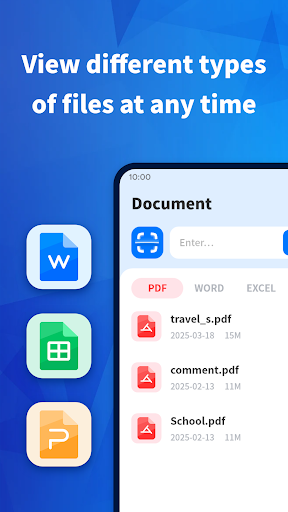
• View PDF, Word, PowerPoint, Excel files seamlessly. The app supports multiple document formats, allowing you to open different files without switching apps, ensuring a smooth experience every time.
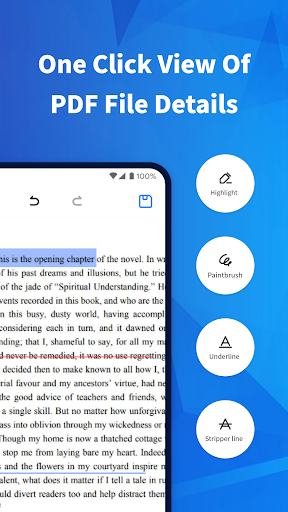
✏ Doodle PDF: Annotate your PDFs effortlessly. Highlight, underline, or strikethrough text to emphasize important points. The doodle feature allows you to draw or write freehand directly on your PDF documents, making it perfect for quick notes or detailed edits.
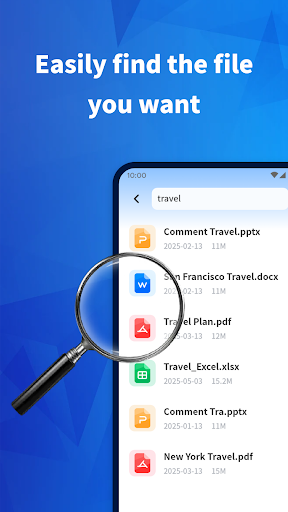
• File Management: Organize your documents with ease by renaming, deleting, sharing, or bookmarking files. View file paths conveniently within the app, helping you locate your documents quickly and stay organized.
• Merge PDF: Combine multiple PDF files into a single document without any hassle. This feature is especially useful for consolidating reports or creating comprehensive documents for presentation or sharing.
• Split PDF: Select specific pages or ranges from a PDF and split them into separate files. This function is ideal for extracting relevant sections or sharing only parts of a document.
• Lock/Unlock PDF: Protect your sensitive documents by adding digital passwords. The security features ensure that your confidential information stays safe from unauthorized access.
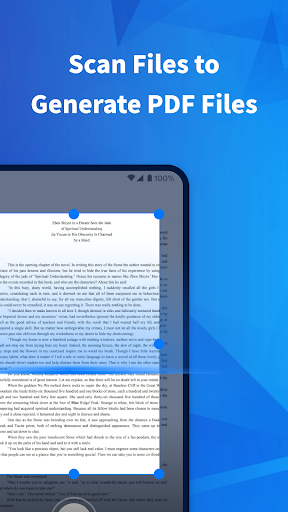
• Scan to PDF: Use your phone's camera to take photos of physical documents and instantly convert them into PDFs. This quick scanning feature is perfect for digitizing paper documents on the go.
✏ Doodle PDF: Annotate your PDFs effortlessly. Highlight, underline, or strikethrough text to emphasize important points. The doodle feature allows you to draw or write freehand directly on your PDF documents, making it perfect for quick notes or detailed edits.
• File Management: Organize your documents with ease by renaming, deleting, sharing, or bookmarking files. View file paths conveniently within the app, helping you locate your documents quickly and stay organized.
• Merge PDF: Combine multiple PDF files into a single document without any hassle. This feature is especially useful for consolidating reports or creating comprehensive documents for presentation or sharing.
• Split PDF: Select specific pages or ranges from a PDF and split them into separate files. This function is ideal for extracting relevant sections or sharing only parts of a document.
• Lock/Unlock PDF: Protect your sensitive documents by adding digital passwords. The security features ensure that your confidential information stays safe from unauthorized access.
• Scan to PDF: Use your phone's camera to take photos of physical documents and instantly convert them into PDFs. This quick scanning feature is perfect for digitizing paper documents on the go.
User Experience and Performance
Navigating PDF Reader Point is a breeze thanks to its clean and intuitive user interface. Unlike cumbersome apps that complicate simple tasks, this app offers a straightforward layout that makes finding features and managing documents effortless. You don’t need to be tech-savvy to operate it—just open the app, and you’re ready to go.
Performance-wise, PDF Reader Point is fast and reliable. Pages load promptly, and switching between documents is smooth, ensuring you spend less time waiting and more time accomplishing tasks. Additionally, the app is optimized to be gentle on your device’s battery, making it ideal for extended use throughout your busy day.
Security is also a core aspect of PDF Reader Point. The app ensures your sensitive files are protected with robust encryption and password features, providing peace of mind when handling confidential information.
Performance-wise, PDF Reader Point is fast and reliable. Pages load promptly, and switching between documents is smooth, ensuring you spend less time waiting and more time accomplishing tasks. Additionally, the app is optimized to be gentle on your device’s battery, making it ideal for extended use throughout your busy day.
Security is also a core aspect of PDF Reader Point. The app ensures your sensitive files are protected with robust encryption and password features, providing peace of mind when handling confidential information.
Why Choose PDF Reader Point?
Whether you're a student needing to annotate textbooks, a professional managing presentations, or an individual digitizing important documents, PDF Reader Point equips you with all necessary tools to get the job done efficiently. Its comprehensive features combined with a user-friendly interface make it a top choice among document readers.
Having a powerful PDF application in your pocket means you can handle your documents anytime, anywhere. From quick edits to detailed annotations, from merging files to securing sensitive data, PDF Reader Point covers it all. It’s not just a PDF reader—it’s a productivity booster designed to meet diverse document management needs seamlessly.
Download PDF Reader Point today and experience a faster, safer, and more efficient way to handle your PDFs and other document files. Elevate your mobile document management and make your daily tasks easier than ever before!
Having a powerful PDF application in your pocket means you can handle your documents anytime, anywhere. From quick edits to detailed annotations, from merging files to securing sensitive data, PDF Reader Point covers it all. It’s not just a PDF reader—it’s a productivity booster designed to meet diverse document management needs seamlessly.
Download PDF Reader Point today and experience a faster, safer, and more efficient way to handle your PDFs and other document files. Elevate your mobile document management and make your daily tasks easier than ever before!
Pros
- Supports multiple file formats.
- Includes an integrated file management system.
- Features text-to-speech capability.
- Facilitates straightforward annotation.
- User-friendly interface.
Cons
- Advertising is present in the free version.
- Cloud storage options are limited.
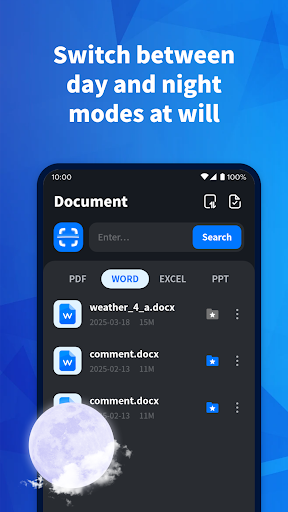
- Dark mode is not available.
- Occasional lag when handling large files.
- Some features require internet connectivity.











