
OtterAI Transcribe Voice Notes: The Ultimate AI-Powered Voice Transcription App
Are you tired of jotting down notes during meetings, lectures, or interviews? Do you wish there was an easier way to capture and organize your voice conversations? Look no further than OtterAI, an innovative voice transcription app that harnesses the power of artificial intelligence to transform how you record, transcribe, and manage your audio content. Available on both mobile devices and the web, OtterAI is designed to be your personal assistant for all voice-related needs, making note-taking effortless and collaborative.
What Is OtterAI?
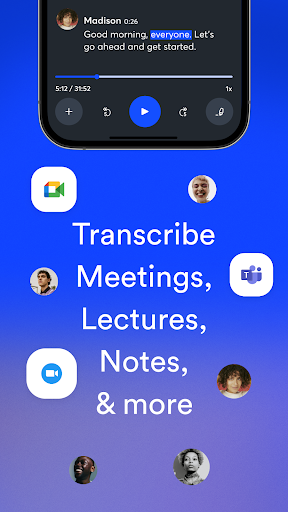
OtterAI is a cutting-edge voice transcription platform crafted to convert spoken words into accurate, searchable text in real-time. Whether you're in a team meeting, lecture hall, interview, webinar, or casual conversation, OtterAI records your voice and automatically produces comprehensive notes. Its intuitive interface and powerful features make it the perfect tool for students, professionals, journalists, and anyone who needs to stay organized without the hassle of manual note-taking.
Key Features of OtterAI
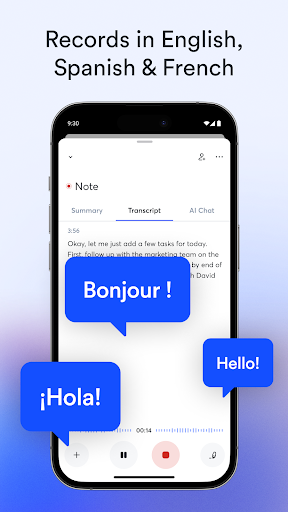
Real-Time Transcription: OtterAI listens as you speak and transcribes your voice instantly, providing a near-seamless experience comparable to having a personal stenographer. You can record directly through your device's microphone or use Bluetooth devices for convenience.
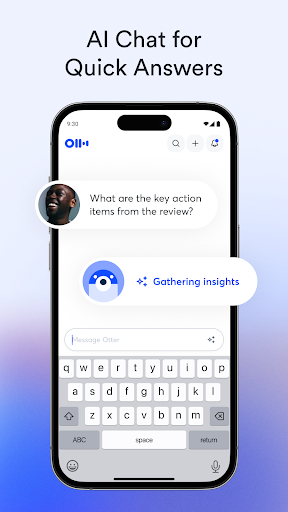
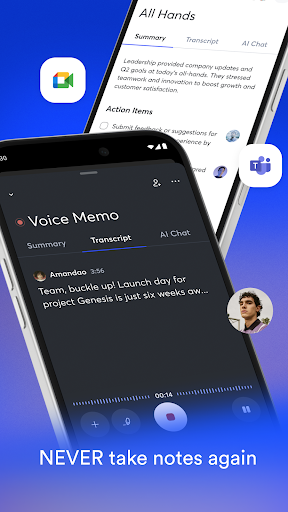
Automatic Notes & Summaries: The app doesn't just transcribe; it also summarizes meetings, captures key points, and creates voice memos that help you review important information quickly.
Speaker Identification: OtterAI can differentiate between speakers after some training, tagging each voice to the right individual. This feature simplifies reviewing multi-person discussions.
Automated Slide Capture: During virtual meetings, OtterAI can automatically capture slides and whiteboard images, enriching your notes with visual context.
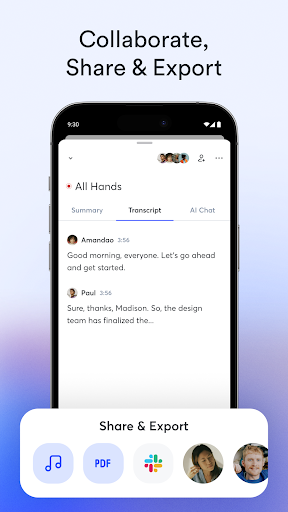
Share & Collaborate: Invite team members to view, comment, and highlight notes collaboratively. Share transcripts via links or export them in PDF, TXT, or SRT formats for further use.
Searchability & Playback: Search through your transcribed notes for specific keywords, then listen to the aligned audio at adjustable speeds. This way, you can locate exact moments without scrolling through hours of recordings.
Organization & Export: Organize your notes in folders, add highlights or comments, and export your data easily to other applications to streamline your workflow.
Enrichment with AI: OtterAI improves at understanding your speech over time, automatically punctuates, capitalizes, and breaks paragraphs, enhancing readability.
Platform Compatibility: Available on Android, iOS, and web, OtterAI syncs seamlessly across devices, allowing you to access your notes anywhere. The app also integrates with calendar apps to remind you to record meetings and auto-title your notes.
Many Ways to Use OtterAI
From recording interviews and lectures to transcribing podcasts, webinars, and virtual meetings, OtterAI caters to a wide array of needs. It’s ideal for professionals who want to keep their team in sync, researchers capturing interviews, students attending lectures, or content creators preparing scripts. The app's live captioning feature also provides accessibility support for users with hearing impairments, making communication more inclusive.
Ease of Use & Security
OtterAI boasts a user-friendly interface that makes navigation straightforward — perfect even for beginners. Recording or importing audio is quick, and editing tools allow you to correct transcripts or add highlights effortlessly. Your data privacy is a top priority; OtterAI ensures that your recordings and notes remain confidential, with options to delete data permanently and secure storage in the cloud.
Final Thoughts
In a world where time is precious, OtterAI emerges as a game-changing solution for voice transcription needs. Its advanced AI features, collaborative capabilities, and seamless integrations make it a versatile tool to boost productivity and ensure that important conversations are never lost. Whether you're recording team meetings, capturing lecture notes, or transcribing interviews, OtterAI simplifies the process, saving you time and effort. Give this smart voice AI assistant a try and experience how it transforms the way you capture and organize spoken information.
Pros
- Intuitive user interface
- Accurate transcriptions
- Supports multiple languages
- Real-time transcribing
- Easy sharing options
Cons
- Requires internet connection
- Limited free version
- Privacy concerns over data
- May struggle with accents
- Occasional transcription errors











