

Understanding the Okta Verify App: Your Digital Security Companion
Okta Verify is a lightweight, highly effective application designed to enhance the security of your digital accounts through two-step verification, also known as multi-factor authentication (MFA). In an era where online security is more critical than ever, Okta Verify offers a seamless way to ensure that only you can access your apps and online services.
What is Okta Verify?
At its core, Okta Verify functions as a trusted security tool that verifies your identity in addition to your usual password when you sign into various applications. Whether you're accessing your email, social media, or banking accounts, the app provides an extra layer of protection by confirming your identity through multiple authentication methods. This not only fortifies your security but also simplifies the login process, making it more convenient and safer to manage your digital life.
Key Features and Authentication Methods
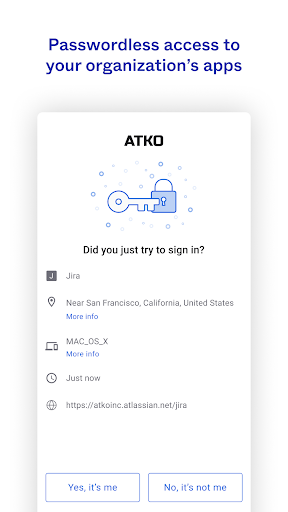
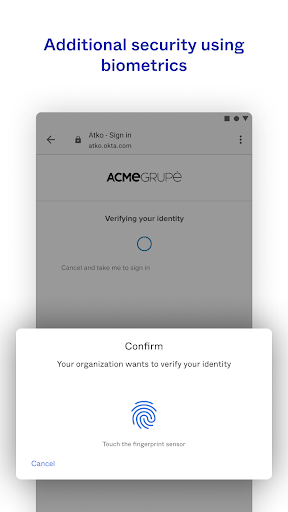
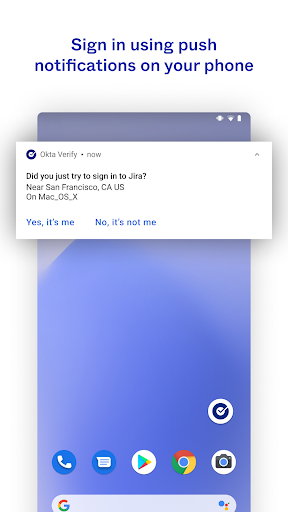
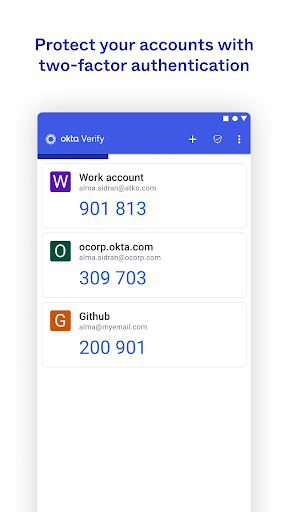
Designed with user convenience in mind, Okta Verify supports various verification options to suit different preferences and organizational policies. You can verify your identity using a push notification sent directly to your mobile device—if enabled by your organization—which prompts you to approve or deny the login attempt. Alternatively, you can use a temporary 6-digit code generated by the app, or biometric verification such as fingerprint or facial recognition, provided these are enabled by your organization. The app also requires permission to access your device's camera, enabling you to enroll your device securely by scanning a QR code during setup—an intuitive process that ensures a quick and secure configuration.
Ease of Setup and User Experience
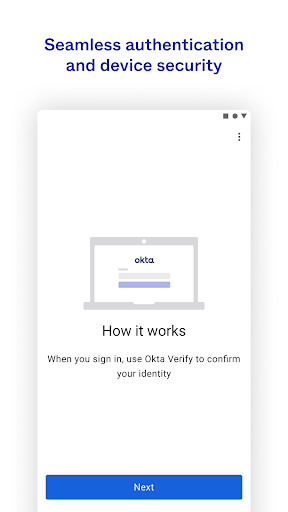
Getting started with Okta Verify is straightforward. After downloading the app from your preferred app store, you'll be guided through a simple, step-by-step setup process. The clean and intuitive interface makes enrollment and configuration smooth, even for users who are less tech-savvy. The app's minimalistic design focuses on providing a seamless experience, allowing you to navigate effortlessly without unnecessary clutter or complexity.
Robust Security and Compatibility
Once configured, Okta Verify offers robust security features to protect your online accounts. It employs push notifications and time-based one-time passwords (TOTPs) to verify your identity, significantly reducing the risk of unauthorized access. Whether you're using it for email, banking, or social media, the app's compatibility across multiple platforms and devices ensures that you can maintain your security wherever you go. The ability to approve login attempts with a simple tap on your device provides peace of mind and enhances your overall security posture.
User Experience and Design
The developers behind Okta Verify have prioritized an excellent user experience. The app's performance remains consistently smooth, and navigation is intuitive, making it easy for users to manage their account verifications. Its straightforward, minimalistic aesthetic appeals to a wide audience, removing any obstacles that might deter users from adopting MFA practices. This focus on ease of use is vital in encouraging more people to implement enhanced security measures.
Final Thoughts: Is Okta Verify Right for You?
In summary, Okta Verify is a reliable and user-friendly MFA app that effectively balances security and convenience. Its simple setup process, versatile authentication options, and minimalistic design make it an excellent choice for individuals and organizations seeking to strengthen their online security. By integrating Okta Verify into your digital routine, you add a critical layer of protection that can prevent unauthorized access and protect sensitive information.
Secure Your Digital Life Today
If you're serious about safeguarding your online presence, implementing multifactor authentication with apps like Okta Verify is a prudent step. With its ease of use and powerful security features, this app is designed to keep your accounts safe from threats. Once you experience the benefits of that added security layer, you'll wonder how you managed without it—making Okta Verify an essential tool in your digital security arsenal.
Pros
- Seamless integration across multiple platforms.
- Intuitive and easy-to-use interface.
- Robust security features.
- Rapid two-step verification process.
- Regular updates and enhancements.
Cons
- Requires an internet connection to function.
- Limited capabilities when offline.
- Initial setup may be complicated for new users.
- No compatibility with Windows Phone.
- Occasional delays in notifications.











