

Discover the Ultimate Digital Notebook: Notepad, Notebook, Notes App
Are you tired of losing scattered scraps of paper with those fleeting ideas and urgent reminders? Say goodbye to clutter and embrace a more organized future with the Notepad, Notebook, Notes app. This versatile, user-friendly application transforms your device into an efficient digital notebook, making note-taking, list creation, and project planning effortless and enjoyable. Whether you're a student, a professional, or a creative soul, this app offers features designed to boost your productivity and keep your thoughts neatly organized.
Why Choose the Notepad, Notebook, Notes App?
Effortless Note-Taking
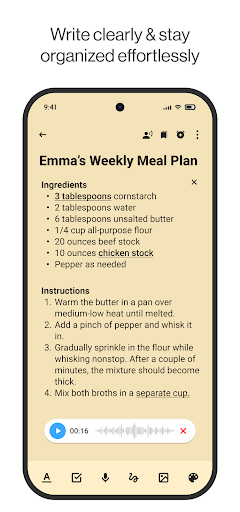
With its clean and intuitive interface, this app allows you to capture your ideas in seconds. Open the app and start writing—no complicated menus or confusing setups. It's perfect for jotting down quick thoughts, reminders, or lengthy memos, making sure you never miss a beat.
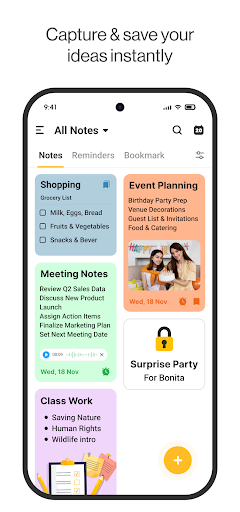
Ultimate Organization
Create custom categories for your notes, utilize powerful list-making tools, and keep everything in perfect order. From colorful notes for different projects to reminders for important deadlines, everything stays structured and easy to locate.
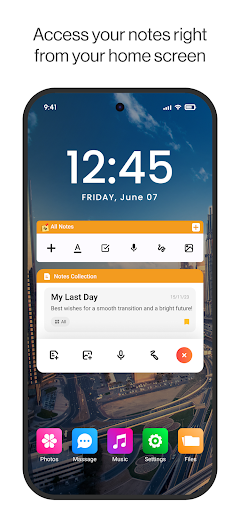
Sticky Note Widget for Immediate Access
Keep your most vital notes right on your home screen with a customizable sticky note widget. This feature ensures your important reminders are always visible, helping you stay on top of your schedule without opening the app.
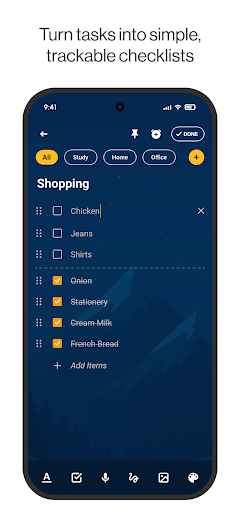
Dynamic To-Do Lists
Manage tasks effortlessly with built-in to-do list features. Check off completed tasks, add new ones, and prioritize your work or personal chores, all within a single, streamlined interface.
Personalize Your Notes
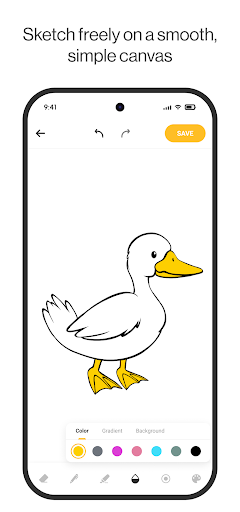
Express yourself by customizing your notes with vibrant colors and backgrounds. Make your digital notebook uniquely yours, turning it into a reflection of your personality.
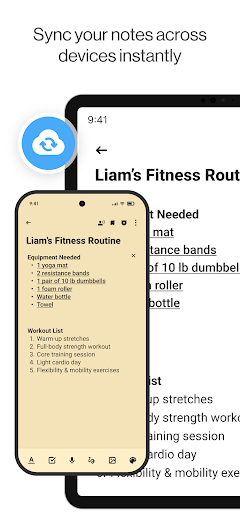
Sync & Security
Seamlessly sync your notes across multiple devices ensuring your ideas are always accessible. Enjoy peace of mind with secure data storage, protecting your private information from unauthorized access.
Features Built for Enhanced Productivity
Quick Search
Find any note or memo instantly using the app’s intuitive search function. No more endless scrolling—just type a keyword and locate your note in moments.
Smart Reminders
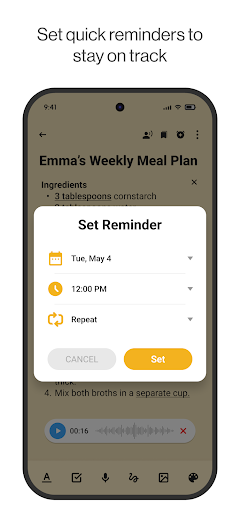
Set reminders directly from your to-do lists or notes. Receive notifications to stay ahead of your schedule, making sure you never miss an important event or deadline.
Creative Note Widgets
Use innovative widgets to display and manage notes directly from your home screen. These quick-access tools help you stay organized without opening the full app.
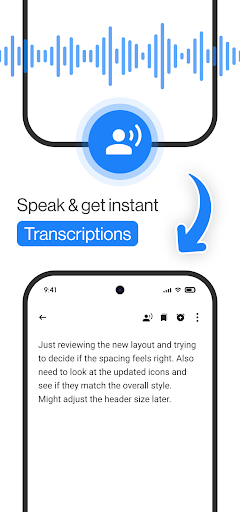
Voice Memos & Notes
Record voice memos and save them as notes. This hands-free feature is perfect for capturing ideas on the go or when you're unable to type.
Sticky Notes for Keeps
Place sticky notes on your device’s home screen to keep vital reminders and to-dos visible at all times. It’s a simple way to stay reminded and organized throughout your day.
Designed for Everyone
Students
Organize lecture notes, create study lists, and manage assignments with ease—all within your digital notebook.
Professionals
Take meeting notes, plan projects, and track tasks efficiently, making your workday smoother and more productive.
Homemakers
Keep shopping lists, meal plans, and household to-dos organized in one vibrant and easy-to-access location.
Creatives
Sketch, jot down ideas, and compile inspirations all within a single, versatile notes app.
Get Organized with the Notepad, Notebook, Notes App Today!
Download the Notepad, Notebook, Notes app now and experience a new level of efficiency in your daily routine. From managing quick notes to maintaining detailed project plans, this app offers everything you need to stay organized and productive. Its user-friendly design, extensive features, and seamless synchronization make it the perfect digital companion for anyone looking to elevate their note-taking experience. Take control of your life—your organized, creative, and productive future starts right here.
Pros
- User-friendly interface
- Easy to navigate
- Quick note-taking with minimal steps
- Supports multimedia notes such as audio
- Seamless synchronization across devices
- Customizable themes for notes
Cons
- Lacks advanced text formatting options
- Limited collaboration features
- Ad-supported in the free version
- No handwriting recognition functionality
- Basic tools for organizing notes











