
Introducing Mobile Scanner App - Scan PDF
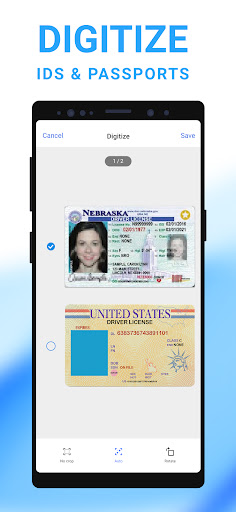
The Mobile Scanner app is a versatile, free-to-download, all-in-one scanner solution designed to transform your smartphone into a powerful digital office tool. Whether you need to digitize documents, handwritten notes, receipts, photos, or even entire books, this app delivers crisp, high-quality PDFs and images with just a few taps. Its advanced OCR (Optical Character Recognition) technology allows you to extract text from scanned images, making it easy to create fully searchable PDFs and editable text files. This makes the Mobile Scanner App - Scan PDF an essential app for students, professionals, and anyone looking to boost productivity on the go.
Ultra-fast and Accurate Scanning Capabilities
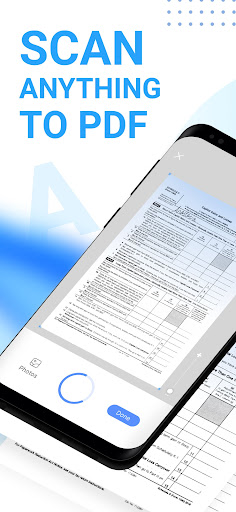
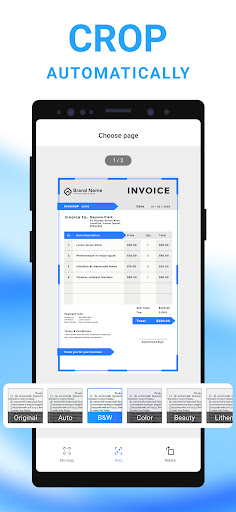
Designed for speed and precision, the Mobile Scanner App - Scan PDF allows you to scan various content such as receipts, business cards, contracts, and even books. With batch scanning, you can capture multiple pages and compile them into a single PDF document, saving time and effort. The app ensures each scan is clear and professional, providing options like automatic border detection and cropping to remove unnecessary backgrounds. Additionally, users can preview, crop, rotate, and adjust color and resizing settings to enhance the output quality.
Smart Image Optimization for Professional Results
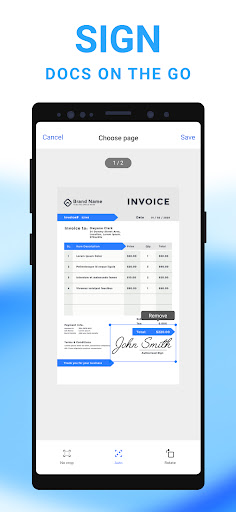
The app’s smart image processing features allow you to generate high-quality documents effortlessly. You can remove imperfections such as stains, scuffs, or handwriting errors. Users can also erase creases, marks, or signs of wear that might affect clarity. The signature feature enables users to add handwritten or digital signatures directly onto scanned files. Advanced picture processing filters further ensure that your PDFs look crisp and professional, suitable for formal presentations or urgent business needs.
Powerful Text Recognition and Editing Features
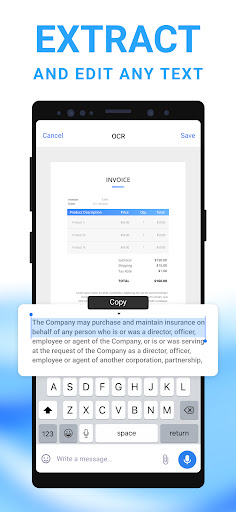
The built-in OCR technology is a game-changer, enabling you to extract editable text from your scans seamlessly. You can copy, edit, or export the recognized text into various formats like .TXT files for easy sharing or further processing. This feature transforms your printed or handwritten content into digital text, saving hours of manual re-typing and ensuring accuracy.
Organize, Share, and Secure Your Files Effortlessly
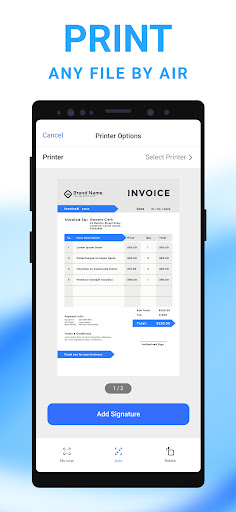
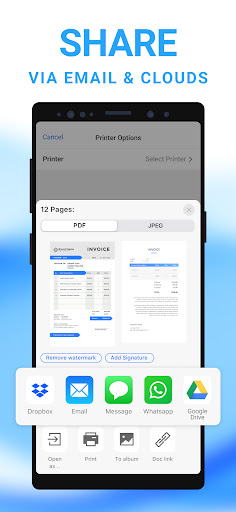
Managing your scanned documents is straightforward with customizable folders, drag-and-drop reordering, and easy sharing options. You can instantly send files via email or upload them to popular cloud services such as Google Drive, Dropbox, and OneDrive. Additionally, the app supports direct printing of PDFs, making it convenient to produce physical copies for meetings or signatures. Privacy is also a priority: you can set passwords to lock sensitive folders and documents, safeguarding personal information like contracts, bank details, or tax documents from unauthorized access.
Why Choose Mobile Scanner App - Scan PDF?
With its combination of speed, accuracy, and security, the Mobile Scanner App - Scan PDF is perfect for individuals seeking a reliable mobile scanning solution. Its comprehensive features enable you to convert physical content into digital formats that are easy to organize, share, and protect. Whether you need to digitize receipts and notes or prepare formal documents, this app ensures professional results every time. Plus, its user-friendly interface requires no technical expertise, allowing anyone to become a mobile document expert in minutes.
Start transforming your phone into a portable scanner today—download the Mobile Scanner app and experience the convenience of instant digitization at your fingertips. Say goodbye to bulky scanners and hello to a smarter, faster way to handle your documents!
Pros
- Fast document scanning and processing.
- High accuracy in recognizing text.
- User-friendly interface and simple navigation.
- Supports various document formats.
- Includes cloud storage integration.
Cons
- Limited features available in the free version.
- Occasional intrusive advertisements.
- Internet connection needed for cloud synchronization.
- Limited editing options within the app.
- Certain features require payment to unlock.











