
MiXplorer Silver File Manager icon

MiXplorer Silver File Manager

3.96K
4
Installs
0.10M
Version
6.70.3-Silver
Advertisement
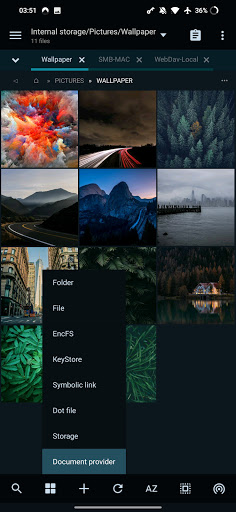
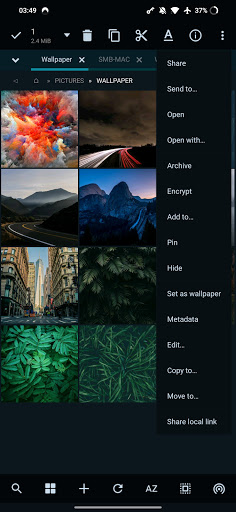
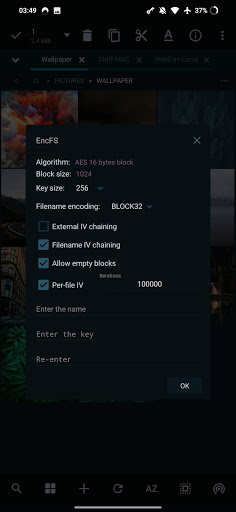
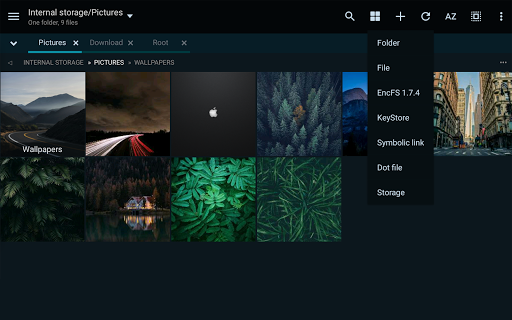
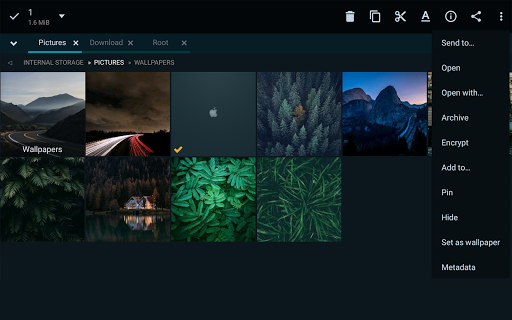
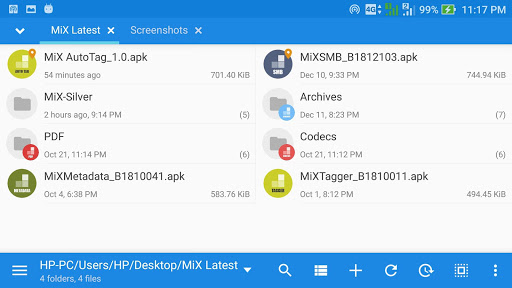
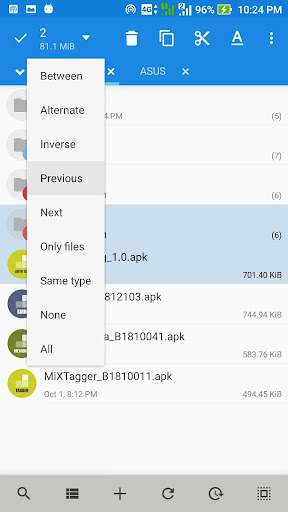
MiXplorer Silver File Manager screenshot
Advertisement

Introduction to MiXplorer Silver File Manager

If you're searching for a powerful and feature-rich file manager app for your mobile device, MiXplorer Silver File Manager is an excellent choice. This versatile app combines the core MiXplorer file management capabilities with a bundle of add-ons, making it more than just a simple file navigator. With its extensive support for various file formats, cloud services, and customization options, MiXplorer Silver functions like a Swiss Army knife—an all-in-one solution for managing files efficiently. Whether you're a casual user or a tech enthusiast, this app can handle your needs with ease and precision.

Key Features of MiXplorer Silver File Manager

Comprehensive File Support

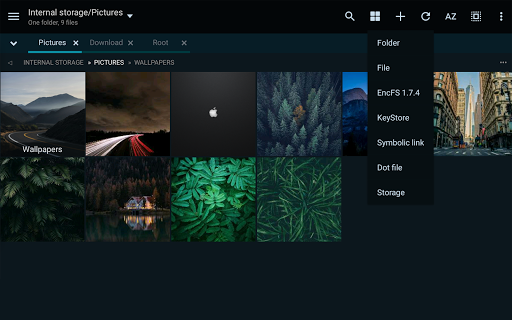
One of the standout aspects of MiXplorer Silver is its support for a wide variety of file formats. From common documents, images, and archives to more obscure types, this app can open, organize, and manage them all seamlessly. The included PDF, Image, Tagger, Archive, and PDF add-ons extend its functionality even further, making it a true all-in-one file management tool.

Advanced Compression and Extraction

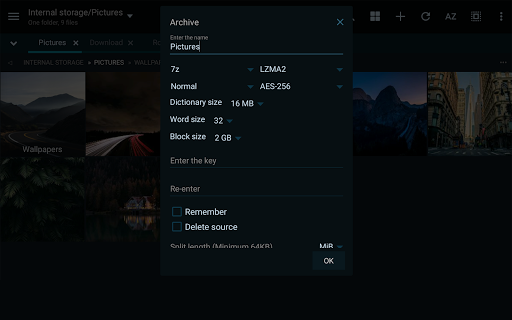
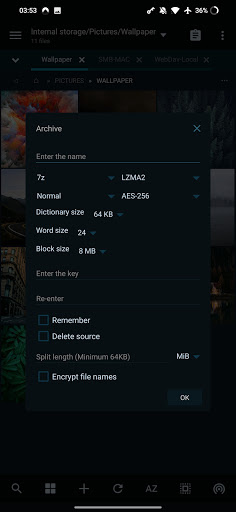
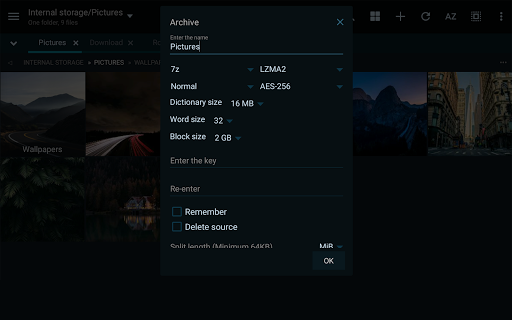
The app enables you to pack and unpack numerous archive formats, including 7z, Zip/Zip64, TAR, GZIP, BZIP2, XZ, WIM, and many others. It also supports unpacking of formats like RAR, ISO, DMG, and more, offering flexibility for handling compressed files on the go. This feature is especially useful for users dealing with large archives or needing quick access to archived content.

Seamless Cloud Storage Integration

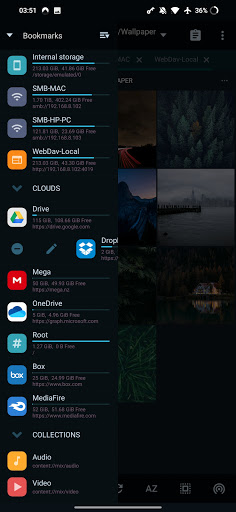
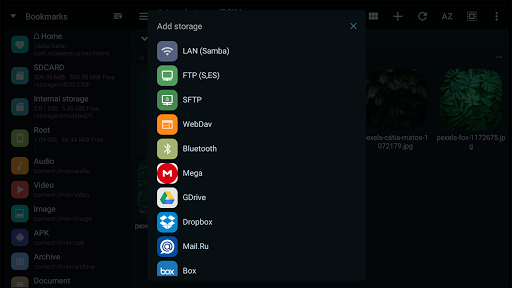
MiXplorer Silver consolidates access to multiple cloud storage providers within a single app. Compatible services include Google Drive, Dropbox, OneDrive, Mega.nz, Mediafire, Yandex, pCloud, SugarSync, and WebDAV-supported providers such as OwnCloud. This consolidation allows for effortless file management and transfer between local storage and cloud accounts, enhancing workflow efficiency.

Customization and Theming

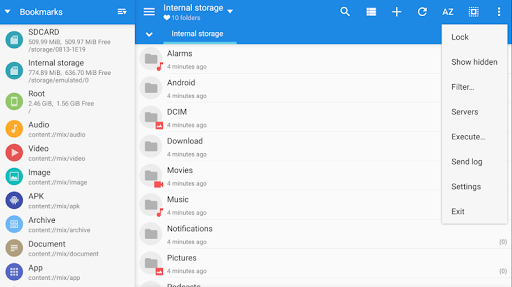
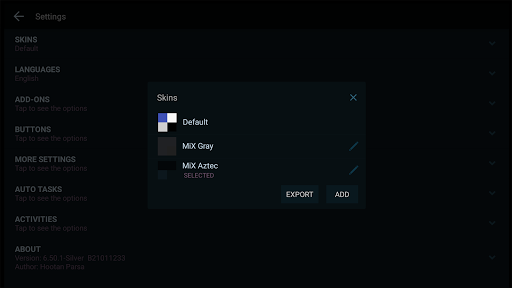
If personalization is your thing, MiXplorer Silver doesn’t disappoint. It offers extensive customization options like changing skin colors through a built-in Skin editor and importing numerous theme packages with different icons. The app's UI can be tailored to match your style, making your file management experience both functional and visually appealing.

Efficient Navigation and Multitasking

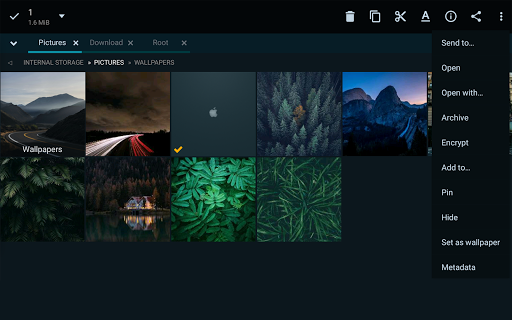
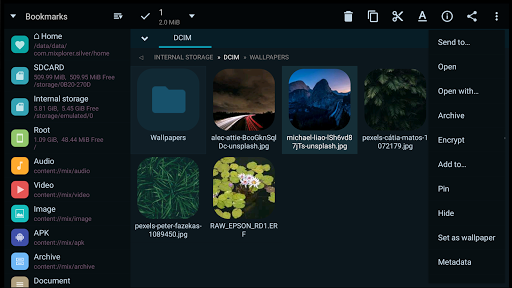
Features like unlimited tabbed browsing and dual-panel view in landscape mode make navigating your file system more convenient. You can drag and drop files between panels, and create multiple tasks to multitask effortlessly. These capabilities are perfect for users handling large files or performing batch operations.

Powerful Search and File Operations

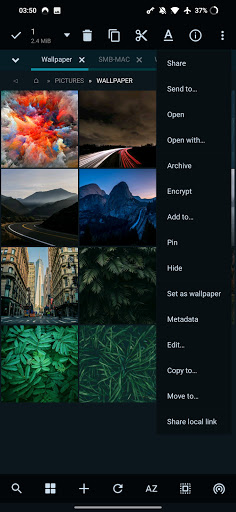
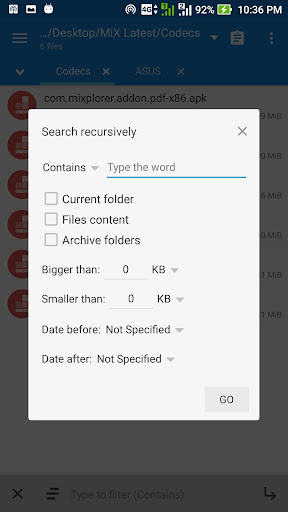
Advanced search functions allow you to locate files quickly, while editing, encrypting, or modifying archives can be done within the app. The file encryption/decryption feature, utilizing Aescrypt, adds a layer of security for sensitive data. Plus, you can modify existing compressed files or create new ones with ease.

Media and Document Viewing

Built-in abilities include HTML viewer, font viewer, image viewer supporting formats like GIF, SVG, TGA, ICO, and a media player with additional codecs. Also, Text and Code Editors enable for editing files directly within the app, making it suitable for users who work with code or write documents on their devices.

Network and Server Support

MiXplorer Silver supports connecting to FTP(S), SFTP, WebDAV, DLNA, and SMB (SAMBA) servers, providing access to remote storage solutions. This allows users to transfer files over networks securely and efficiently, turning their mobile device into a mobile server or remote file access point.

Other Notable Add-Ons and Features

  • APK signer with support for v1, v2, and v3 schemes
  • RAW, TIFF, and other advanced image decoders
  • Root access for advanced operations
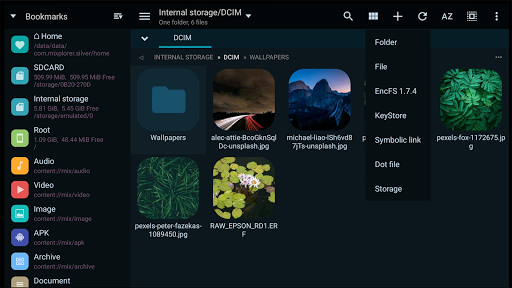
  • Support for EncFS volumes
  • Various productivity features like drag & drop, task automation, preferences backup

Why Choose MiXplorer Silver File Manager?

MiXplorer Silver isn’t just another file manager; it’s a comprehensive solution that adapts to your specific needs. Its extensive customization options allow you to tailor the interface to your preferences, while its support for all major cloud platforms makes remote file management straightforward. Whether you’re dealing with complex archives, multiple cloud accounts, or just need an app that can handle every file type imaginable, MiXplorer Silver delivers.

Final Thoughts

In a competitive landscape of file managers, MiXplorer Silver File Manager stands out as a powerful, flexible and reliable tool that transforms how you handle files on your device. Its blend of advanced features, high customization, and broad format support makes it an indispensable app for anyone serious about efficient and secure file management. Download MiXplorer Silver today and experience the difference—it’s more than just a file manager; it’s a complete file management ecosystem.

Pros

  • Highly customizable user interface
  • Supports a variety of file formats
  • Provides efficient tools for file management
  • No advertisements displayed
  • Offers a clean and uncluttered experience
  • Integrates smoothly with cloud storage services

Cons

  • Not available for free
  • Requires purchase to access features
  • Steep learning curve for new users
  • Occasional bugs in software updates
  • Limited support compared to competitors
  • Complex settings may be overwhelming for some users

Download From Google Play
Advertisement

Frequently Asked Questions

What is MiXplorer Silver File Manager and what are its key features?

MiXplorer Silver File Manager is an all-in-one file management application for Android devices. It provides an intuitive interface with features such as dual-pane mode for easier navigation, compatibility with various file formats, cloud storage support, and advanced search functionalities. The app also offers extensive customization options, allowing users to personalize their experience. Its broad range of features makes it suitable for both casual users and tech enthusiasts seeking efficient file management.

Is MiXplorer Silver File Manager safe to use?

Yes, MiXplorer Silver File Manager is considered safe. It is developed by a reputable team known for reliable software. The application is free from malicious software and adware, providing a secure environment for file management. Moreover, it respects user privacy by not collecting unnecessary personal data, allowing users to manage their files confidently without security or privacy concerns.

Can MiXplorer Silver File Manager integrate with cloud services?

MiXplorer Silver File Manager offers robust cloud integration capabilities. It supports popular cloud storage providers such as Google Drive, Dropbox, MEGA, and others. This enables users to access, upload, download, and sync files directly within the app across different cloud services, facilitating seamless management of cloud-stored files.

What are the customization options available in MiXplorer Silver File Manager?

The app provides extensive customization features, including theme changes, layout adjustments, and color scheme selections to match user preferences. It also supports custom scripts and add-ons, allowing advanced users to expand its functionality. These options help tailor the file management experience to individual needs and preferences.

Does MiXplorer Silver File Manager support different file formats?

Yes, MiXplorer Silver File Manager supports a wide variety of file formats. It can handle documents, images, videos, audio files, as well as archive formats like ZIP and RAR, and executable files. This comprehensive support allows users to efficiently manage virtually any type of file within a single app, removing the need for multiple tools.

You May Like










