
MiraManager - File Manager
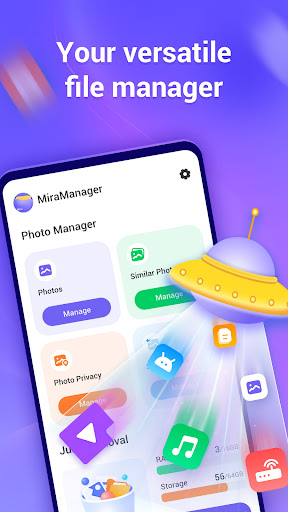
In today’s digital age, managing the clutter of our mobile devices can be a daunting task. Enter MiraManager - File Manager, an innovative application designed to help you organize, protect, and streamline your digital life seamlessly. Whether you're using an Android or iOS device, this app serves as your personal assistant in managing your files efficiently and keeping your data safe.
Key Features of MiraManager
Organize & Declutter
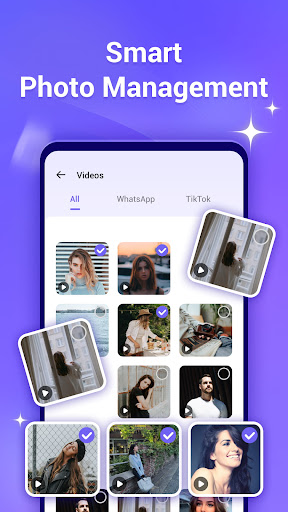
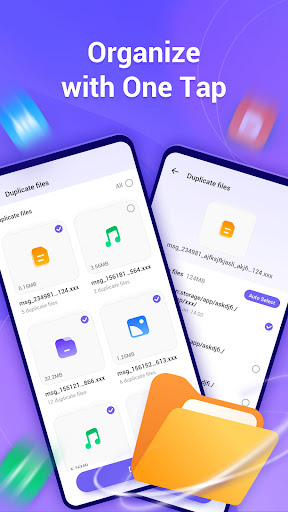
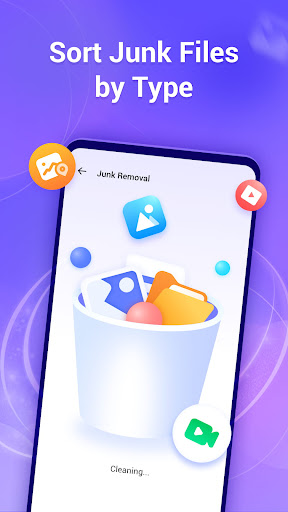
One of the standout aspects of MiraManager is its intuitive interface that simplifies file management. The app allows you to browse, manage, and organize your files with just a few taps. It intelligently identifies and categorizes • junk files by type, making it easy for you to select and delete unnecessary data, freeing up valuable storage space. Additionally, it offers a powerful duplicate photo finder that helps you locate and eliminate duplicate images, contributing to a cleaner device and more efficient storage utilization.
Protect & Secure
Privacy and security are paramount. MiraManager offers features such as • removing embedded location data from your photos to protect your personal information from unwanted location tracking. With app lock capabilities, you can secure sensitive applications behind password protection, preventing unauthorized access to private content. These security measures ensure that your personal data remains confidential and safe from prying eyes.
Analyze & Streamline
The app provides comprehensive device insights, allowing you to get • device information at a glance. It also enables you to track your • app usage time, helping you understand your digital habits. Based on this information, you can make informed decisions about which apps to keep or remove, optimizing your device’s performance and battery life. With MiraManager, managing your digital footprint becomes a straightforward task, making your device faster and more efficient.
Why Choose MiraManager?
Managing files has never been easier with MiraManager’s robust set of features. The app supports a wide range of • file formats, including documents, music, videos, and images, making it a comprehensive solution for all your file management needs. The integrated search function is fast and accurate, saving you time when locating specific files. Plus, its cloud integration capabilities allow you to connect seamlessly with services like • Google Drive, Dropbox, and • iCloud, enabling easy synchronization across devices. This flexibility ensures you can access and manage your files anytime, anywhere.
Beyond functionality, MiraManager offers a smooth and stable user experience, even when handling large files. It also emphasizes • security, ensuring your private files remain protected through built-in protection features. Customization options allow you to personalize the app’s appearance and organization to suit your preferences, whether that’s changing themes or organizing files in ways that make the most sense to you.
Conclusion
In a world overflowing with digital data, MiraManager - File Manager is a must-have tool for anyone seeking a straightforward, efficient way to organize, secure, and access their files. Its user-friendly design, coupled with powerful features, makes managing your digital ecosystem a breeze. Say goodbye to clutter and hello to a more streamlined, private, and efficient device experience. Download MiraManager today and take control of your digital life with confidence!
Pros
- User-friendly interface for easy navigation.
- Supports multiple file formats seamlessly.
- Efficient file transfer with high-speed connectivity.
- Robust privacy features to secure your data.
- Integrates well with cloud storage services.
Cons
- Occasional bugs during file operations.
- Ads can be intrusive for free version users.
- Limited advanced features for power users.
- No dark mode to reduce eye strain.
- Updates can be slow to release.











