

MiraClean Lite - File Cleaner
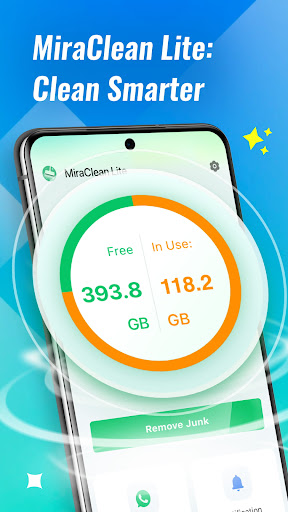
MiraClean Lite is a user-friendly Android utility designed to optimize your device by cleaning unnecessary files and monitoring activity. Whether you want to free up storage space or keep an eye on your device's performance, MiraClean Lite offers a straightforward solution with its range of powerful features.
Key Features of MiraClean Lite
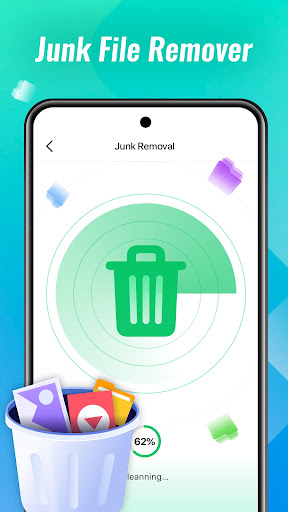
• Junk File Cleaner – This feature helps you remove residual files left by social applications, short video platforms, and notification logs. Clearing these junk files can significantly free up storage space, making your device more responsive.
• Targeted Cleaning – With dedicated cleanup options, you can selectively clear cached files from specific app categories such as messaging or social media apps, providing tailored management of your device’s storage.
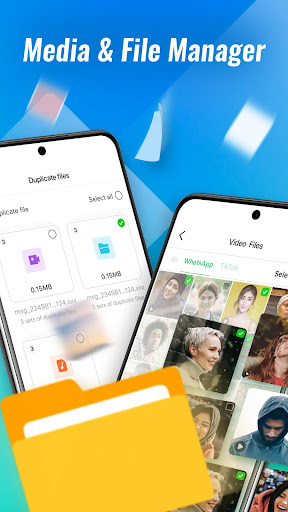
• File Management – Organize duplicate images, installation packages, and downloads. You can browse files by type or location to quickly find and manage your files, facilitating efficient storage management.
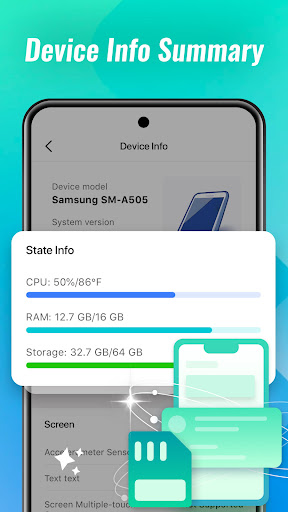
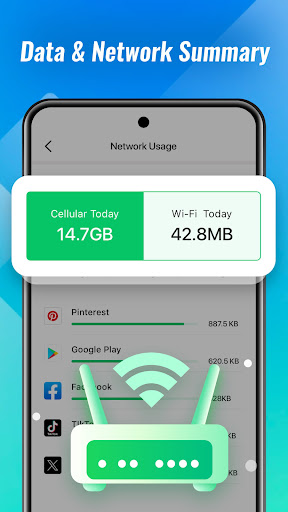
• Toolbox Utilities – Check your battery status including level and temperature, view detailed device specifications, and monitor network usage over Wi-Fi or mobile data. These utilities help you keep track of your device’s health and performance in real-time.
• Network Tools – Perform speed tests to evaluate your internet connection and analyze data consumption by individual apps. This helps you identify apps that consume excessive data and optimize your network usage effectively.
Why Use MiraClean Lite?
Many smartphone users often notice their devices becoming sluggish, as if they’re burdened with unnecessary clutter. MiraClean Lite acts like a personal digital cleaning service, helping to declutter your device, boost performance, and improve battery life. This app is especially useful if you feel your smartphone is getting slower or running out of space too quickly.
Think of MiraClean Lite as a Marie Kondo for your phone—organizing your digital life and cleaning out the unnecessary. It’s designed to be simple to use, even for those who aren’t tech-savvy, with an intuitive interface that guides you through cleaning sessions smoothly.
Getting Started with MiraClean Lite
Installing MiraClean Lite is quick and hassle-free. After downloading from the Google Play Store, the app’s clean layout makes navigation effortless. The setup process is straightforward, providing clear options to clean files and monitor device activity without overwhelming you with technical details.
Features That Make a Difference
The app’s core function—junk file cleaning—operates efficiently, detecting and removing unwanted residual files in just moments, freeing valuable storage space. The built-in memory booster works by closing background apps, thereby speeding up your device and making everything feel more responsive. Additionally, the battery saver feature analyzes your apps to identify those draining power, offering solutions such as limiting background activity to extend battery life.
After using MiraClean Lite for several days, users often notice a marked improvement in device performance. Faster app launches, longer battery life, and a cleaner storage environment contribute to a more satisfying user experience. It’s like giving your phone a comprehensive health check and a thorough cleaning all in one go.
Final Thoughts
In our digital age, maintaining excellent device performance is essential. MiraClean Lite provides an efficient, easy-to-use solution that helps users keep their smartphones clean, organized, and functioning at peak performance. Whether you’re a casual user or someone who depends heavily on their device daily, this app offers valuable tools to ensure your phone runs smoothly and stays clutter-free.
If your device is starting to feel sluggish or if storage space is running low, consider giving MiraClean Lite a try. Its suite of cleaning and monitoring features can make a noticeable difference, helping your phone operate like new. Experience the benefits of a cleaner, more efficient device today!
Pros
- Efficiently removes cache and junk files.
- Enhances device speed and performance.
- User-friendly interface.
- Consumes minimal battery power.
- Supports multiple languages.
Cons
- Free version offers limited features.
- Advertisements may be intrusive.
- Can cause occasional lag on older devices.
- Requires certain permissions for access.
- Lacks real-time protection features.











