
Discover the Power of Minimalist Phone: Launcher
Are you feeling overwhelmed by the clutter on your smartphone? If the endless app grids, notifications, and social media distractions are taking a toll on your productivity and mental well-being, then Minimalist Phone: Launcher might be the perfect solution for you. This innovative launcher transforms your device into a minimal or dumb phone interface, helping you focus on what truly matters and fostering positive digital habits. Designed with simplicity and efficiency in mind, it provides a clean, distraction-free environment that promotes happiness, mindfulness, and increased productivity.
Embracing Simplicity and Focus
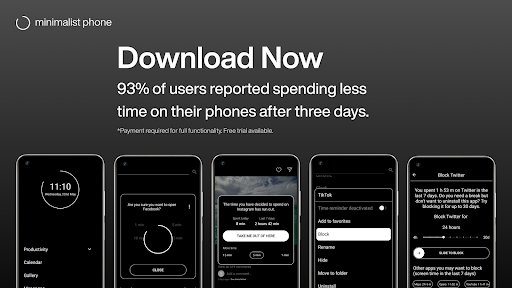
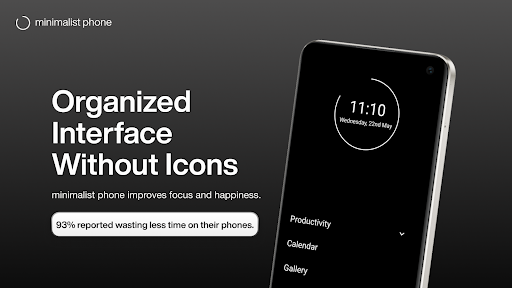
Right from the moment you install Minimalist Phone: Launcher, you'll notice a refreshing change. Its interface is crafted with pure minimalism, eliminating the chaos of multiple app icons and visual clutter. Instead, you get a sleek, straightforward layout that emphasizes essential apps and widgets. This approach helps you filter out unnecessary notifications and reduces screen time, allowing you to focus on your priorities. Whether you're striving to reduce social media usage or want a cleaner digital space, this launcher supports your journey toward digital detox and healthier device habits.
Intuitive Design for Effortless Productivity
One aspect that users universally appreciate is its intuitive design. The layout guides you naturally toward your most important applications, limiting distractions. By removing unnecessary options and providing only essential tools, it becomes easier to stick to your daily goals. The minimal home screen means less time wasted searching for apps, and more time spent working, learning, or relaxing. It’s a perfect tool for students, professionals, or anyone seeking a more organized, distraction-free smartphone experience.
Ultimate Customization for Personalization
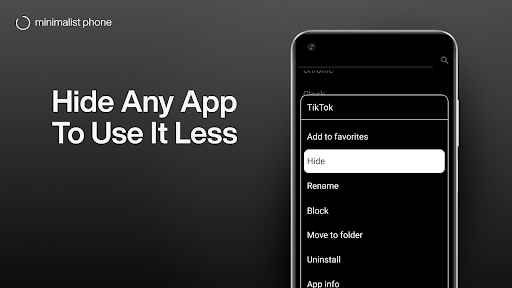
While minimalism is the main theme, Minimalist Phone: Launcher doesn't sacrifice personalization. Users can customize color themes, font styles, and font sizes to suit their preferences. You can also change icon shapes, rename apps, and apply a monochrome mode that displays selected apps in black and white—ideal for reducing visual stimuli and enhancing focus. These customization options ensure that your device feels uniquely yours while maintaining a clutter-free environment that encourages mindful usage.
Key Features for Digital Detox and Productivity
The app offers several powerful features to help you control your screen time and avoid unproductive distractions:
• Notification filter
Suppress unimportant notifications so you stay focused and avoid procrastination.
• App blocker
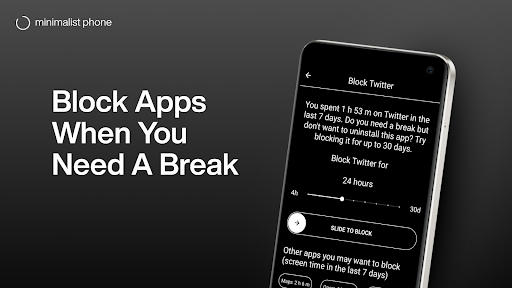
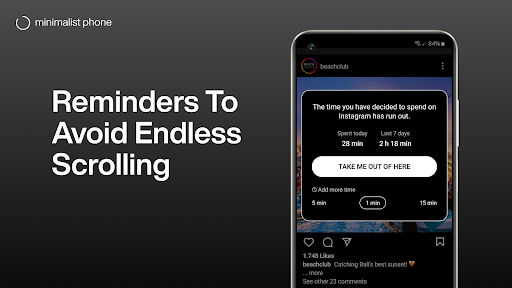
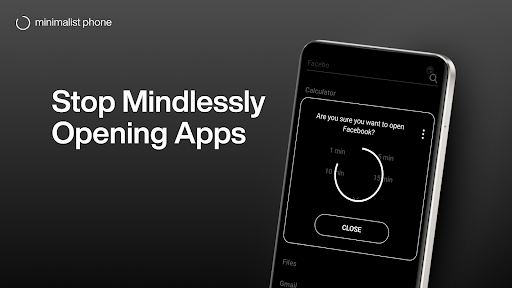
Temporarily or permanently block access to distracting apps and games, preventing impulsive usage.
• Customizable blocking schedules
Set specific times during which certain apps or notifications are blocked to enhance your productivity routine.
• Support for work profile apps
Manage work-related apps separately, installing the minimalist launcher from your non-work profile for a seamless experience.
• Grayscale mode
View apps in black and white to reduce visual appeal and curb addictive behaviors, especially helpful on OLED displays and dark themes.
• Blank space
Use blank areas on your home screen to limit app icons and create mental space, fostering mindful phone usage.
Enhance Your Well-Being with a Mindful Mobile Experience
Minimalist Phone: Launcher encourages you to use your device in a more mindful way, fostering happier, healthier digital habits. By replacing your current home screen with this minimal launcher, you can actively reduce screen time, avoid social media distractions, and develop routines centered around productivity and well-being. The app’s lightweight design ensures smooth performance on all devices, and its features can be tailored to fit your unique lifestyle.
Flexible Plans and Easy Uninstallation
The app offers flexible subscription options, including monthly, annual, or a one-time purchase, with all plans providing a free trial so you can test its benefits risk-free. If needed, uninstalling the minimalist phone launcher is straightforward—simply go to your device’s Play Store and click “Uninstall” to revert to your original home screen or switch to a different launcher.
Start Your Digital Detox Today
Transform your smartphone experience with Minimalist Phone: Launcher and take control of your digital life. By focusing on essential apps, filtering notifications, and limiting screen time through app blockers and grayscale modes, you can boost your productivity, improve mental clarity, and enjoy a healthier relationship with your devices. Embrace minimalism, break free from digital distractions, and enjoy a more mindful, balanced life—your happier, more focused self is just a simple launcher away.
Pros
- Clean and user-friendly interface.
- Improves phone performance while using minimal resources.
- Eases navigation for faster access.
- Highly customizable home screen.
- Minimizes distractions with fewer notifications.
Cons
- Limited widget options compared to other apps.
- Missing advanced features for experienced users.
- Not fully compatible with all third-party applications.
- Some settings need manual configuration.
- Contains advertisements in the free version.











