



Overview of Microsoft SharePoint
Microsoft SharePoint is a powerful and versatile platform designed to enhance collaboration, streamline content management, and boost productivity within organizations. Whether you're managing team projects, sharing documents, or creating custom websites, SharePoint offers an extensive suite of tools to meet your needs. Its integration with Microsoft 365 and compatibility across devices make it a top choice for businesses seeking a unified solution for teamwork and information sharing.
Intelligent Mobile Experience with SharePoint
SharePoint thoughtfully infuses AI into its mobile application to ensure users remain focused and productive while on the go. The AI-driven features learn what you work on, how you work, and how your colleagues' tasks relate to yours, enabling a personalized and efficient experience. The app helps you quickly access relevant content, contacts, and updates, making remote work seamless and connected.
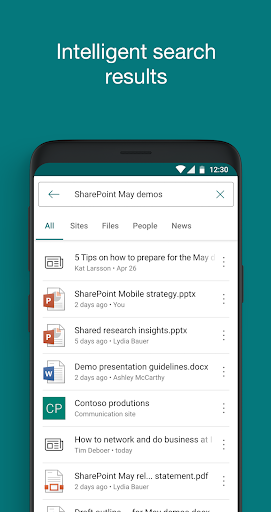
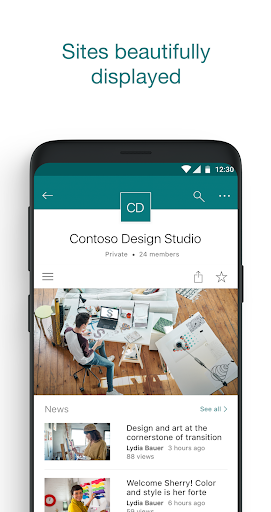
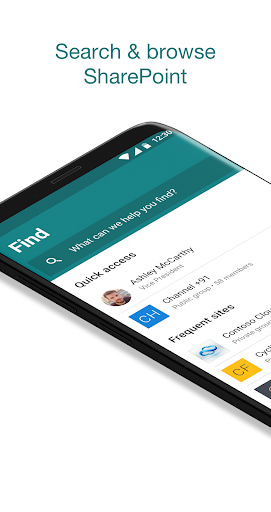
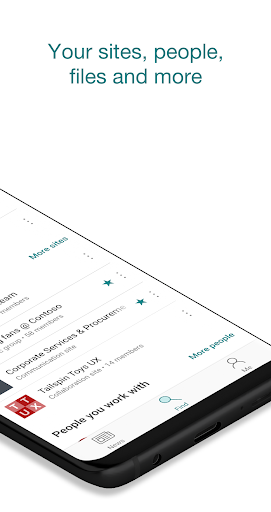
With the SharePoint mobile app, you can browse your sites, files, people, and more—all from a single interface designed for convenience. The powerful search function allows you to discover important content swiftly. Additionally, you can access your personalized views of team sites, communication sites, and news posts to stay informed and engaged. When needed, tap on a user to view their contact card, including their work relationships and ongoing projects. The app also enables you to create news posts on the go, sharing updates, reports, or experiences directly with your team.
Compatibility is a key feature—sign in to your SharePoint sites regardless of whether they are cloud-based or on-premises, with support for SharePoint Online and SharePoint Server (version 2013 and higher). Managing multiple accounts is hassle-free, as the app allows you to add several profiles and switch effortlessly between them. Please note that organizations require an Office 365 subscription with SharePoint Online or a compatible on-premises SharePoint Server for full access.
By installing this app, users agree to the terms and conditions. As a Microsoft-powered solution, data may be stored and transferred to various regions, ensuring high standards of security and compliance.
Features of SharePoint for Collaboration & Content Management
Microsoft SharePoint is renowned for its robust capabilities in collaboration and document management. Its intuitive interface makes onboarding smooth for both beginners and experienced users. Available on both Android and iOS, the app provides accessible tools for teams to work efficiently from anywhere.
Getting Started with SharePoint
Initial setup is straightforward, with a user-friendly dashboard that highlights essential tools. Integration with Microsoft 365 apps, such as Word and Excel, enhances productivity by enabling real-time collaboration on documents stored within SharePoint.
Key Features That Boost Productivity
The document library is a central hub for storing and organizing files, with options to set permissions and collaborate in real-time. The platform’s customization options, like web parts and layout adjustments, allow users to build tailored sites to fit their needs—be it team sites or communication sites.
Enhanced Collaboration Tools
Collaboration is seamlessly supported through various features including lists, workflows, and task management. Integration with Microsoft Teams further simplifies communication and file sharing efforts, making teamwork more cohesive. For larger organizations, advanced features such as enterprise search, compliance tools, and data management options help meet complex organizational needs while maintaining top-notch security.
Final Thoughts
After extensive use, it’s clear why Microsoft SharePoint remains a staple for organizations aiming to improve productivity and collaboration. Its comprehensive feature set, combined with robust security and customization options, makes it a valuable investment. Though there may be a learning curve, the long-term benefits—streamlined workflows, centralized content management, and enhanced teamwork—outweigh initial challenges. If you're looking to empower your team with an adaptable platform that integrates with existing Microsoft tools, Microsoft SharePoint is undoubtedly worth considering for elevating organizational efficiency and fostering a collaborative work environment.
Pros
- Enhances team collaboration seamlessly.
- Integrates well with Microsoft 365.
- Customizable to fit business needs.
- Robust security features.
- Facilitates efficient document management.
Cons
- Complex interface for new users.
- Requires constant internet access.
- Customization needs technical skills.
- Limited offline functionality.
- Subscription can be costly.











