

Introduction to Microsoft PowerPoint
Microsoft PowerPoint is the presentation and slides app that you can carry with you wherever you go. Whether you're working on a school project, preparing for a business meeting, or creating a slideshow for personal events, PowerPoint offers a versatile platform to bring your ideas to life. This popular presentation software allows users to make engaging slide decks with music, graphics, charts, and more. With a wide array of templates and customizable tools, PowerPoint helps make your reports, proposals, and creative presentations shine.
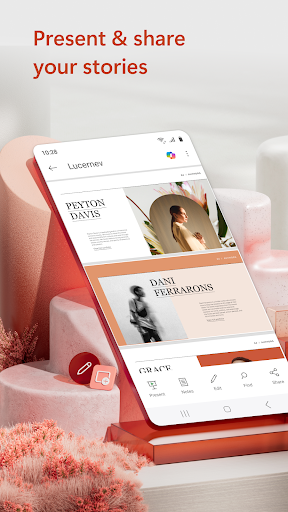
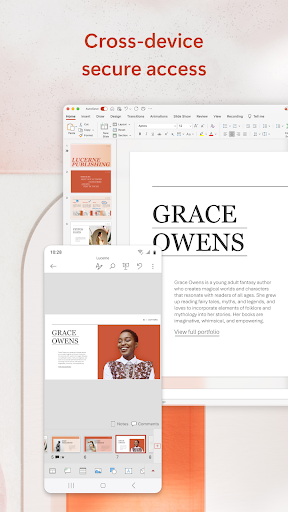
The app offers a seamless experience—create, edit, view, and present your slideshows easily from any location. You can also leverage innovative features like Presenter Coach to refine your delivery and boost your confidence. Its ability to sync presentations across multiple devices ensures your work remains consistent and accessible, making PowerPoint an essential tool for both professional and personal use. Compatibility with various file formats and real-time collaboration capabilities further enhance its appeal, enabling teams to work together efficiently regardless of location.
Creating and Presenting Slideshows
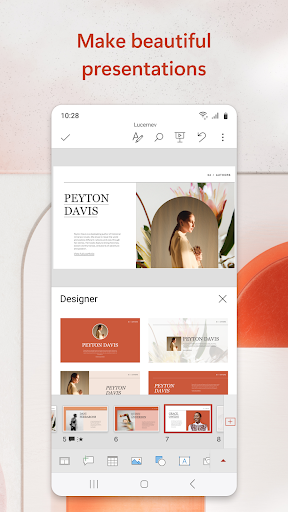
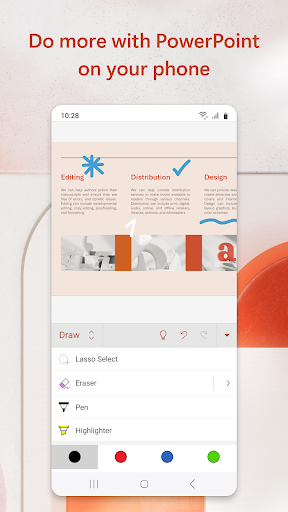
With PowerPoint, crafting a powerful and customizable presentation is straightforward. You can start from scratch or utilize pre-designed templates to quickly create polished slides. The app supports adding various media elements, including photos and videos—either taken directly within the app or imported from your device—making your slideshows more dynamic and engaging.
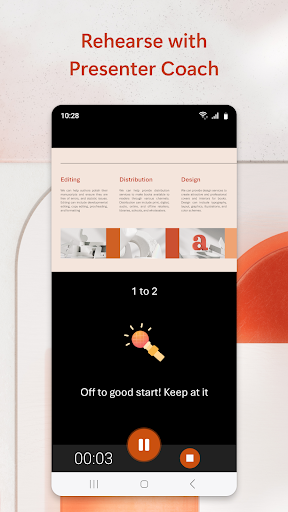
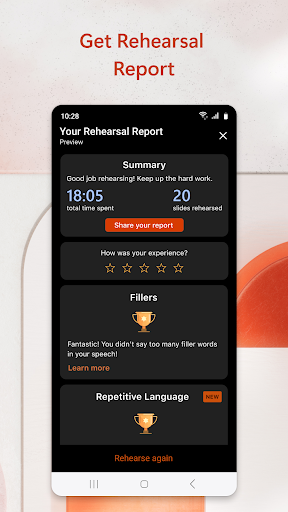
Presentations are designed to help you present with confidence. The presentation view allows you to see upcoming slides and timer counts, providing a professional touch while maintaining your flow. Using Presenter Coach, you can practice your delivery, receive real-time suggestions on pacing, and improve your public speaking skills—all within the app. The presentation timer ensures your slides are concise and on point, making your message clear and impactful.
PowerPoint also offers features like photo slideshows and a slideshow video maker. You can add visual content with ease, record presentations directly on your phone, and make your slideshows more entertaining. Whether for formal reports or casual sharing, these tools enable you to create memorable presentations that leave a lasting impression.
Collaborating and Sharing
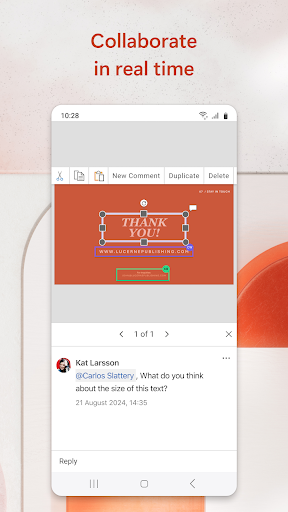
PowerPoint excels in collaboration tools, allowing multiple users to work on a presentation simultaneously. You can share your slideshow with teammates, provide feedback through embedded comments, and see real-time updates. This makes teamwork smoother, especially when meeting tight deadlines or working remotely.
The app also offers presentation permissions management, so you can control who views or edits your slides. This ensures your content stays secure while still fostering collaborative efforts. Whether in a small group or large organization, PowerPoint's sharing capabilities streamline project workflows, making it easier to gather input and refine your slideshows.
Additional Features and Requirements
PowerPoint on mobile is designed to be fast, intuitive, and feature-rich. It supports syncing with OneDrive for seamless access across devices, and it allows you to cast your presentation to a larger screen using Chromecast or similar devices, perfect for impromptu meetings or client pitches.
To get started, your device needs at least 1 GB RAM. For an enhanced experience, a Microsoft 365 subscription unlocks additional features and full compatibility, available across your phone, tablet, PC, or Mac. Subscriptions are billed via the app stores and automatically renew unless canceled beforehand.
Final Thoughts
Microsoft PowerPoint’s mobile version is a robust and reliable substitute for its desktop counterpart. It caters to users ranging from students preparing class projects to professionals delivering important presentations. Its intuitive interface, combined with powerful tools like slide customization, media integration, collaboration, and Presenter Coach, makes creating impressive slideshows straightforward and enjoyable.
If you're looking to elevate your presentation skills and work efficiently on the go, PowerPoint offers the versatility and features you need. Whether presenting in a conference room or sharing ideas through a quick video call, PowerPoint helps you communicate your message effectively. Discover the perfect tool to make your presentations impactful and memorable—try Microsoft PowerPoint today and take your slideshows to the next level.
Pros
- Wide selection of templates
- Intuitive and easy-to-use interface
- Smooth integration with Office Suite
- Team collaboration features
- Access presentations offline
Cons
- Needs a Microsoft account
- Certain features require a subscription
- Can consume significant system resources
- Limited options for design customization
- Potential occasional compatibility problems











