



Microsoft OneNote: Save Notes
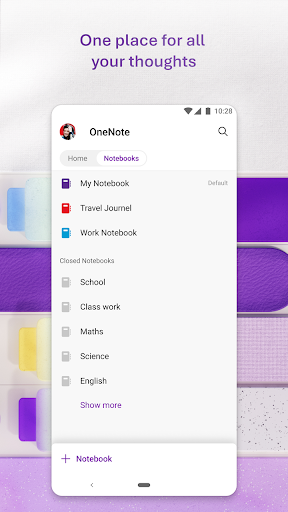
Microsoft OneNote is a versatile and user-friendly digital notepad designed to help you organize your thoughts, discoveries, and ideas with ease. Whether you're capturing fleeting moments of inspiration, planning important events, or managing daily tasks, OneNote offers a seamless way to keep everything in sync across all your devices. Its flexible structure allows you to create notebooks, sections, and pages tailored to your personal or professional needs, making it an invaluable tool for students, professionals, and casual note-takers alike.
Key Features of Microsoft OneNote
OneNote stands out with its robust features that facilitate dynamic and interactive note-taking. You can insert audio recordings, images, and even videos directly into your notes, making it ideal for multimedia-rich content. The app's search functionality allows you to locate notes quickly, saving time and effort. For those who prefer handwriting, OneNote offers handwriting recognition, converting your handwritten notes into editable text, which is perfect for stylus users or those who love scribbling.
Capture and Organize Your Ideas Effortlessly
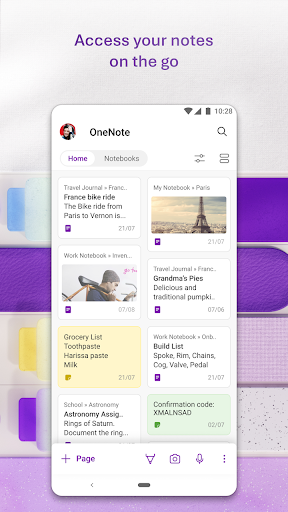
With OneNote, capturing ideas is as simple as clicking a button. Use the Quick Capture Bar to jot down thoughts immediately, whether through text, voice, ink, or images. You can scan documents or pictures to extract notes and apply various filters—like cropping, color adjustments, or adding ink annotations—to customize your content. The app supports audio notes, allowing you to record voice memos that are automatically saved and synced across devices. This feature is particularly useful for recording meetings, lectures, or spontaneous ideas on the go.
Seamless Collaboration and Sharing
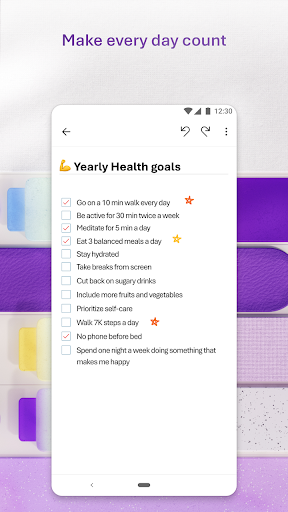
OneNote makes teamwork straightforward. You can share notebooks with others and collaborate in real time, whether for brainstorming sessions, project planning, or note-taking during meetings. Its integration with Microsoft Office apps like Word, Excel, Outlook, and Teams amplifies its productivity potential. Additionally, the app provides tools for organizing your notes with to-do lists, tags, and important markers, helping you stay on top of your tasks and priorities.
Cross-Platform Accessibility
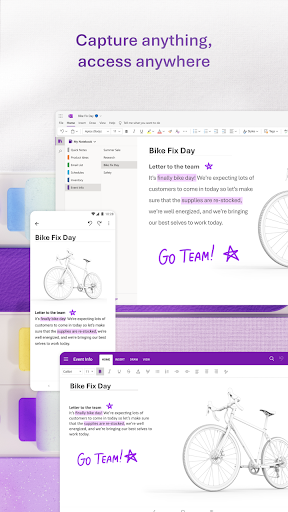
OneNote supports Android, iOS, Windows, and Mac, ensuring your notes are always accessible no matter what device you use. The app synchronizes your content across all platforms via OneDrive, enabling you to access your notes anytime, anywhere. Whether you are at home, in the office, or on the move, your ideas and tasks are just a tap away, providing a truly flexible note-taking experience.
Integration and Privacy
As part of the Microsoft 365 ecosystem, OneNote integrates smoothly with popular Microsoft apps, enhancing your productivity workflow. Your notes are stored securely in the cloud, with personalized privacy controls to determine who can view or edit your content. This security measure ensures your sensitive information remains protected while giving you peace of mind.
Why Choose Microsoft OneNote?
If you’re seeking a powerful yet simple digital notepad that adapts to all your note-taking needs, Microsoft OneNote is the perfect choice. It’s free, compatible with multiple platforms, and packed with features that help you stay organized—be it managing work projects, school assignments, or personal ideas. Its capabilities for multimedia insertion, quick capture, and collaborative sharing make it stand out from traditional note-taking tools.
With features like searchability, automatic synchronization, and integration with Microsoft Office, OneNote empowers you to take notes faster, find information more efficiently, and collaborate seamlessly. Whether you’re a student, a professional, or a casual user, this app is designed to boost your productivity and help you keep everything in one organized digital space.
Pros
- Cross-platform synchronization improves accessibility.
- Intuitive interface makes note-taking straightforward.
- Supports multimedia notes and file uploads.
- Integration with Microsoft Office enhances productivity.
- Powerful search function for easy navigation.
Cons
- Requires a Microsoft account to access all features.
- Limited offline capabilities reduce accessibility.
- Occasional synchronization problems may lead to data loss.
- Steep learning curve for new users.
- Lacks built-in handwriting recognition for converting handwriting to text.











