



Introduction to Microsoft Copilot
Microsoft Copilot is an innovative AI-powered assistant designed to transform your daily productivity and creativity. With the recent integration of GPT-5, the most advanced OpenAI model, Copilot offers an intelligent, intuitive experience that seamlessly blends reasoning and chat functionalities. Whether you're looking to generate visuals, draft documents, or simplify complex tasks, Copilot is your reliable AI companion.
Activate "Smart" mode to experience the power of GPT-5, enabling smarter, more natural interactions. As a comprehensive virtual assistant, Microsoft Copilot helps you learn, grow, and build confidence through engaging conversations and intelligent suggestions. It encompasses a suite of features—from AI text and image generation to multilingual translation—all aimed at boosting your productivity and creativity.
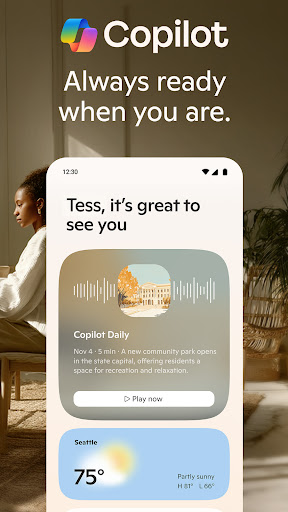
Designed to be your personal productivity partner, Microsoft Copilot leverages the latest OpenAI and Microsoft AI models to provide instant, accurate insights. Whether you're managing work projects, creating content, or exploring new ideas, Copilot adapts to your needs, making complex tasks seem effortless.
Key Features of Microsoft Copilot
Versatile AI Chat Assistance
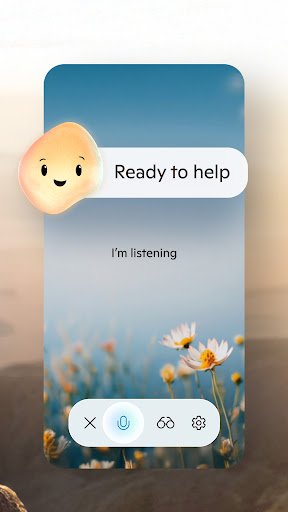
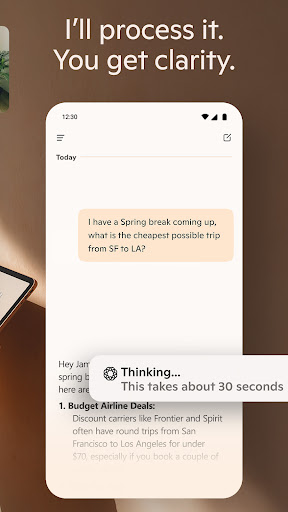
Copilot excels as an AI chat assistant, allowing you to communicate via messages or voice commands. It can answer challenging questions, provide straightforward explanations, and deliver complex insights through simple conversations. This feature makes problem-solving quick and accessible, empowering you to make informed decisions easily.
AI Image and Artwork Generation
Transform your ideas into stunning visuals with the AI photo generator. Just provide a text prompt, and Copilot creates high-quality images, ranging from abstract art to photorealistic visuals. Use this tool for designing logos, illustrations, storyboards, or social media content—bringing your creative visions to life effortlessly.
Enhanced Productivity and Content Creation
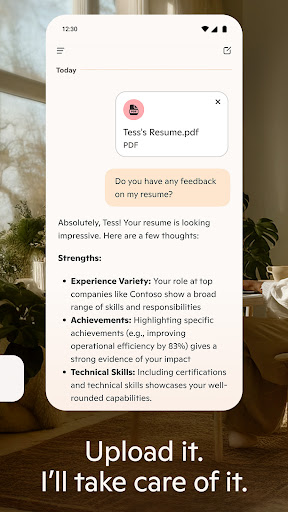
Copilot acts as your personal writing assistant, helping draft, edit, or research topics for blog posts, reports, emails, or resumes. It can generate summaries, rewrite content for clarity, and even assist with translation across numerous languages and dialects. For example, use it to streamline your grocery lists, plan meals, or organize your work projects with AI-powered automations.
Integration with Microsoft Office Apps
Seamlessly connect with familiar tools like Word, Excel, and PowerPoint. Copilot provides real-time suggestions, corrections, and insights while you work, learning from your habits to improve over time. This integration enables smarter document editing, data analysis, presentation design, and more, helping you accomplish tasks faster.
Voice and Image Search Capabilities
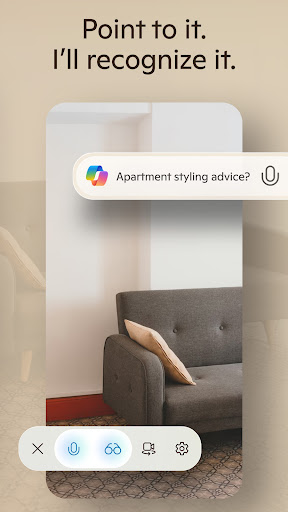
Utilize voice commands and image searches to explore ideas visually and audibly. Whether you want to update a project portfolio, generate storyboards for a video, or find inspiration for your next big idea, Copilot's voice chat and visual search functionalities make exploration intuitive and engaging.
Real-World Applications of Microsoft Copilot
Imagine having a personal assistant that accompanies you throughout your workday, automating repetitive tasks and providing creative input. For instance, during a research project, Copilot can collect data from multiple sources and suggest presentation formats, saving you hours of manual effort.
Struggling with email responses? Let Copilot draft replies based on your previous conversations, allowing you to reply quickly and efficiently. Planning a social media campaign? Generate eye-catching visuals and curate content tailored to your target audience with minimal hassle.
Beyond work, Copilot can assist with personal tasks—like creating shopping lists, organizing events, or even developing new hobby ideas—making everyday life smoother and more enjoyable.
Conclusion: Why Choose Microsoft Copilot?
As the ultimate AI companion, Microsoft Copilot combines the latest AI innovations with user-friendly features to help you accomplish more in less time. With its smart suggestions, versatile tools, and integration with essential applications, Copilot empowers both professionals and casual users to work smarter and unleash their creativity.
Experience the future of productivity today by exploring how Microsoft Copilot can elevate your personal and professional life. From generating impressive visuals to simplifying complex tasks, this AI assistant is designed to be in your corner—ready to support you whenever you need it.
Pros
- Seamlessly integrates with Microsoft 365 suite.
- Boosts productivity through AI-driven suggestions.
- Highly customizable to suit user preferences.
- Supports multiple languages.
- Regular updates and improvements.
Cons
- Requires a Microsoft 365 subscription.
- Limited functionality when offline.
- Can be overwhelming for new users.
- Some features depend on internet access.
- May experience occasional bugs or glitches.











