







Meta AI: Your Personal AI Assistant for a Smarter Day
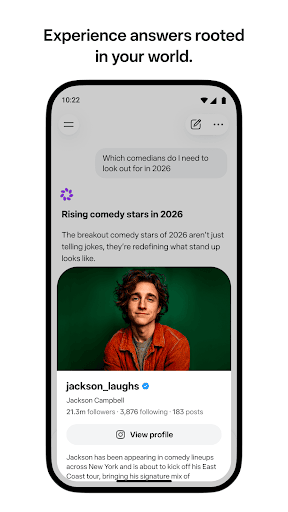
Meet the Meta AI app, a revolutionary personal AI assistant designed to understand and adapt to your needs. Whether you're on the move or working at your desk, Meta AI provides tailored answers, insightful advice, and creative inspiration to enhance your daily routine. Simply open the app and start talking—it's that easy! The app (formerly known as the Meta View app) emphasizes natural, back-and-forth conversations, making interactions more intuitive and efficient. Over time, Meta AI can learn your preferences and interests, enabling it to deliver increasingly helpful and personalized responses tailored to your lifestyle.
Creative and Functional Features
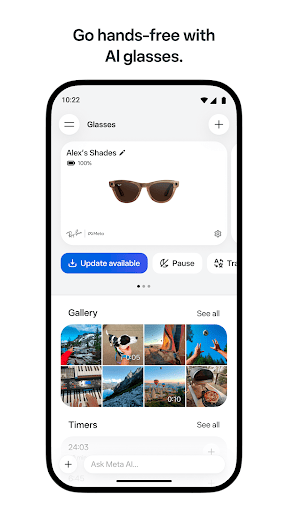
Beyond simple Q&A, Meta AI empowers users to create, edit, and restyle images and videos effortlessly. Need some inspiration? The Discover feed offers AI hacks and prompts curated from the community, allowing you to remix your favorites and experiment freely. For users wearing Ray-Ban Meta or Oakley Meta glasses, the app serves as the essential companion for managing your devices—importing, sharing photos and videos, and optimizing your augmented reality experiences. Keep in mind, certain Meta AI features are available only in select countries and languages, and some may roll out gradually.
What Makes Meta AI Stand Out?
This innovative app seamlessly combines intelligent AI with augmented reality (AR) and virtual reality (VR) technologies, transforming your smartphone into a portal to countless immersive worlds. With Meta AI, your everyday experiences are elevated into engaging adventures. Whether you’re exploring digital art, learning about new topics, or enhancing your workout routines, the app makes these experiences interactive and captivating.
Exploring Augmented Reality
The highlight of Meta AI is its smooth AR integration. Imagine pointing your phone at a painting and watching it come alive with animations and sounds—bringing static images to vibrant life. This capability extends to educational content, interactive games, and fitness routines. Think of it as a supercharged version of Pokémon Go, offering rich, interactive content that transforms your surroundings into dynamic learning and entertainment hubs.
Immersive Virtual Reality Experiences
For an even more immersive adventure, Meta AI offers robust VR features. Put on a VR headset and step into different worlds—from exploring historic monuments to wandering through the lively streets of Tokyo. The app provides a 360-degree experience with high-quality graphics, making virtual exploration incredibly realistic and engaging. Whether for educational purposes or entertainment, Meta AI’s VR capabilities elevate virtual travel and discovery to new heights.
User-Friendly Design and Content Diversity
Navigating Meta AI is a breeze thanks to its sleek, intuitive interface. Designed for users of all skill levels, the app’s minimalistic layout ensures that everything is just a tap away without any lag or clutter. Its extensive content library includes interactive educational modules like the Space Explorer feature, where you can learn about planets and space phenomena—perfect for curious kids and adults alike. Additionally, sharing your experiences on social media is simple, fostering a community of users excited to showcase their virtual adventures.
Final Thoughts
In summary, Meta AI is a versatile tool that merges artificial intelligence, augmented reality, and virtual reality into one seamless app. Whether you want to get smarter, more creative, or simply escape into immersive worlds, this app has something for everyone. As technology continues to evolve, future updates are likely to bring even more exciting features. If you’re looking to enhance your digital lifestyle, explore new horizons, or just have fun, don’t wait—dive into Meta AI today and unlock endless possibilities.
Pros
- Innovative 3D environment enhances user experience.
- Seamless integration with existing Meta products.
- User-friendly interface for easy navigation.
- Compatible with a wide range of devices and platforms.
- Regular updates introducing new features and improvements.
Cons
- High battery consumption during extended use.
- May require a stable internet connection.
- Occasional lag issues on older devices.
- Limited offline capabilities.
- Some features are restricted behind paywalls.











