



Introducing Listen AI: Your AI-Powered Audio Reader
Imagine transforming your favorite text into natural, lifelike speech with just a click. Listen AI: Text to Speech is an innovative application designed to make reading effortless and accessible for everyone. Whether you're dealing with PDFs, articles, notes, or lengthy documents, this app converts written content into engaging audio instantly—no copying, no extra steps required. It’s not just a simple text-to-speech tool; it’s your personal auditory assistant that brings information to life at your pace.
Key Features of Listen AI: Enhancing Your Listening Experience
Unmatched Vocal Majesty
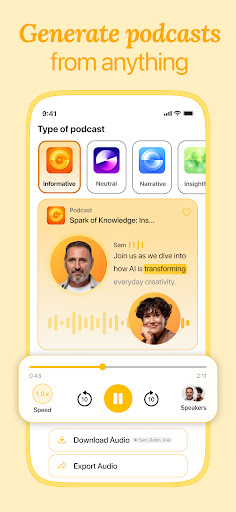
Customize your AI narrator to suit your preferences. Choose from a variety of accents and personalities to find the perfect voice for any content—whether it’s a casual blog post or a formal report. This feature ensures a personalized listening experience that feels natural and engaging.
Customization at Your Fingertips
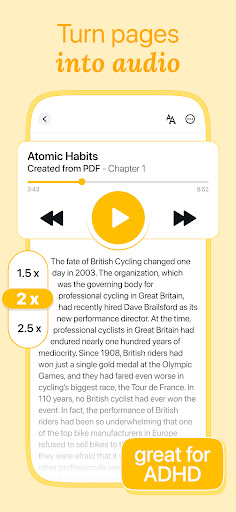
Adjust the speaking rate to match your comprehension speed or fine-tune the volume for optimal comfort. These customizable options make listening more enjoyable and tailored to your needs, turning passive consumption into an immersive experience.
Effortless Integration
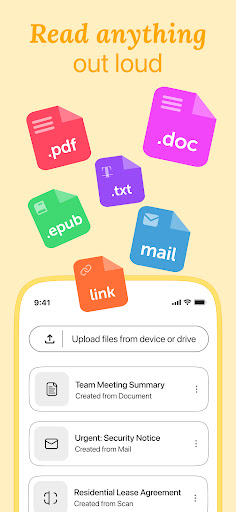
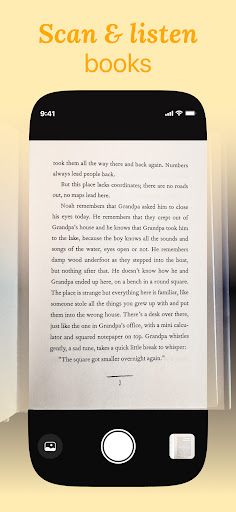
Highlight a passage on a website, select a section in a PDF, or import entire documents—Listen AI quickly brings these texts to life with captivating narration. Its seamless integration makes it easy to convert any written material into audio, anytime and anywhere.
Multitasking Mastery
Free up your eyes and hands by listening to articles, web pages, or PDFs while you exercise, commute, cook, or complete chores. Listen AI enables you to stay informed and learn new topics effortlessly, turning any moment into an opportunity for knowledge acquisition.
Accessibility Champion
This app is particularly beneficial for individuals with visual impairments or learning disabilities. It transforms complex or lengthy texts into engaging audio, making education and information access more inclusive and user-friendly than ever before.
Why Choose Listen AI: Enhancing Your Daily Routine
Ever wished you could convert articles, eBooks, or long emails into sound? Listen AI: Text to Speech offers a simple yet powerful solution that makes this possible. Its intuitive interface allows you to easily copy and paste text, and within seconds, you’re listening to content that would otherwise require reading. The app’s diverse voice options cater to different contexts—from calming tones for bedtime stories to energetic voices for long drives—making each listening session enjoyable and suited to your mood.
Support for Multiple Languages
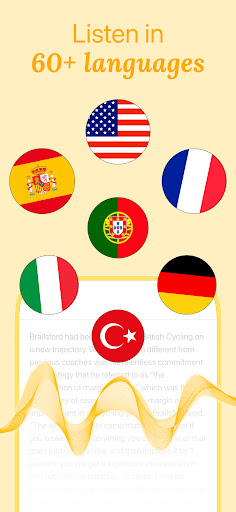
One of the standout features is its support for multiple languages. Whether you're practicing pronunciation or exploring foreign texts, Listen AI supports languages such as Spanish, French, German, and more, making it a versatile tool for language learners and multilingual users.
Wide File Format Compatibility
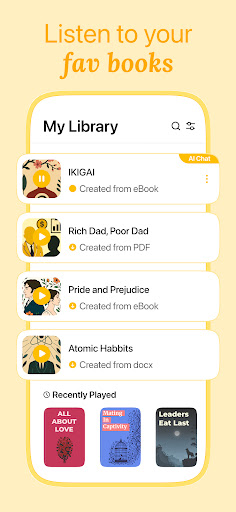
The app handles various file formats like PDFs, DOCX, TXT, and others, allowing you to convert and listen to a broad range of documents. Additionally, saved files can be accessed offline, transforming your entire library into portable audio content—perfect for audiobooks on the go or listening during commutes.
Room for Improvement
While Listen AI is highly capable, it can sometimes struggle with complex formatting or stylized texts. Premium features like advanced voices and faster processing are behind a subscription, but the free version still offers substantial value for everyday use. Overall, it’s a reliable and feature-rich solution for both casual users and professionals alike.
Experience the Future of Listening with Listen AI
If you're seeking a robust text-to-speech app that combines ease of use, voice customization, and multi-language support, Listen AI: Text to Speech is a top choice. It’s perfect for multitaskers, language enthusiasts, or anyone who loves consuming content on the move. By seamlessly converting written text into natural speech, this app helps you stay productive, informed, and entertained in every aspect of your daily routine.
Pros
- High-quality voice output.
- User-friendly interface.
- Supports multiple languages.
- Customizable speech settings.
- Fast text processing.
Cons
- Limited features in the free version.
- Occasional pronunciation errors.
- Requires internet connection.
- Advertisements in the free version.
- Limited voice options.











