

Introducing the Google One App: Your Ultimate Digital Storage Companion
The Google One app is a comprehensive solution designed to simplify and enhance the way you manage your digital life. Whether you need to back up essential data or expand your cloud storage capacity, Google One offers a seamless experience tailored to meet your needs. This app not only ensures that your important files, photos, and contacts are securely stored but also provides various perks that elevate your overall Google experience. Let's explore the standout features that make Google One a must-have for Android and iOS users alike.
Effortless Backup and Storage Management
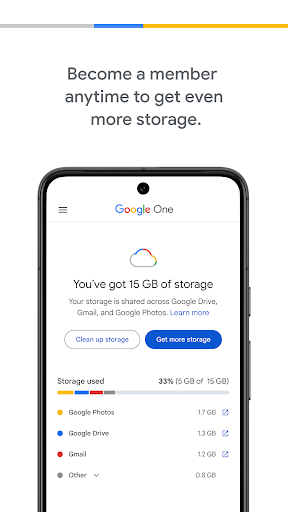
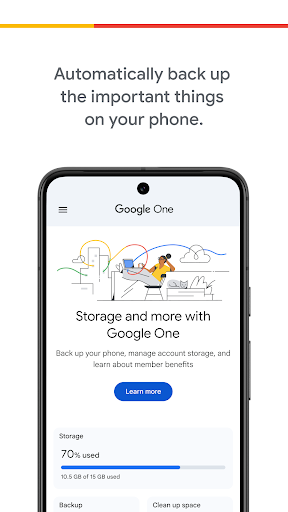
One of the core strengths of the Google One app is its ability to automatically back up your phone's vital information. With your existing 15 GB of free storage included with every Google account, it intelligently preserves your photos, contacts, and messages. This means that if your device gets damaged, lost, or if you decide to upgrade, you can effortlessly restore everything on your new Android device without any hassle.
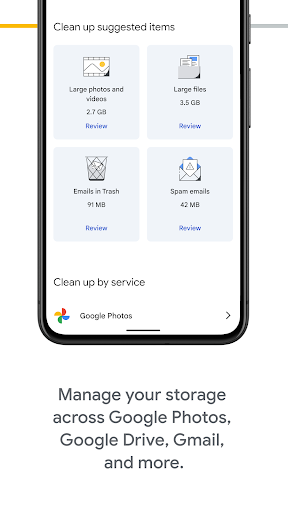
In addition to backups, Google One allows you to conveniently manage your storage across various Google services, such as Google Drive, Gmail, and Google Photos. This unified control helps prevent clutter and keeps your digital life organized. Whether you're an occasional user or a digital hoarder, monitoring your storage usage has never been easier.
Upgrade Your Cloud Storage
For those who need more space, Google One offers flexible plans that go well beyond the default storage. You can choose plans starting from 100GB and scale all the way up to an impressive 30TB. This versatility ensures that you can select the perfect plan aligned with your digital footprint—whether it's preserving a countless number of photos, videos, or important files. Upgrading not only provides additional space but also unlocks a range of exclusive benefits.
Family Sharing and Additional Perks
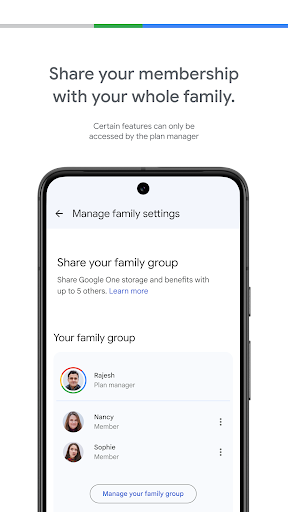
A notable feature of Google One is its family sharing capability. You can share your storage plan with up to five family members, creating a communal digital space. Each member retains their own private storage area, safeguarding personal files while benefiting from the shared plan. This makes Google One ideal for families or groups looking to optimize their cloud storage costs efficiently.
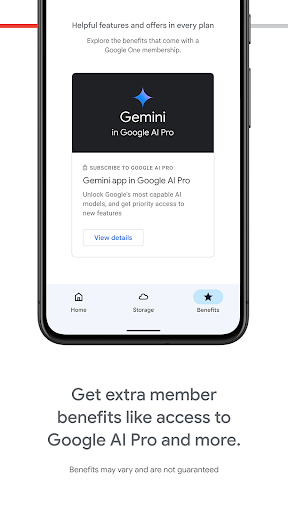
Beyond storage, Google One members gain access to Google experts for support, enjoy special Google Play benefits, and even receive discounts on hotel bookings. These perks transform Google One from a simple backup app into a comprehensive cloud service that adds real value to your digital lifestyle.
User-Friendly Design and Accessibility
The Google One app sports a sleek, intuitive interface designed for effortless navigation. Whether you're managing your subscription, reviewing storage usage, or seeking support, everything is just a few taps away. Compatible with both Android and iOS devices, Google One ensures that all users have seamless access to their data and features, regardless of their device choice.
Seamless Experience for Everyone
The app’s clean design and straightforward layout make managing your digital storage simple, even if you're not particularly tech-savvy. Features like automatic backup, storage management, and support access are streamlined for ease of use, helping you focus on what really matters—your important files and memories.
Conclusion: Simplify Your Digital Life with Google One
In today's fast-paced digital world, managing storage, backing up data, and ensuring online security are more important than ever. Google One consolidates these essential services into a single, user-friendly app that caters to your storage needs and offers exclusive benefits. Whether you're a casual user or a power user with extensive data, Google One’s scalable plans and handy features make it an indispensable tool for optimizing your online experience. Give it a try and enjoy peace of mind knowing your digital life is secure, organized, and ready for the future.
Pros
- Seamless synchronization across multiple devices.
- Includes options for family sharing.
- Improved photo storage capabilities.
- Access to support from Google experts.
- Provides a VPN for enhanced online security.
Cons
- Limited storage space available on the free plan.
- Subscription costs can be high.
- Not available in all regions.
- Features differ depending on the country.
- May be complicated for users without technical experience.











