

Introduction to Google NotebookLM
In today's fast-paced digital world, staying organized and capturing information efficiently is more important than ever. Google NotebookLM emerges as a revolutionary note-taking app designed to turn complexity into clarity. Whether you're a student, researcher, professional, or creator, this innovative application aims to simplify your workflow and boost productivity. With its seamless integration within the Google ecosystem, NotebookLM provides a smarter way to create, access, and interact with your digital notes.
Main Features of NotebookLM
Effortless Uploads and Content Management
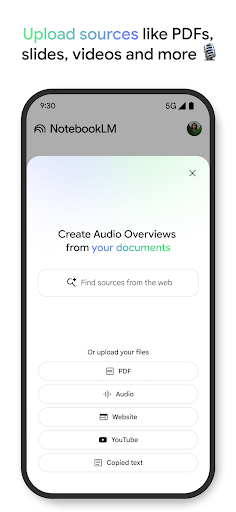
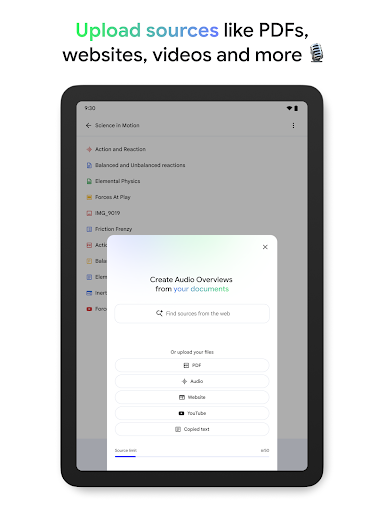
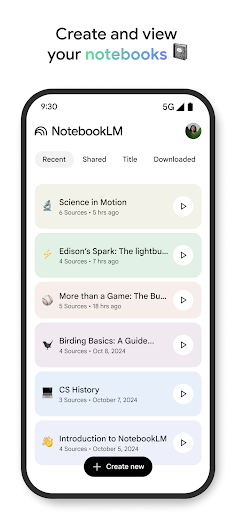
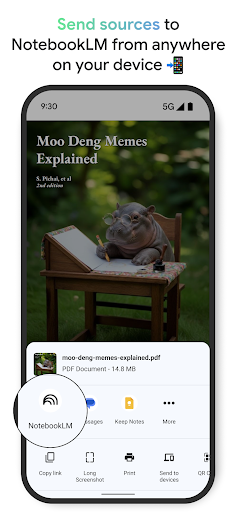
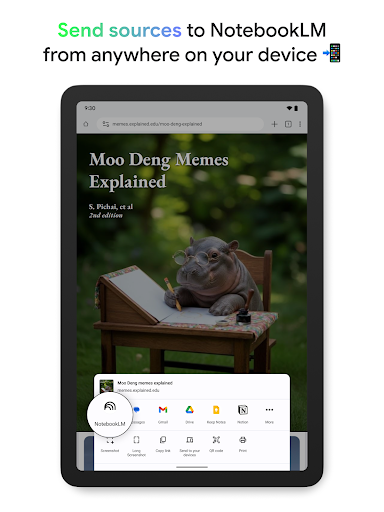
With NotebookLM, uploading various sources is a breeze. You can add long and complex PDFs, websites, YouTube videos, or plain text directly into your notebooks. This flexible upload feature allows you to gather all your materials in one place for easy access and reference.
Trusted Insights Powered by AI
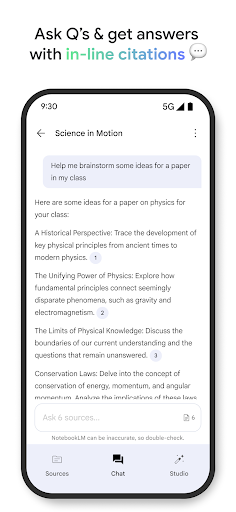
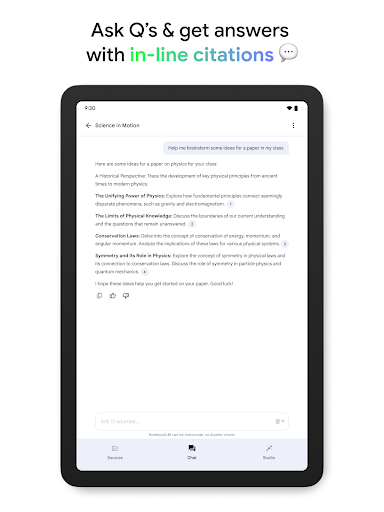
The app acts as your expert assistant, analyzing your uploaded sources, summarizing key points, and making interesting connections between different pieces of content. When you ask a question, NotebookLM provides accurate, well-cited answers sourced directly from your uploaded materials, ensuring the information you receive is trustworthy.
Learn on Your Own Terms
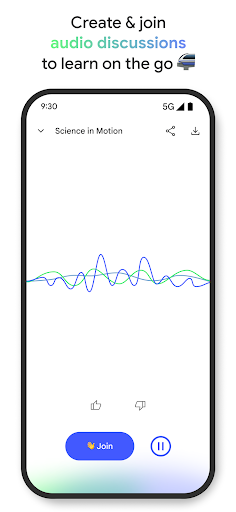
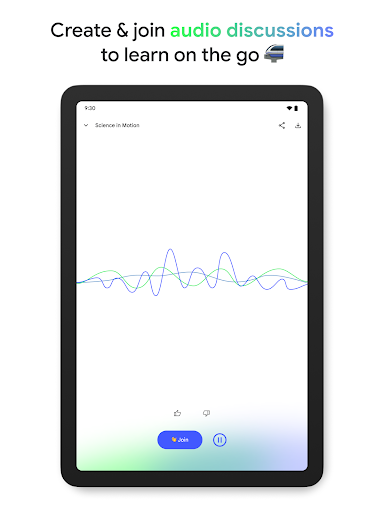
Prefer audio over reading? No problem. NotebookLM transforms your uploaded content into engaging podcast-style audio discussions featuring two AI hosts. You can listen on the go, with background playback and offline support. Plus, you can join the conversation by asking questions or directing the discussion, making learning more interactive and flexible.
Additional Functionalities
The app also supports creating podcast-style summaries for quick review, attaching images, links, and voice notes. This versatility makes NotebookLM not just a digital notebook but a comprehensive personal knowledge management tool.
Design and User Experience
Intuitive and Seamless Interface
Getting started with Google NotebookLM is simple. Available on both the Play Store and App Store, the app boasts a sleek, user-friendly design. It's tailored to feel sophisticated yet intuitive, allowing users to jot down ideas and organize notes effortlessly. The interface is clean, making it easy to navigate through sections and features right from the start.
Seamless Device Synchronization
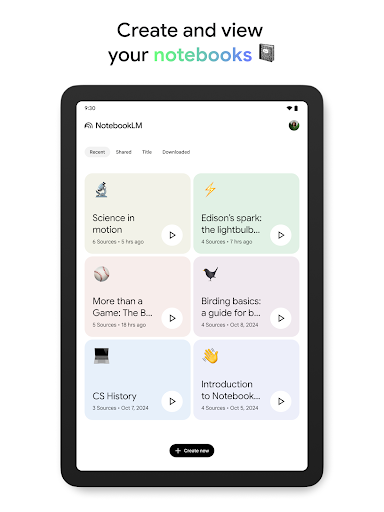
One standout feature is the seamless synchronization across devices. Whether you're editing notes on your phone or tablet, your progress is automatically updated, offering a fluid experience for busy users on the move.
Powerful Search and Integration
The app's robust search functionality acts like an embedded Google search within your notes. You can quickly find specific information by typing keywords. Additionally, NotebookLM integrates smoothly with other Google services, enabling you to pull data from your Gmail, Google Calendar, and more, enriching your notes with relevant contextual information.
Opportunities for Improvement
Personalization and Performance
While the app excels in many areas, there is room for customization. Users would benefit from more personalization options beyond themes and fonts. Additionally, occasional lag when handling large notes suggests improvements could optimize speed and responsiveness.
Offline Functionality
Currently, NotebookLM lacks full offline support. When disconnected from the internet, access to some features becomes limited. Future updates aiming to enhance offline capabilities would make the app more reliable for users on the go.
Final Thoughts on Google NotebookLM
Overall, Google NotebookLM is a powerful, innovative note-taking app backed by Google’s strong ecosystem. Its AI-driven features—such as source analysis, interactive audio discussions, and smart search—set it apart from traditional note apps. Whether you're looking to streamline research, improve organization, or learn more effectively, NotebookLM offers a versatile platform designed for modern knowledge management.
As the app continues to evolve, enhancements in customization and offline use are anticipated, making it an even more indispensable tool for users seeking efficiency and clarity. If you’re searching for a smarter way to manage your notes and learn in dynamic new ways, give Google NotebookLM a try and experience how it can transform your productivity.
Pros
- Seamless integration with Google Workspace.
- User-friendly interface enhances productivity.
- Offers real-time collaboration features.
- Supports multimedia content integration.
- Provides advanced search and organization tools.
Cons
- Limited offline functionality.
- Requires a Google account to use.
- May involve a learning curve for new users.
- Raises data privacy concerns with cloud storage.
- Occasional synchronization issues have been reported.











