

Introduction to Google Drive
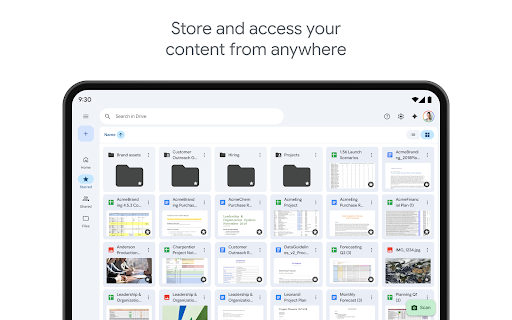
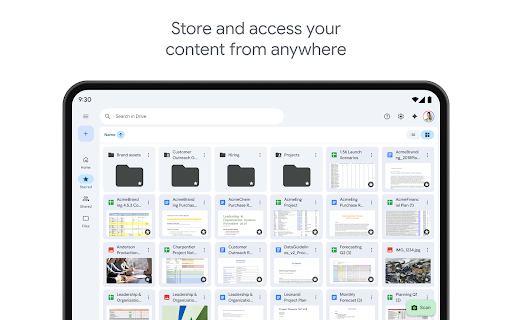
Google Drive, a core component of Google Workspace, is a powerful cloud storage and collaboration platform designed to make managing and sharing files effortless. With Google Drive, users can securely store, organize, and access their files from anywhere, on any device—whether it’s a computer, tablet, or smartphone. This flexibility ensures that your important documents, photos, videos, and more are always within reach, enabling seamless productivity whether you're at home, in the office, or on the go.
Key Features of Google Drive
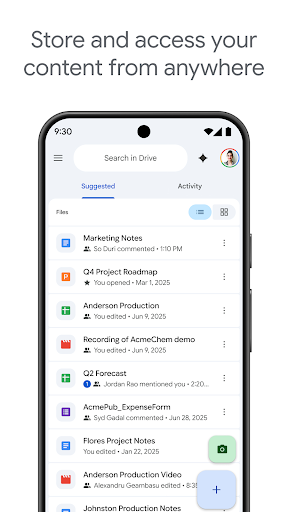
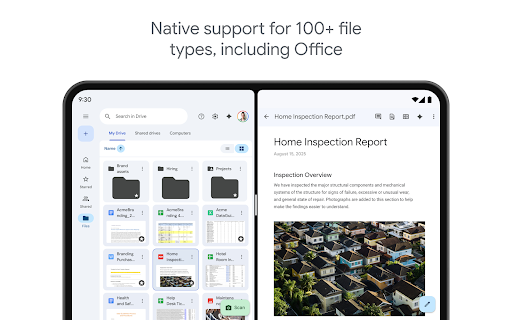
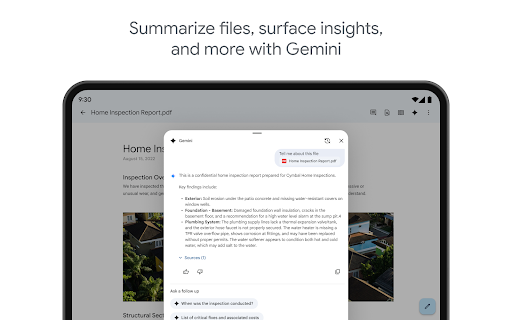
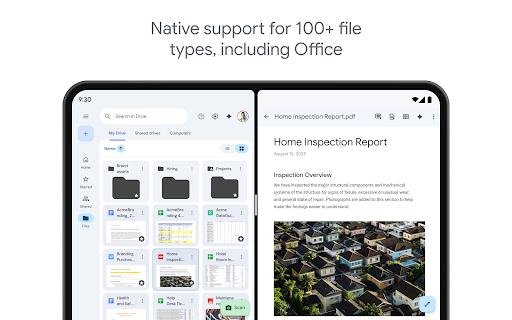
Google Drive offers a comprehensive suite of features that enhance your digital life. You can safely store and access files from anywhere without compromise on security or speed. The platform supports over 100+ file types, including PDFs, Office files, videos, and other common formats, ensuring that you can work with your preferred documents effortlessly. The recent files and important documents are always just a tap away, thanks to the intuitive interface.
Smart Organization & Search
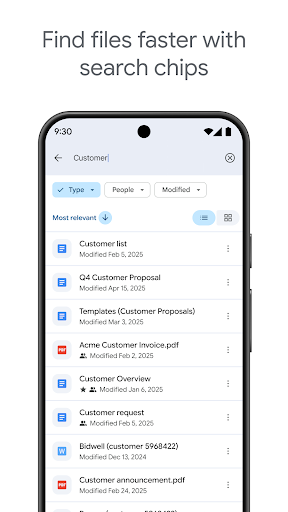
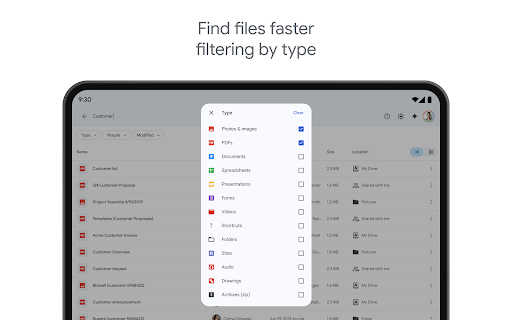
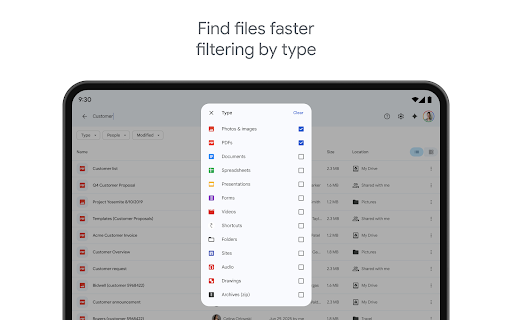
One of Google Drive’s standout capabilities is its powerful search functionality. Quickly find files by name or even by content within documents, saving you time and reducing frustration. Filters allow you to sort files by type, last modified date, or other criteria, helping you keep your workspace organized.
Convenient Scanning & Offline Access
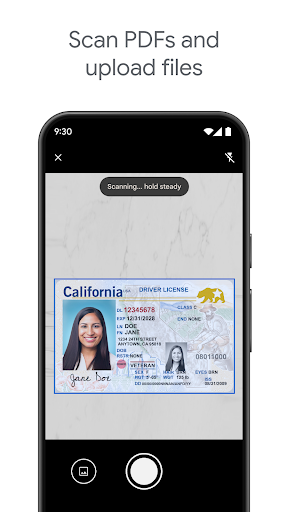
Google Drive makes it easy to scan paper documents using your device’s camera and upload them directly to your storage. Whether you’re digitizing receipts, contracts, or notes, this feature simplifies document management. Additionally, Drive supports offline access, meaning you can view and edit your files even without an internet connection—ideal for travel or remote locations.
Sharing & Permissions
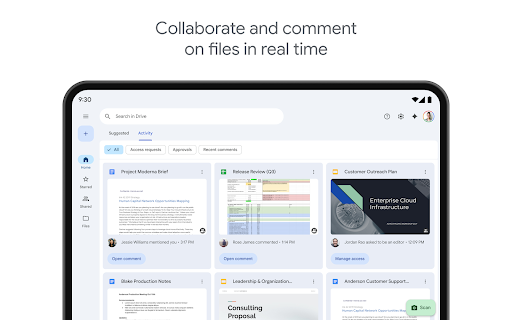
Sharing files and folders is straightforward with options to set permissions for view-only, commenting, or editing. Whether you're collaborating with colleagues or sharing memories with family, Google Drive enables efficient and secure sharing within your organization or with external partners.
Additional Features for Google Workspace Subscribers
Subscribers to Google Workspace gain access to enhanced features including security and management controls for administrators, facilitating compliance and data management. They can share files directly with groups or teams and create a shared drive for team content, making collaboration even more streamlined.
Performance and User Experience
Google Drive’s interface is clean and user-friendly, with a minimal design that feels inviting and efficient. The home screen displays recent and important files, allowing you to pick up where you left off effortlessly. Navigating the app is intuitive, even for users unfamiliar with cloud storage solutions. The search feature is especially notable for its accuracy, helping you locate files quickly in your often chaotic digital ecosystem.
Integration & Compatibility
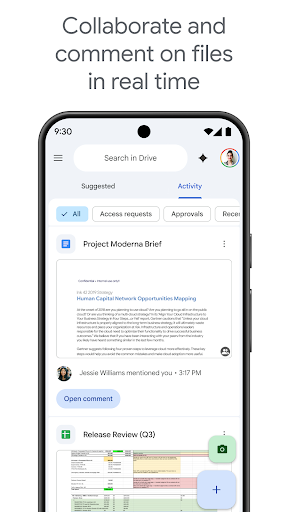
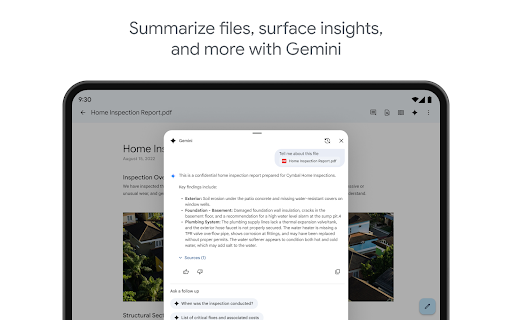
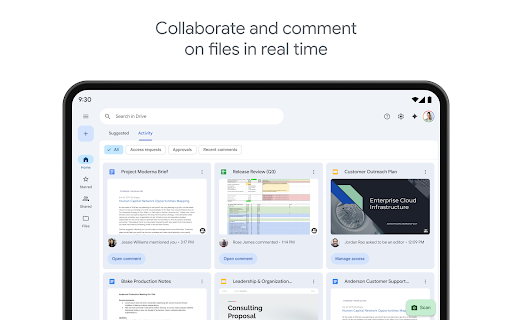
The seamless integration with other Google apps like Google Docs, Sheets, and Slides transforms your workflow. Working on a document in Google Docs automatically saves your changes to Drive, making collaboration smooth and real-time. The app also supports various device features like side-by-side view and drag and drop on Android tablets, enhancing usability and multitasking.
Security & Reliability
Your data security is paramount. Google Drive employs robust encryption and two-factor authentication, ensuring your files remain protected. The platform’s reliability means minimal downtime, with almost instant synchronization across devices. This consistency is invaluable for professionals and students who depend on uninterrupted access.
Storage & Pricing
All Google accounts come with 15GB of free storage shared across Drive, Gmail, and Photos. For those needing more space, upgrading through Google One is an affordable option, starting at just $1.99/month for 100GB in the US. Plans and prices vary by region, offering flexibility to meet different needs.
Learning More & Staying Connected
To explore more about Google Drive and its features, visit the Google Workspace Drive page. For updates and community engagement, follow Google Workspace on X, X, LinkedIn, and Facebook.
Conclusion
In summary, Google Drive is a versatile and reliable cloud storage solution that caters to a wide range of users—from students to professionals. Its combination of user-friendly design, powerful search, seamless app integration, and robust security makes it the go-to platform for digital file management and collaboration. Whether you’re looking to store, organize, or share files effortlessly, Google Drive provides all the tools you need to stay organized and productive. Embrace the cloud storage revolution with Google Drive and experience the convenience of having all your important files accessible anytime, anywhere.
Pros
- Seamless integration with Google Workspace.
- Generous free storage with 15 GB.
- Real-time collaboration on documents.
- Strong file sharing options.
- Auto-sync across devices ensures access.
Cons
- Limited advanced file organization options.
- No offline access without setup.
- Requires internet for full functionality.
- Privacy concerns due to data mining.
- Free version lacks some premium features.











