
Introducing FLY PDF: The Ultimate PDF Processing Tool
Main Features of FLY PDF
Image to PDF: With FLY PDF, users can rapidly convert multiple image files into high-quality PDF documents, facilitating easy organization, sharing, and presentation of image materials. This feature is particularly useful for photographers, designers, or anyone needing to compile visual content into a professional-looking PDF.
TXT to PDF: The app allows seamless conversion of plain text files into PDF format. This is especially handy for preserving formatting and ensuring easy distribution of textual content, such as reports, articles, or notes, in a universally accessible format.
Split PDF: FLY PDF makes it simple to split large PDF files into smaller, manageable documents. This feature is ideal for selective sharing or reading specific sections without the hassle of navigating through lengthy files.
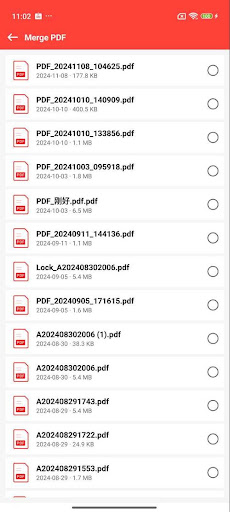
Merge PDF: Combining multiple PDFs into a single document is straightforward with this tool. This function enhances the efficiency of managing multiple materials, making it easier to compile reports, ebooks, or presentations into one cohesive file.
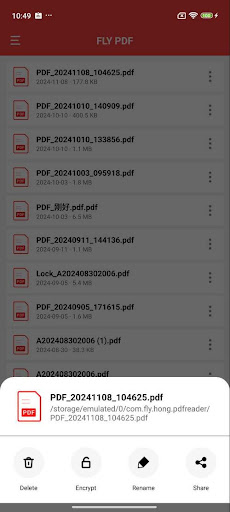
Encrypt PDF: Security is a priority, and FLY PDF provides robust encryption features. Users can set passwords on PDF files to protect sensitive information, ensuring that confidential documents remain secure during storage and sharing.
Decrypt PDF: For encrypted PDFs, the app enables quick decryption when the correct password is provided, restoring full access and usability of secured files.
The Benefits of Using FLY PDF
Thanks to these powerful features, FLY PDF has become an excellent choice for both everyday personal tasks and professional document management. It significantly boosts productivity by simplifying complex workflows, whether you’re converting images, splitting lengthy PDFs, or encrypting sensitive content. The intuitive interface allows users of all skill levels to navigate effortlessly, saving you time and effort.
Beyond its core functions, FLY PDF excels in providing a seamless experience for editing and annotating PDFs. Users can highlight important sections, underline key points, or insert sticky notes and comments, making collaboration straightforward. The app supports inserting text and images into your documents, perfect for making quick revisions or adding personalized notes.
One of the standout aspects of FLY PDF is its ability to manage documents efficiently. Organize your files with ease, use robust search capabilities to find documents quickly, and even compress files without sacrificing quality—all within a single platform. Sharing documents is also made simple, with options to send files via email or share directly through other apps. Moreover, collaboration tools allow multiple users to view, comment, and edit documents in real-time, fostering teamwork in remote or hybrid work environments.
Why Choose FLY PDF?
If you're seeking a reliable, feature-rich PDF app that consolidates all essential functions—conversion, editing, security, management, and sharing—FLY PDF stands out as an ideal solution. Its comprehensive toolkit empowers users to handle PDFs efficiently, whether for daily office tasks or complex document workflows. By integrating seamlessly with other platforms and supporting multiple file operations, FLY PDF helps you stay organized and productive.
Overall, FLY PDF is more than just a simple PDF viewer or editor; it’s a complete platform designed to enhance your productivity and ensure your documents are secure, well-organized, and easy to share. Give this powerful app a try and experience how it transforms your digital document management, making tedious tasks quick and effortless.
Pros
- User-friendly interface that facilitates easy navigation
- Compatible with multiple file formats
- Provides high-speed PDF processing
- Ensures secure and dependable data management
- Works across different platforms
Cons
- Free version offers limited features
- May crash occasionally on older devices
- In-app purchases can be expensive
- Relies on a stable internet connection for cloud functionalities
- Customer support options are limited











