


Introduction to the File Manager App
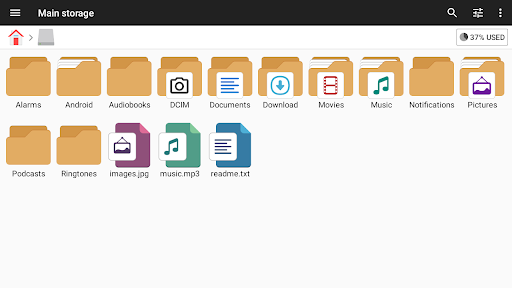
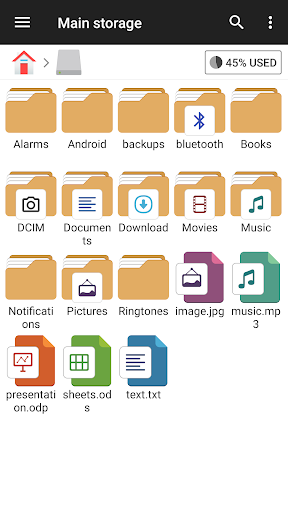
The File Manager app is a versatile and powerful file explorer designed for Android devices. Whether you're using a smartphone, tablet, or Android TV, this file management tool offers an easy, fast, and feature-rich experience. Its intuitive user interface simplifies navigating through your device’s storage, making file management tasks straightforward and accessible for both casual users and tech enthusiasts alike.
Key Features and Functionalities
The File Manager app supports a comprehensive set of functionalities to help users organize and control their digital files effortlessly. With support for various file formats—including media files, documents, and APKs—the app enables users to perform all essential file management actions such as open, search, copy, paste, cut, delete, rename, compress, decompress, transfer, and bookmark. The app's versatility makes it a comprehensive solution for managing your digital content effectively.
Primary Storage Management
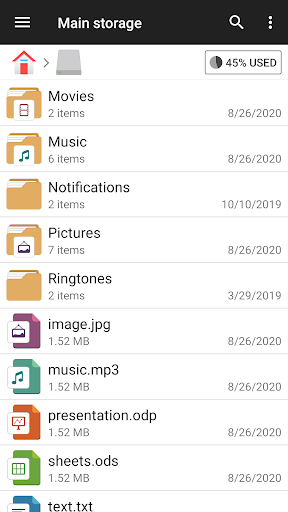
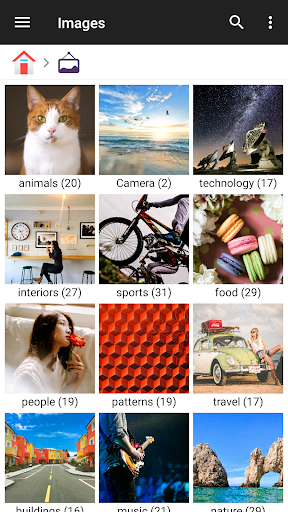
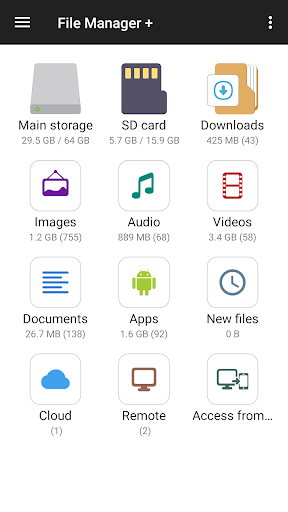
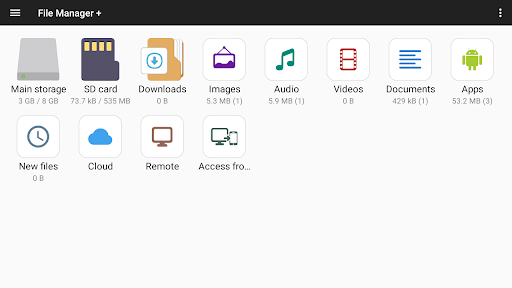
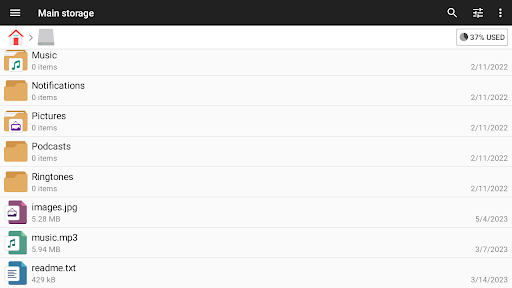
With File Manager Plus, users can conveniently access and manage files across various locations, including Main Storage, SD card, and USB OTG. It provides easy oversight of all files and folders stored locally or externally, enabling simple navigation and organization. The app automatically sorts files in categories such as Downloads, New Files, Images, Audio, Videos, and Documents, making it simple to find what you need quickly.
Cloud and Remote Storage Access
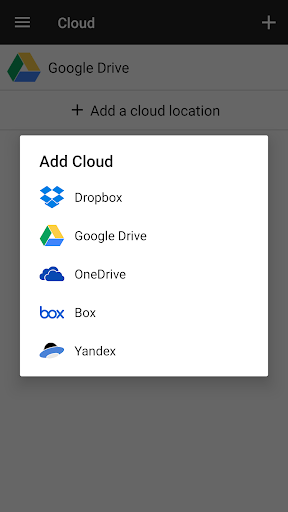
The app offers seamless integration with popular cloud storage services such as Google Drive, OneDrive, Dropbox, Box, and Yandex. You can also access remote storage solutions like NAS and FTP servers. This connectivity transforms your device into a centralized hub for all your files, whether stored locally or in the cloud. Additionally, File Manager supports FTP access from your PC, enabling effortless file transfers over your local network.
Storage Analysis and Optimization
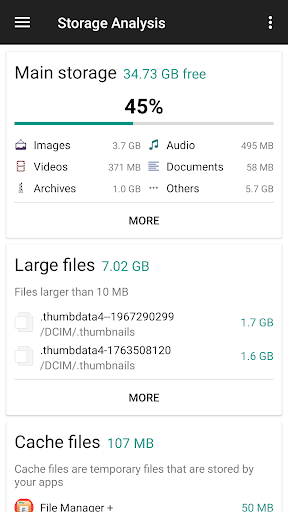
One of the standout features is the storage analysis tool that helps identify space-consuming files and applications. This function is particularly useful for freeing up storage by locating and removing unnecessary or duplicate files. The app also provides insights into which files and apps occupy the most space, assisting users in maintaining an optimized storage environment.
Built-in Utilities for Enhanced Experience
For faster access and smoother usage, File Manager includes internal tools such as an image viewer, music player, and text editor. These utilities are designed to enhance your productivity without the need to switch between different apps, offering a more integrated experience while managing files on Android devices.
Archive Management
Managing compressed files is straightforward with the app’s archive capabilities. You can compress and decompress files in formats like zip, gz, xz, and tar. This feature simplifies sharing large files or backing up data by reducing file sizes efficiently.
Supported Devices
The File Manager app is compatible with a variety of Android devices, including Android TV, smartphones, and tablets, ensuring broad usability across different hardware types.
User Experience and Practical Application
Users often find the File Manager app to be an invaluable tool for organizing digital content. Its sleek and user-friendly interface makes navigation and file searching a breeze, even for novices. The app's ability to handle multiple formats and support cloud syncing elevates it above basic file explorers. With features like customizable folders and tagging, users can personalize their organization system for maximum efficiency.
Security and Privacy
Security is a critical aspect of any file management tool, and this app doesn’t fall short. It offers options for password protection and encryption, safeguarding sensitive data against unauthorized access. Plus, the absence of intrusive ads creates a more focused and pleasant user experience, allowing you to manage your files without distractions.
Conclusion
If you're searching for a dependable, feature-packed, and easy-to-use file management app, File Manager is an excellent choice. Its comprehensive toolset—from storage management, cloud integration, and archive handling to internal media utilities—makes organizing and securing your digital life much simpler. Experience the convenience of managing your files efficiently and effectively with this powerful Android application, and enjoy a clutter-free device environment.
Pros
- User-friendly interface for easy navigation.
- Supports multiple file formats seamlessly.
- Built-in search function for quick file access.
- Efficient file transfer between devices.
- Secure file encryption for privacy protection.
Cons
- Ad-supported version can be intrusive.
- Limited cloud integration options.
- Occasional lag with large files.
- Some features are paywalled.
- No built-in media player.











