

EasyClean - File Cleaner
In today’s digital world, managing storage space and maintaining privacy on your device is more important than ever. EasyClean stands out as an intuitive and powerful file cleaner application designed to simplify these tasks. Whether you're looking to eliminate unwanted junk files, organize your storage efficiently, or protect your personal information, EasyClean offers a comprehensive solution that’s easy to use and highly effective.
Key Features of EasyClean
🗑️ Junk Cleaner
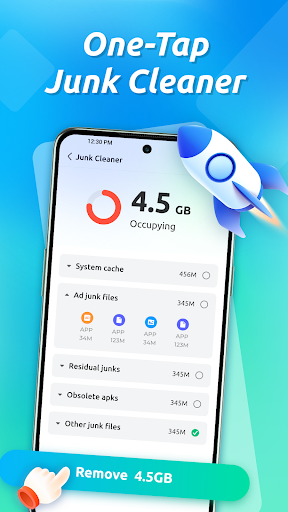
One of the core functionalities of EasyClean is its ability to help you declutter your device. With the junk cleaner feature, you can quickly clear cache files, residual data, and temporary junk that accumulate over time. This not only frees up valuable storage space but also helps improve device performance. Additionally, EasyClean allows you to remove obsolete APK files that are no longer needed, as well as clear notification history to declutter your notification panel.
📁 File Manager
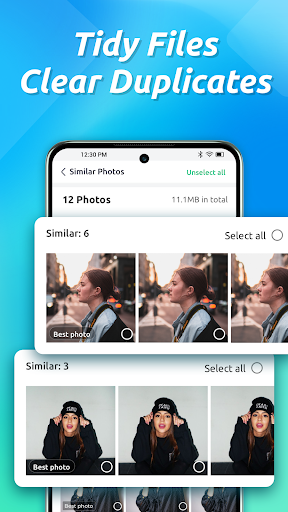
Managing your files becomes effortless with EasyClean's integrated file manager. It can find and delete duplicate photos, helping you save space and keep your galleries organized. Moreover, the app provides tools to sort APKs, downloads, and other files for easier access and management, making it simple to keep your device tidy and well-organized.
📶 Network Tools
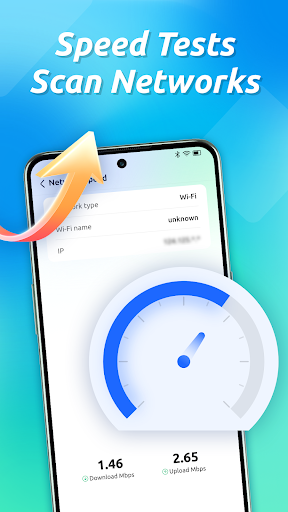
Staying on top of your network usage is crucial, especially if you want to monitor data consumption or troubleshoot connectivity. EasyClean includes handy network tools that let you check Wi-Fi details, monitor data usage, and run internet speed tests. These features help you optimize your network connection and prevent unexpected data overages.
🔒 Privacy Protection
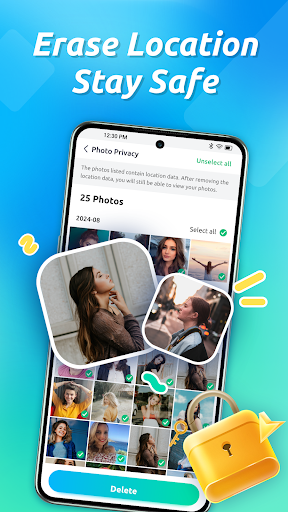
Your privacy is a top priority with EasyClean. The app provides tools to erase sensitive information such as location data embedded in your photos, ensuring your personal details stay private. This feature is particularly useful for users who share images across social media or messaging platforms.
🧰 Extra Utilities
EasyClean offers additional utilities designed to further enhance your device’s performance and privacy. These include options to clear cached files from chat applications and short-video apps, helping you free up space and reduce app clutter.
***
Transparency and Data Privacy
At EasyClean, user privacy is a fundamental commitment. Your data stays private — the app does not collect emails, usernames, or any personal files. This transparent approach ensures that you can use all features confidently, knowing that your personal information remains secure.
Pros
- User-friendly interface that makes navigation simple
- Fast performance ensures quick access and responsiveness
- Rich features that enhance user experience
- Regular updates improve app stability and introduce new functionalities
- Excellent customer support for resolving issues promptly
Cons
- Battery consumption can be high during extended use
- Some features require a premium subscription
- Occasional bugs may cause minor disruptions
- Limited customization options for advanced users
- Compatibility issues with older device models











