
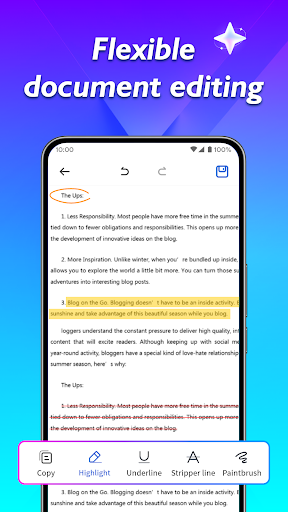
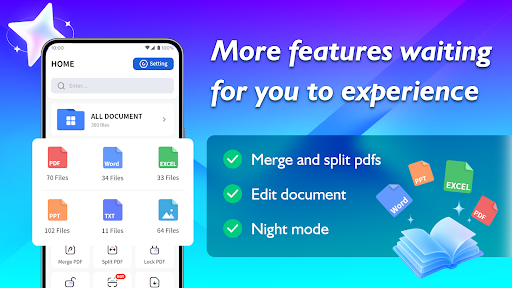
Introduction to the Document Reader App
The Document Reader App is the perfect solution for anyone overwhelmed by the accumulation of files. Whether you're managing work documents or organizing study materials, this versatile application helps streamline your file management process. With its user-friendly interface, it makes finding, viewing, and sharing documents an effortless experience. Say goodbye to clutter and inefficiency—this app is designed to start a new chapter in collaboration and productivity.
Key Features of the Document Reader App
Efficient File Search and Management
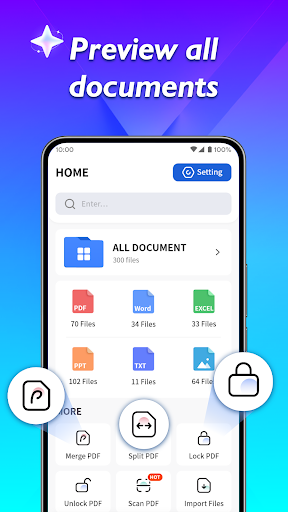
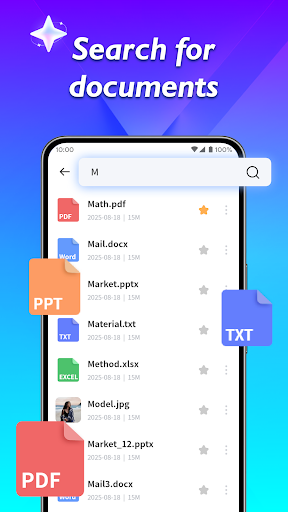
When your files become difficult to manage, the Document Reader App steps in with powerful search capabilities. Simply enter keywords to locate specific files quickly. It allows you to view the file paths of various documents, including PDFs, making it easier to organize and access your files without hassle.
Seamless File Sharing
Sharing your PPT, Excel, and Word documents is made simple with just a single click. Whether sharing with colleagues, friends, or family, the app's intuitive interface ensures that sharing is quick, secure, and efficient—perfect for both professional and personal use.
File Path Visibility & Filtering
The app provides the ability to find the storage path of each PDF file through flexible search and filtering by file name. This feature helps keep your files organized and easily retrievable, reducing time spent on searching for documents.
Versatile Application Scenarios
Designed to adapt to various situations, the Document Reader App is suitable for handling work documents or study materials. Its diverse feature set ensures it meets your daily needs whether you're preparing official reports or studying for exams.
Benefits for Users
This app not only simplifies document management but also enhances productivity by making file sharing and management more straightforward. Its efficient design helps reduce the time spent on organizing files and facilitates better collaboration, making it an indispensable tool for anyone seeking to optimize their workflow and study routines.
Start a New Chapter in Collaboration
With the Document Reader App, you’re empowered to handle your files with confidence and ease. Its intuitive interface, combined with powerful search and sharing capabilities, makes it an essential companion for productivity enthusiasts, students, and professionals alike. Discover a new way to manage your documents—efficiently, effectively, and effortlessly.
Pros
- Offers a user-friendly interface that enhances ease of use.
- Provides a wide range of features to meet various needs.
- Ensures reliable performance with minimal downtime.
- Regular updates improve functionality and security.
- Customer support is responsive and helpful.
Cons
- Can be expensive compared to similar apps.
- Some features may have a learning curve for new users.
- Requires a stable internet connection for optimal performance.
- Occasional bugs or glitches can occur after updates.
- Limited customization options available.











