
Introduction to Cryptomator
Cryptomator is a powerful, open-source encryption tool designed to give you full control over your cloud data privacy. With the rapid growth of cloud storage services like Dropbox, Google Drive, and OneDrive, securing sensitive files has become more important than ever. Cryptomator offers an easy-to-use yet highly secure solution that allows users to encrypt their data before uploading it to the cloud. Its intuitive interface and robust security features make it an outstanding choice for individuals seeking digital self-defense, whether on mobile devices or desktops.
Key Features of Cryptomator
Easy-to-Use Encryption
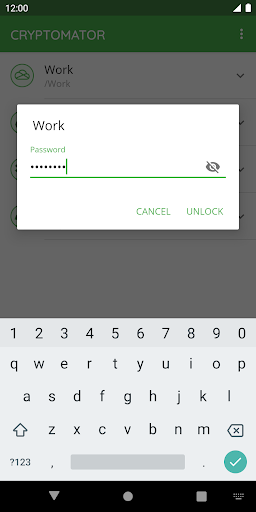
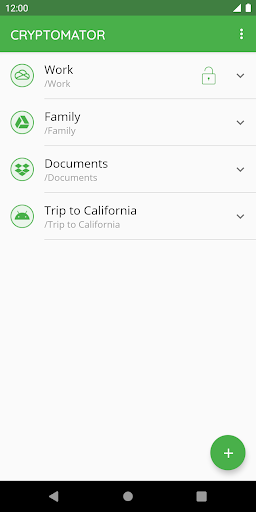
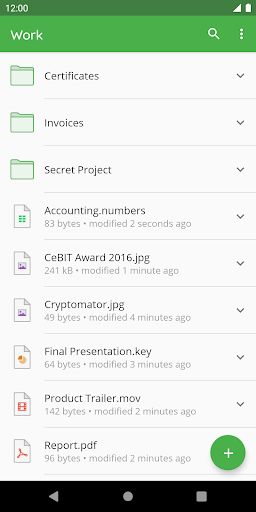
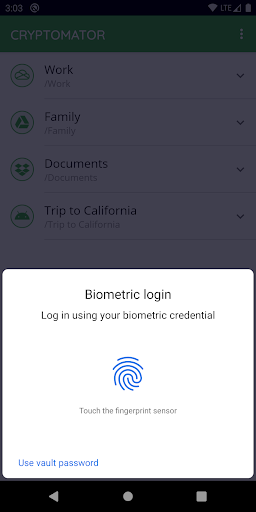
Cryptomator simplifies the process of encrypting your files, making it accessible even to users with no technical background. To get started, simply create a vault and assign a strong password. The app does not require any additional accounts or complex configurations—just set your password, and your data is protected. Additionally, you can unlock vaults effortlessly using your fingerprint, offering quick access without compromising security.
Wide Compatibility
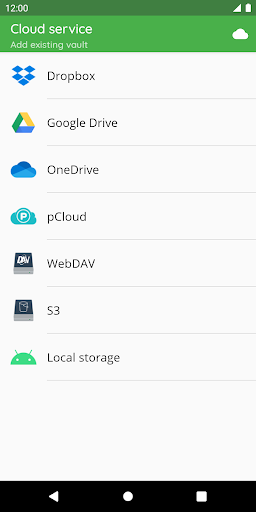
Compatibility is one of Cryptomator’s strengths. It supports the most popular cloud storage services, including Dropbox, Google Drive, OneDrive, as well as S3- and WebDAV-based cloud platforms. The app allows you to create vaults directly in Android’s local storage, including use with third-party sync apps, ensuring your encrypted files are accessible across all your devices—mobile phones, tablets, and computers alike.
Robust Security Measures
Security is at the core of Cryptomator’s design. It uses AES encryption with 256-bit keys to secure your file contents and filenames. The vault password benefits from scrypt to resist brute-force attacks. When the app is sent to the background, your vaults are automatically locked, ensuring your data remains safe even if your device is left unattended. As an open-source project, its cryptographic implementation is publicly documented, allowing the security community to verify its robustness.
Open Source & Community
One of Cryptomator’s most appealing aspects is that it is free and open source. This transparency fosters trust and allows the community to audit its code for vulnerabilities. Users are encouraged to participate in discussions and improvements through platforms like Mastodon and Facebook. Being open-source also means your privacy is prioritized, with no hidden backdoors or unnecessary data collection.
Award-Winning Security Solution
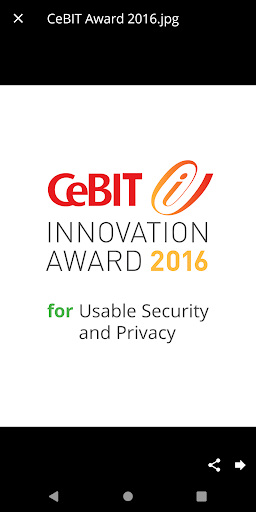
Cryptomator has received recognition for its innovative approach to usability and privacy, notably receiving the CeBIT Innovation Award 2016. It’s trusted by hundreds of thousands of users worldwide, providing peace of mind that their files are protected with state-of-the-art encryption. Its combination of straightforward usability and advanced security features makes it a top choice for personal data security.
Why Choose Cryptomator?
Whether you are a tech-savvy user or someone new to data encryption, Cryptomator offers a user-friendly experience without sacrificing security. Its seamless integration across different devices and cloud services means your encrypted files are always within reach, safe from unauthorized access. Because the app operates entirely on your device—encrypting files client-side—your cloud provider never gains access to your unencrypted data.
Conclusion
Cryptomator stands out as a reliable, open-source encryption tool that empowers users to control their data privacy effortlessly. Its easy setup, compatibility with major cloud services, and strong encryption standards make it an essential addition to anyone’s digital security toolkit. If you value your privacy and want to encrypt your files securely across all your devices, Cryptomator is the ideal solution. Give it a try and join the community of users who sleep soundly knowing their data is protected by open-source encryption technology.
Pros
- Strong encryption for files
- Open-source transparency
- User-friendly interface
- Cross-platform compatibility
- No account required
Cons
- Limited free storage
- No direct cloud integration
- Manual synchronization needed
- No options for file sharing
- Paid mobile version











