

Introduction to the Cox Panoramic Wifi App
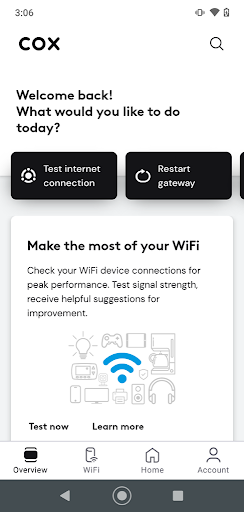
The Cox Panoramic Wifi app is an innovative tool designed to enhance the wifi experience for users with compatible Cox home internet gateways. Supporting models like CGM4141 and TG1682 Panoramic Wifi Gateways, this app puts unprecedented control directly into your hands. Whether you want to manage your network, troubleshoot issues, or optimize coverage, the Panoramic Wifi app provides a comprehensive platform for all your wifi management needs. Its user-friendly interface offers a range of features, including device management, bandwidth monitoring, parental controls, and seamless integration with Panoramic Wifi Pods, making it an essential app for modern smart homes.
Key Features of the Cox Panoramic Wifi App
User-Friendly Control with Cox ID
The app simplifies access with your Cox User ID, eliminating the need to remember multiple passwords. Once logged in, you can easily control your network using your primary credentials.
Manage Network Name and Password
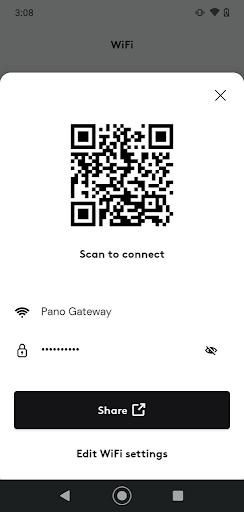
You can update your wifi network name and password directly through the app, ensuring your home network remains secure and personalized.
Device Management and Naming
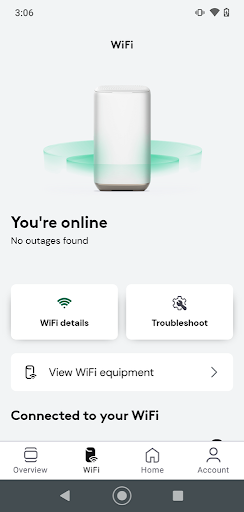
View all connected devices and assign custom nicknames for easy identification. This feature helps you keep track of which gadgets are using your bandwidth.
Profiles for Family Management
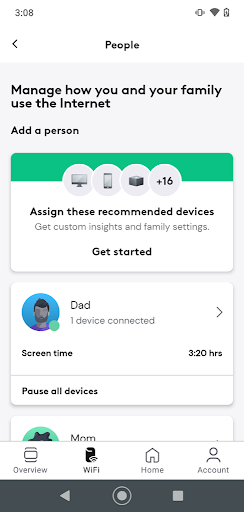
Create multiple profiles—for example, one for each family member—and easily assign devices. It streamlines managing internet access and monitoring usage.
Parental Controls
Manage device profiles to enforce internet restrictions like setting bedtime limits or blocking access during specific times, such as dinner or homework time. Want to pause wifi for a family meal? Just tap a button!
Pause Wifi Feature
Temporarily disconnect specific devices or entire profiles from the internet with a simple click, helping manage screen time and internet abuse.
Advanced Security
Protect your connected devices with built-in security features that help safeguard against online threats.
Troubleshooting Made Easy
The intuitive app provides troubleshooting tips and error notifications, reducing the need for technical support visits.
Extending Coverage with Wifi Pods
Easily add and manage Panoramic Wifi Pods to extend your network coverage and eliminate dead zones in your home.
System Requirements and Setup
Essential Requirements
To get started, you need a Cox Panoramic Wifi Subscription, a compatible Gateway (either CGM4141 or TG1682) with the correct label, and your Cox primary user ID with password.
How to Sign In and Register
Create a Cox User ID at cox.com/register or retrieve your existing ID and reset passwords at cox.com/password.
Real-World Experience with Cox Panoramic Wifi
Many users find that the Cox Panoramic Wifi app genuinely transforms their internet experience. Setting up the app is quick and straightforward, even for those less tech-savvy. The most impressive feature is its ability to provide a clear overview of all connected devices, helping you pinpoint bandwidth hogs or unauthorized connections. For instance, the ability to pause specific devices is a preferred feature among families—especially when managing screen time or troubleshooting connectivity issues.
The coverage map within the app guides users in best placement of routers and Panoramic Wifi Pods for optimal signal strength, which is crucial for eliminating Wi-Fi dead zones. With options to create guest networks and change guest passwords effortlessly, the app also ensures your home network stays secure when entertaining visitors.
Overall, the Cox Panoramic Wifi app elevates home internet management to a new level, catering to both tech enthusiasts and everyday users. Its seamless controls and robust features work together to deliver a reliable and customizable Wi-Fi experience—making buffering, weak signal zones, and network frustration things of the past. Whether you want to prioritize bandwidth, tighten security, or expand coverage, this app offers everything you need right at your fingertips.
In conclusion, if you’re seeking to improve your home internet setup and eliminate those pesky Wi-Fi dead zones, the Cox Panoramic Wifi app is a smart choice. With its intuitive interface, powerful features, and ability to adapt to your household’s needs, it’s like having a personal IT expert guiding your connected home into a smarter, more efficient future.
Pros
- User-friendly interface
- Seamless connectivity
- Customizable settings
- Parental control options
- Secure network
Cons
- Limited coverage range
- Occasional connectivity issues
- Subscription required
- Complex initial setup
- Limited device compatibility











