Introduction to ColorNote Notepad Notes
Ever had one of those days where you're juggling a million tasks and can’t keep track of a single one? If so, let me introduce you to ColorNote Notepad Notes, an incredibly user-friendly app designed to help you stay organized amid the chaos of daily life. Whether you're managing work, personal reminders, or shopping lists, this app offers a simple yet powerful solution to keep all your notes in check. I’ve been using it for a few weeks now, and it’s fair to say that it has genuinely made my life a tad more organized and less stressful.
Getting Started with ColorNote
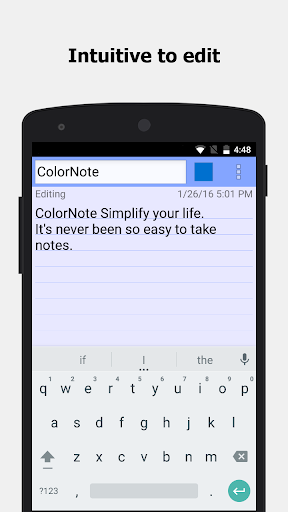
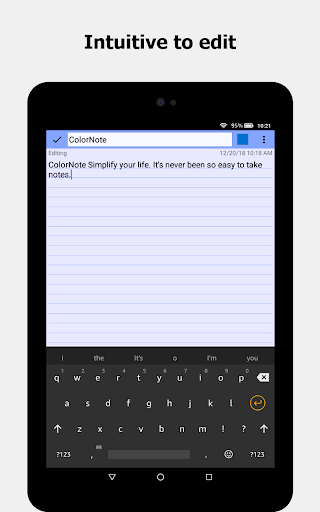
Setting up ColorNote Notepad Notes is straightforward. You can easily find it on both Android and iOS platforms, and it doesn’t require much space on your device. Once installed, the intuitive user interface invites you to start jotting down notes immediately. Its simplicity ensures a smooth experience, making note-taking effortless even for first-time users.
Features That Make ColorNote Stand Out
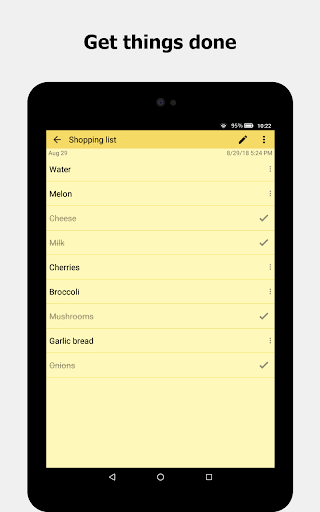
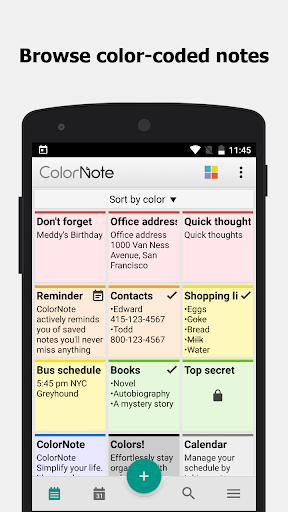
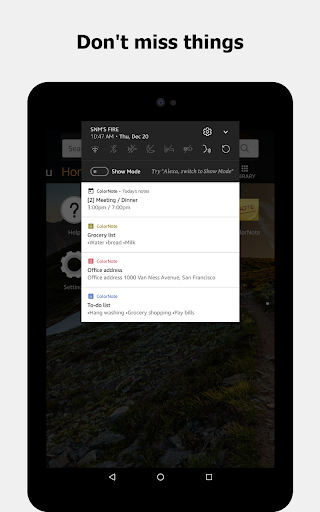
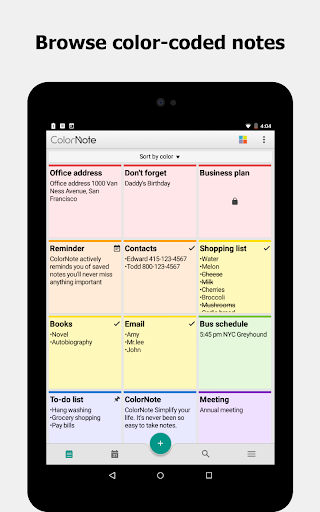
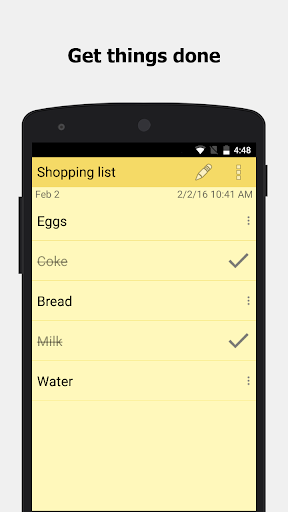
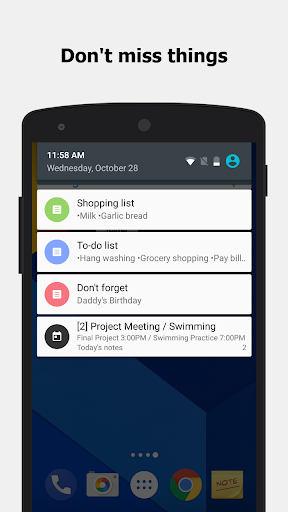
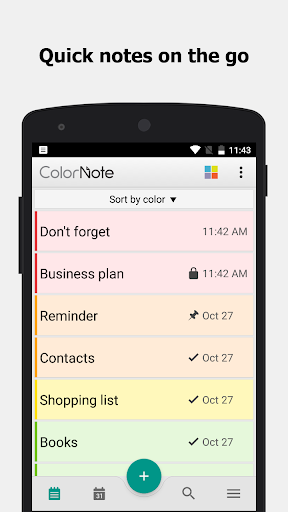
One of the most impressive features of ColorNote is its • color-coded notes : This system allows you to categorize and prioritize your entries by color, which is a fantastic visual aid. For instance, you might assign blue to work-related notes and yellow to personal reminders, enabling quick differentiation at a glance. Alongside color coding, the app supports • checklist notes : Creating to-do lists and shopping lists has never been easier. You can add as many items as you want, arrange their order via drag-and-drop in edit mode, and mark items as completed with a simple tap. When all items are checked, the note’s title is automatically marked as completed with a slash, giving a clear visual cue of task completion. Additionally, • reminder features : Ensure you never forget important tasks or appointments. You can set a variety of reminders, including time alarms, repeated alerts, and all-day notifications, directly within your notes. The app also supports status bar reminders, keeping you constantly informed.
Organizational Capabilities and Ease of Use
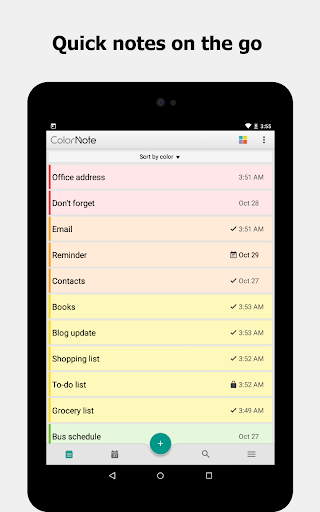
Using ColorNote feels like a breeze. The lightweight design means it won’t bog down your device, even with numerous notes saved. The app provides multiple viewing options—list view, grid view, or by note color—allowing you to customize your experience. The powerful search function makes finding specific notes quick and effortless, just type your keyword and go. Sharing notes is equally simple: you can send your notes via SMS, email, or social media platforms like Twitter in just a few taps. This ease of sharing enhances collaboration and ensures your important notes are accessible wherever you need them.
Additional Features for Enhanced Productivity
Beyond basic note-taking,
ColorNote offers features tailored for a productive lifestyle:
- • Password Lock : Protect your private notes with a passcode to keep sensitive information secure.
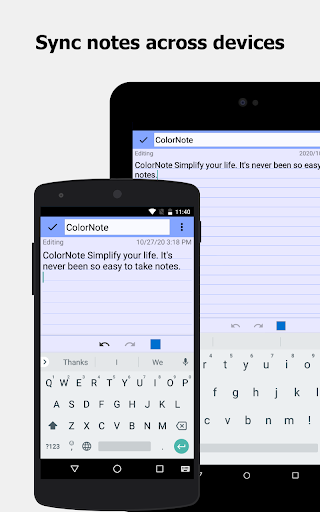
- • Backup & Sync : Securely back up your notes to storage or cloud services, supporting online synchronization across your phone and tablet. All notes are encrypted before upload using AES encryption, ensuring your privacy.
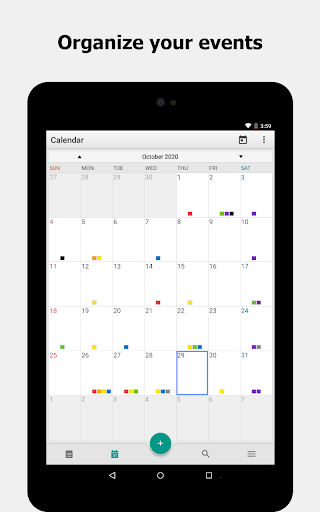
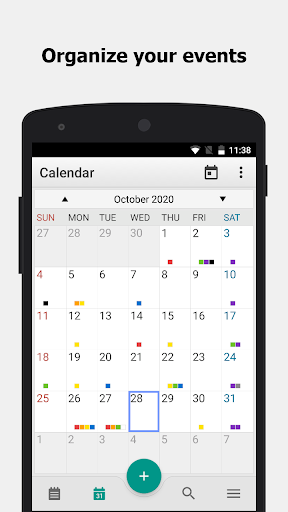
- • Calendar Integration : Organize schedule entries or diarize journal entries directly within the calendar interface.
- • Wiki Note Link : Create quick links between notes with wiki-style [[Title]] formatting.
- • Quick Memo : Rapidly jot down ideas or thoughts when they strike.
Compatibility and Permissions
To maximize functionality,
ColorNote requires certain permissions:
- Internet access for online backups and sync.
- Storage access for local backup files on your device.
- Prevent phone from sleeping, control vibration, and auto-start at boot for reminder notifications.
Common FAQs
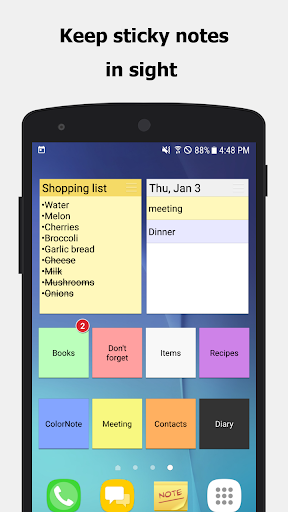
How do I add a sticky note widget to my home screen?
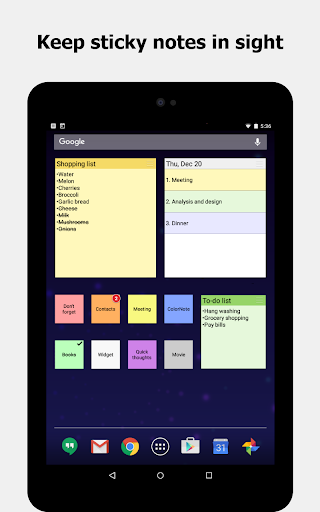
Go to your device's home screen, hold down on an empty space, select widget, and then choose ColorNote from the list to add it.
Why aren’t the widget, alarm, or reminder functions working?
If you have installed ColorNote on your SD card, these features might not function properly because Android doesn’t support them when apps are moved to external storage. To fix this, move the app back to internal storage via Settings > Applications > Manage Applications > ColorNote > Move to Device, then reboot your device.
Can I back up notes manually?
Yes. Backup files are typically stored at /data/colornote or in /Android/data/com.socialnmobile.dictapps.notepad.color.note/files on your SD card.
What if I forget my master password?
Navigate to Menu > Settings > Master Password > Menu Button > Clear Password. Doing this will reset your password, but your existing locked notes will be lost.
How do I make a to-do list note?
Choose New, then select checklist note. Add your items, save, and tap an item to cross it out as completed.
Conclusion
Summary: ColorNote Notepad Notes is an exceptional, feature-rich app designed to make your life easier through simple yet effective note-taking, checklist management, and scheduling tools. Its user-friendly interface combined with powerful organization features such as color coding, reminders, and secure backup options make it a go-to app for students, professionals, and anyone looking to keep their daily tasks organized. Plus, its free availability enhances its appeal as a versatile productivity tool. Whether you need a quick memo, a detailed journal, or a comprehensive task list, ColorNote is likely to become your trusted digital assistant. Download it today and experience a new level of organization and efficiency in your daily routine.
Pros
- Intuitive interface enabling quick note-taking
- Synchronizes across multiple devices for seamless access
- Includes reminder functionality for managing tasks
- Provides color-coded organization for notes
- Lightweight design with fast performance
Cons
- Limited options for text formatting
- Does not support collaborative editing features
- Advertisements in the free version can be distracting
- Lacks advanced options for structuring notes
- Does not support handwriting or drawing functionalities