
Protect Your Privacy with Applock Pro - App Lock & Guard
Are you concerned about the security of your personal apps, photos, and sensitive information on your smartphone? Applock Pro - App Lock & Guard is a trusted solution used by millions worldwide to safeguard their digital privacy. Designed to be fast, secure, and user-friendly, this application transforms your device into a fortress, preventing unauthorized access and ensuring your private data remains private. Whether you're protecting messaging apps, social media accounts, or hidden photos and videos, Applock Pro offers a comprehensive set of features that make mobile privacy management simple and effective.
Key Features of Applock Pro - App Lock & Guard
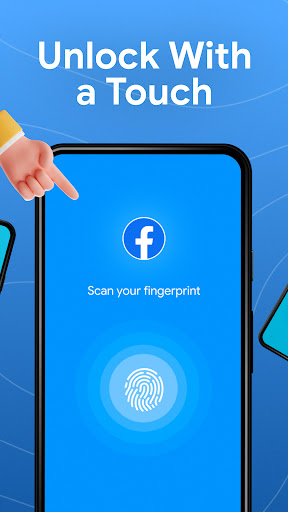
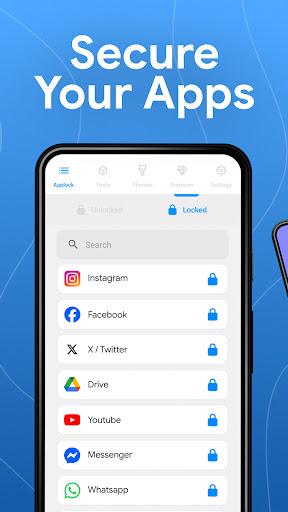
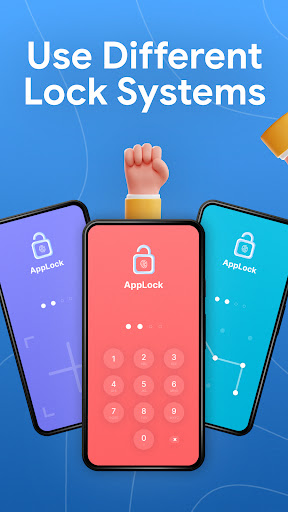
• Lock Any App: Protect popular applications like WhatsApp, Instagram, Messenger, Gallery, Settings, and more using various locking methods. Choose from PIN, pattern, fingerprint (if supported), or innovative KnockCode for quick access. This flexibility ensures you can customize the security according to your preferences and device capabilities.
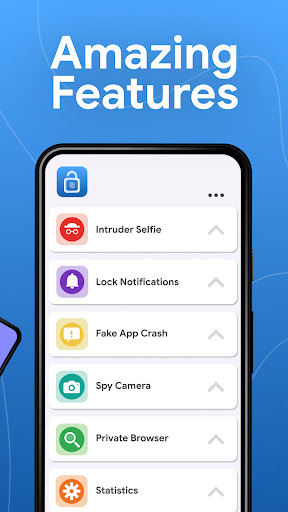
• Spy Camera Protection: Curious about who’s trying to snoop on your device? Enable the spy camera feature, which automatically captures a secret photo using your front camera when someone enters the wrong password multiple times. This discreet feature helps you identify intruders and gives peace of mind that your private moments are secure.
• Fake Error Message: Confuse snoopers by displaying a fake error message, making it appear as if the app is not protected or malfunctioning, even when it is securely locked. This clever trick enhances security by disguising your protected apps.
• Hide Notifications: Keep your notifications discreet by blocking or hiding sensitive alerts from locked apps. This prevents unwanted eyes from catching glimpses of your private messages or activities.
• Lock Timer & Auto Re-Lock: Schedule automatic lock periods during specific hours or set a re-lock timer after brief periods of app usage. This automation feature ensures your data remains protected without requiring constant manual locking.
• Spy Alarm: Trigger a loud alarm sound if there are multiple failed password attempts, deterring potential intruders and alerting you to suspicious activity.
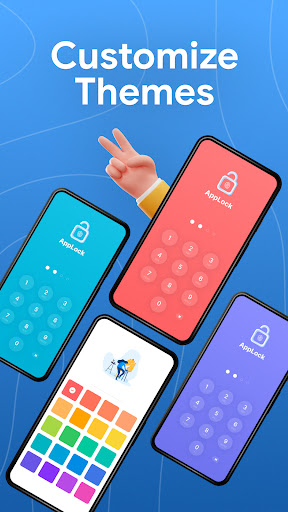
• Custom Themes: Personalize your app lock screen with a variety of themes and set custom background images using your gallery photos to make your security interface uniquely yours.
• Smart Settings: Optimize performance with lightweight and battery-efficient features such as vibration alerts, new app notifications, recent app locking, and more, all designed to enhance user experience.
Different Locking Methods for Enhanced Security
Using Fingerprint (supported by your device), KnockCode (a secure, gesture-based unlock method), Pattern, or PIN (4 to 8 digits), Applock Pro allows you to choose the most convenient and secure way to protect your apps. This variety ensures that you can tailor the app lock security system to best fit your lifestyle and device capabilities.
Frequently Asked Questions
How do I prevent Applock Pro from being uninstalled?
Lock system settings and enable “Hide Icon” for additional protection to prevent unauthorized uninstallation.
Why are permissions necessary?
Permissions are only requested for essential features such as setting custom backgrounds, ensuring the app functions smoothly without unnecessary access.
What if I forget my password?
Use your security question or recovery options provided within the app to reset your password easily.
Can I hide photos and videos?
Yes, lock the Gallery app to restrict access to your private media files effectively.
How does the spy camera feature work?
After multiple failed login attempts, Applock Pro captures a photo of the intruder using the device’s front camera, storing it securely for your review.
Why Choose Applock Pro - App Lock & Guard?
In an age where digital privacy is more crucial than ever, Applock Pro - App Lock & Guard is your reliable protector against intruders, nosy friends, or even family members who shouldn’t access certain apps or media. Its intuitive interface and extensive customization options make it accessible for users of all skill levels, while its robust security features provide peace of mind. With options like stealth mode, fake error screens, fake notifications, and intruder selfies, you can secure your personal data with confidence. Whether you're safeguarding sensitive work documents, private conversations, or personal photos, this app offers all the tools you need to keep intruders at bay and maintain your privacy.
Get Started Today
Ready to protect your apps and photos? Download Applock Pro - App Lock & Guard now and take control of your privacy. Experience a smarter, more secure way to keep snoopers away from your personal information and enjoy the peace of mind knowing your data is safe and private.
Pros
- User-friendly interface.
- Supports fingerprint lock.
- Customizable themes.
- Fast app locking.
- Minimal battery consumption.
Cons
- Advertisements in the free version.
- Limited features without a premium plan.
- No cloud backup option.
- Occasional app crashes.
- Irregular update schedule.











