
Introducing All Document Hub: Your All-in-One PDF and Document Management Solution
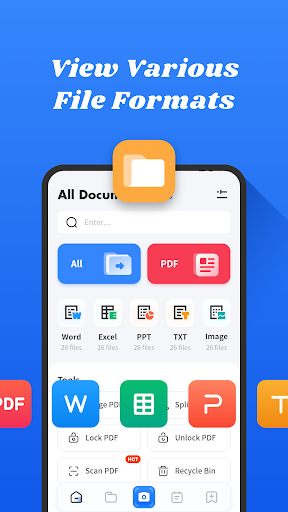
Are you looking for an easy-to-use PDF reading tool that simplifies managing your documents on mobile devices? All Document Hub is designed specifically for smartphones, offering a comprehensive suite of features to help you view, organize, and manipulate various document types with ease. Whether you need to open and view PDF, Word, PowerPoint, or Excel files, or want to merge and extract pages from PDFs, this app provides an intuitive interface that makes document management straightforward and efficient.
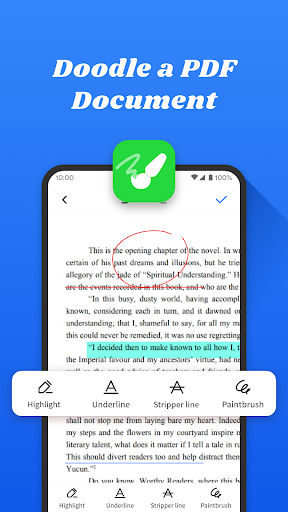
One of the standout capabilities of All Document Hub is its ability to combine multiple PDF documents into a single file effortlessly, saving you time and effort. Additionally, you can extract selected pages from a PDF to create separate files, which is especially useful for sharing or archiving specific sections of a document. The app also supports highlighting, underlining, and strikethrough annotations, enabling you to review and mark up documents right within the app. Managing your files becomes even easier with options to rename, delete, and share your documents across various formats, helping you stay organized at all times.
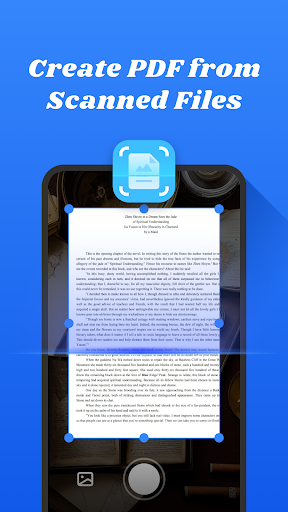
For capturing physical documents, All Document Hub allows you to snap photos of papers with your phone camera and instantly convert them into PDF files. This feature simplifies the process of digitizing and sharing printed documents, making it an indispensable tool for students, professionals, and anyone who frequently works with paper-based materials.
Overall, All Document Hub is a free, simple, and user-friendly PDF and document reader that is perfect for users seeking an efficient way to manage all their files on their mobile devices. Download it today and experience a new level of ease in handling your digital documents!
Seamless Cloud Storage Integration with All Document Hub
Do you often find yourself juggling between multiple cloud storage services like Google Drive, Dropbox, or OneDrive? Managing documents across various platforms can quickly become a headache. That’s where All Document Hub shines — it consolidates all your cloud storage accounts into a single, easy-to-navigate interface. With this app, you no longer need to switch between different apps to access your important files.
Getting started with All Document Hub is straightforward. The app is compatible with both Android and iOS devices, ensuring a smooth installation process and a clean, intuitive user interface. Setting up involves linking your cloud accounts, which the app handles with remarkable simplicity. Support for multiple cloud services means you can connect all your accounts without hassle, creating a unified document management system.
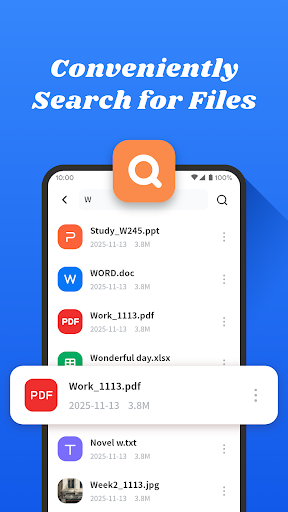
One of its key features is the powerful search functionality. You can quickly locate documents using keywords, saving time and reducing frustration. Additionally, the app supports offline access, so you can review or edit files even when you're without an internet connection — an essential feature for professionals and students on the go.
The dark mode option provides a comfortable reading experience during late-night work sessions, and the folder management system allows you to create, organize, and delete folders effortlessly. This level of organization helps maintain a clutter-free digital workspace, making document retrieval and management more efficient.
In today’s digital age, an effective document management system can significantly boost productivity. All Document Hub offers a centralized location for your files, backed by robust features and an easy-to-use interface that caters to both tech-savvy users and beginners alike. Whether you're a student, a professional, or anyone who wants to stay organized, this app is an excellent tool to streamline your document workflow.
In conclusion, if managing multiple cloud accounts or bulky files is a challenge, All Document Hub is the perfect solution to unify your document storage and enhance your productivity. Try it today and discover how effortless document management can truly be.
Pros
- User-friendly interface increases productivity
- Supports various file formats effortlessly
- Cloud synchronization guarantees data security
- Offline access available for all files
- Collaborative features enhance team productivity
Cons
- Limited free storage compared to competitors
- Occasional synchronization problems with large files
- Some features require payment to unlock
- Requires a stable internet connection for cloud functionalities
- Interface may be overwhelming for new users











