

AdBlock for Samsung Internet
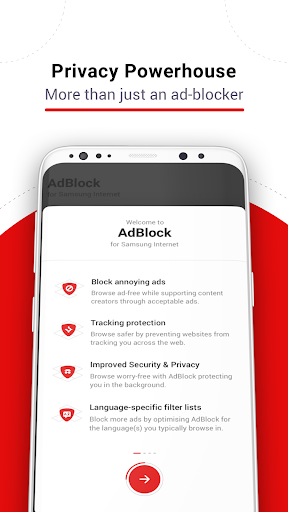
AdBlock for Samsung Internet is the ideal companion app for users wanting to eliminate disruptive ads during their online browsing experience. Specifically designed to work seamlessly with the Samsung Internet Browser, this free application enhances your web surf by providing a smoother, faster, and more private environment. One of the best aspects of AdBlock is that it ensures your data remains uncompromised while effectively blocking ads, making it a safe choice for users concerned about privacy and security.
Key Benefits of Using AdBlock for Samsung Internet
- • Save reading space by blocking intrusive ads, allowing for a cleaner, more focused view of web content.
- • Save money on monthly data usage, as fewer ads mean less data consumed during browsing sessions.
- • Enjoy faster web page performance by reducing the load caused by ads and trackers.
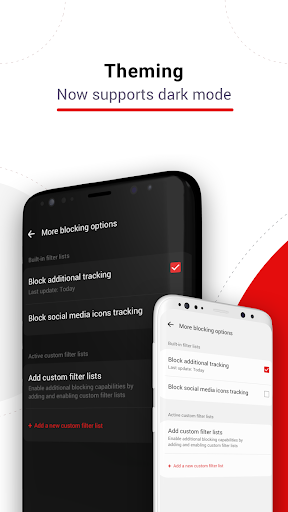
- • Get built-in privacy protection with anti-tracking features that prevent third-party trackers from following your online activities.
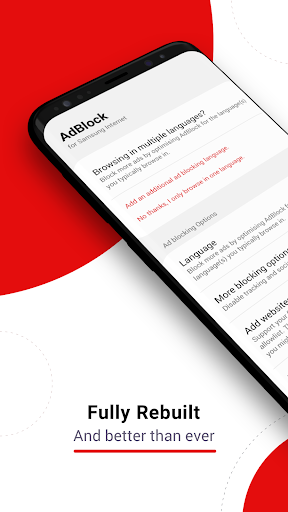
- • Use custom language settings to block region-specific ads, tailoring your browsing experience to your preferences.
- • Benefit from free, responsive support to assist with any issues or questions you may encounter.
Frequently Asked Questions
Does AdBlock block all ads in all my apps?
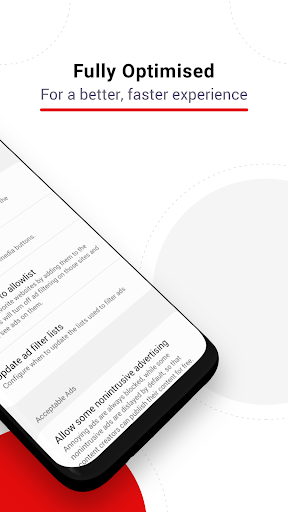
AdBlock only blocks ads within the Samsung Internet Browser. To support content creators, you can choose to allow non-intrusive ads that comply with the Acceptable Ads standard, enabling some ads to be displayed while still maintaining a clean browsing experience.
What is Acceptable Ads?
It is a standard for non-intrusive, light ads that do not interfere with your browsing. These ads are carefully selected based on criteria regarding size, placement, and labeling to ensure they do not disrupt the user's experience.
Is AdBlock compatible with other Android browsers?
Currently, no. But for desktop users, AdBlock is available for browsers like Chrome, Safari, and Opera. Visit getadblock.com for more information.
Personal Experience with AdBlock for Samsung Internet
If you’re anything like me, you understand the frustration caused by those pesky ads that appear at the worst possible moments while browsing the web. Fortunately, AdBlock for Samsung Internet comes to the rescue with its efficient and user-friendly features. Let me share my personal experience and why this app has become an essential part of my browsing toolkit.
Seamless Integration and Easy Setup
Getting started with AdBlock for Samsung Internet is surprisingly simple. The installation process is straightforward, and once installed, it integrates perfectly with the Samsung Internet Browser. You don’t need to be a tech expert to set it up, which makes it accessible for everyone. The setup minimizes hassle and allows you to start blocking ads immediately, transforming your browsing experience.
Enjoy an Ad-Free Browsing Experience
Once active, AdBlock for Samsung Internet effectively removes unwanted ads, making your browsing sessions cleaner and more enjoyable. Web pages load faster, and the overall experience becomes smoother, allowing you to focus on the content that truly matters. It’s like having a personal gatekeeper that wards off distractions, giving you a more efficient and pleasant online environment.
Customization and Control
One of my favorite features is the customization options. You can easily whitelist sites you support, ensuring that you don’t block ads on your favorite content providers. This level of control makes your browsing experience feel more personalized, accommodating your preferences while supporting content creators.
Enhanced Privacy and Security
Beyond ad blocking, this app enhances online privacy by blocking trackers that follow you across sites. This feature adds an extra layer of security, providing peace of mind knowing that your browsing footprint is minimized. With every site visited, your data is better protected, making this app a valuable tool for privacy-conscious users.
All in all, if you’re a Samsung Internet user seeking a cleaner, faster, and more private browsing experience, AdBlock for Samsung Internet is a must-try. It’s easy to use, effective at blocking unwanted ads, and improves your overall online security. Give it a shot and rediscover the web free from clutter and distractions!
Pros
- Seamless integration with Samsung Internet
- Effectively blocks most ads
- Enhances browsing speed
- Significantly reduces data consumption
- User-friendly interface
Cons
- Limited to Samsung Internet only
- May block some non-intrusive advertisements
- Occasional issues with video advertisements
- Lacks customization options for blocking
- Needs periodic updates to handle new advertisements











