
Introducing 2025 Calendar Launcher: Your Ultimate Schedule Management Tool
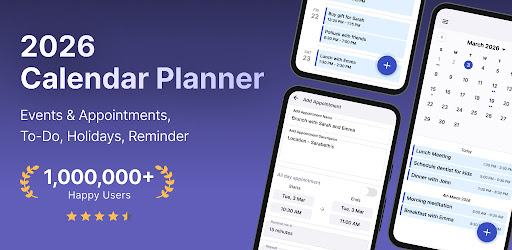
Managing your monthly schedule has never been easier with 2025 Calendar Launcher. This innovative app transforms your device into a powerful calendar organizer, offering quick, one-swipe access right from your home screen. Designed as a seamless launcher, it enhances your productivity by enabling effortless event creation and reminder setting for all your important dates—be it birthdays, dinner plans, business meetings, or appointments. With 2025 Calendar Launcher, staying organized and on top of your schedule is just a swipe away.
Seamless Access and Intuitive Layout
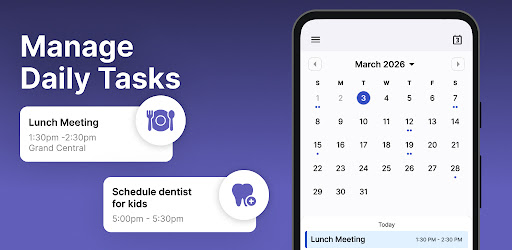
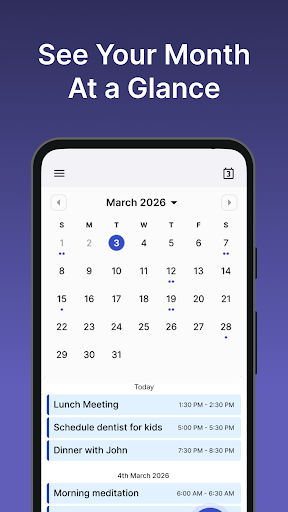
Once installed, 2025 Calendar Launcher modifies your home screen layout to provide instant access to your calendar. Don't worry—your apps are still on your device; they might just be in different locations. The intuitive interface ensures you can view your monthly schedule at a glance, enabling quick navigation between months and easily viewing events scheduled on specific dates. This simple yet effective layout boosts your productivity by giving you a complete picture of your commitments at all times.
Key Features of 2025 Calendar Launcher
The app boasts several standout features tailored for busy users seeking simplicity and efficiency:
- Monthly Calendar View: Clearly see your schedule for the entire month, making planning straightforward.
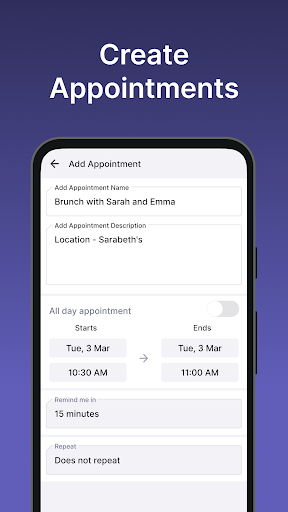
- Event Scheduling: Add new events effortlessly, from important deadlines and business appointments to social gatherings and birthdays.
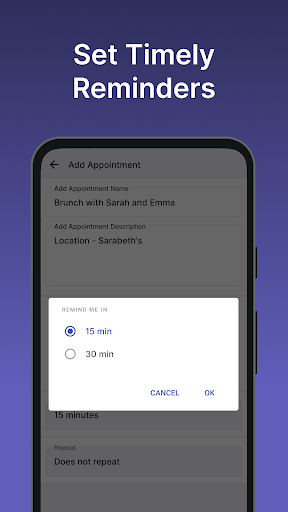
- Reminders: Set timely alerts for your scheduled events to ensure you never miss an important engagement.
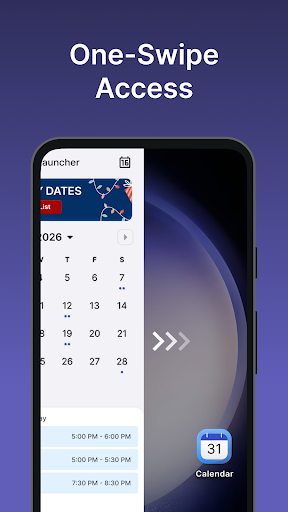
- One-Swipe Access: Swipe right from your home screen for instant calendar entry, streamlining your daily routine.
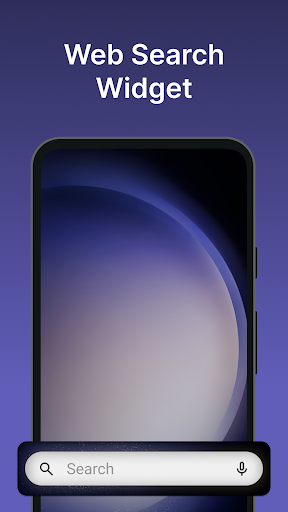
- Home Screen Widget: View time, weather, and other useful information directly on your device's widget, customized to your preferences.
- Wallpaper Personalization: Customize your home or lock screen with various beautiful themed wallpapers to reflect your style.
- Home Screen Shortcut: Use a dedicated shortcut to open your calendar planner quickly, enhancing accessibility.
- Multi-touchpoint Search: Search for apps or web content efficiently, powered by Yahoo, from multiple access points.
Enhance Your Productivity with Customization and Sync
2025 Calendar Launcher seamlessly integrates with popular calendar services like Google Calendar and Outlook. This ensures all your events are synchronized across platforms, reducing double entries and minimizing missed appointments. Its customization options allow you to personalize color-coding and notifications, making it easy to prioritize and manage your schedule according to your preferences. Whether you're planning a hectic week or organizing personal milestones, the app adapts to your needs for a smooth planning experience.
Effortless Event Management and Reminders
Creating events is straightforward with 2025 Calendar Launcher. Simply tap to add a new event, set reminders, and categorize your entries—whether they’re for work, social events, or personal errands. The reminder feature ensures you remain punctual, whether it’s for a vacation, anniversary, or a critical business call. This focus on ease of use and functionality helps users stay on top of their commitments without hassle.
Why Choose 2025 Calendar Launcher?
If you’re looking for a smart, reliable calendar app that simplifies your daily routine, 2025 Calendar Launcher is an excellent choice. Its user-friendly design, extensive customization options, and seamless integration with existing calendar services make it stand out among productivity apps. Plus, the ability to access your calendar instantly from your home screen transforms how you manage your time—effortlessly balancing work and personal life.
Download and Get Started Today
Ready to take control of your schedule? Download 2025 Calendar Launcher from the Google Play™ Store and experience a new level of organization. The app is easy to uninstall if needed, and your privacy is protected through transparency in our Privacy Policy and Terms of Service. For questions or feedback, visit our contact page. Simplify your planning, boost your productivity, and stay organized with the ultimate calendar launcher for 2025 and beyond.
Pros
- User-friendly interface for quick access
- Seamless integration with existing calendars
- Customizable widget for home screen
- Supports voice input for creating events
- Consumes minimal battery power
Cons
- Limited options for customization
- Does not support offline mode
- Occasional delays in synchronization
- Displays advertisements in the free version
- Lacks task management features











