

- Name Zip Unzip - rar,&7z compression
- Category Utilities & tools
- Developer Wuhan Net Power Technology Co., Ltd.
- Available on PC
- OS Windows 10 version 17763.0 or higher
- Keyboard Integrated Keyboard
- Mouse Integrated Mouse
- Memory Not specified
- languages Chinese (Simplified), English, French, German, Japanese, Korean, Portuguese, Russian, Spanish, Thai, Vietnamese
Zip Unzip - RAR & 7Z Compression for Windows: A Practical Tool for Efficient File Compression
Designed to simplify file archiving tasks on Windows, Zip Unzip offers a straightforward approach to compressing and decompressing RAR and 7Z files with ease and efficiency.
Developed by Wuhan Net Power Technology Co., Ltd.
This application is crafted by Wuhan Net Power Technology Co., Ltd., a team dedicated to creating user-friendly utilities that streamline everyday computer operations.
Key Features at a Glance
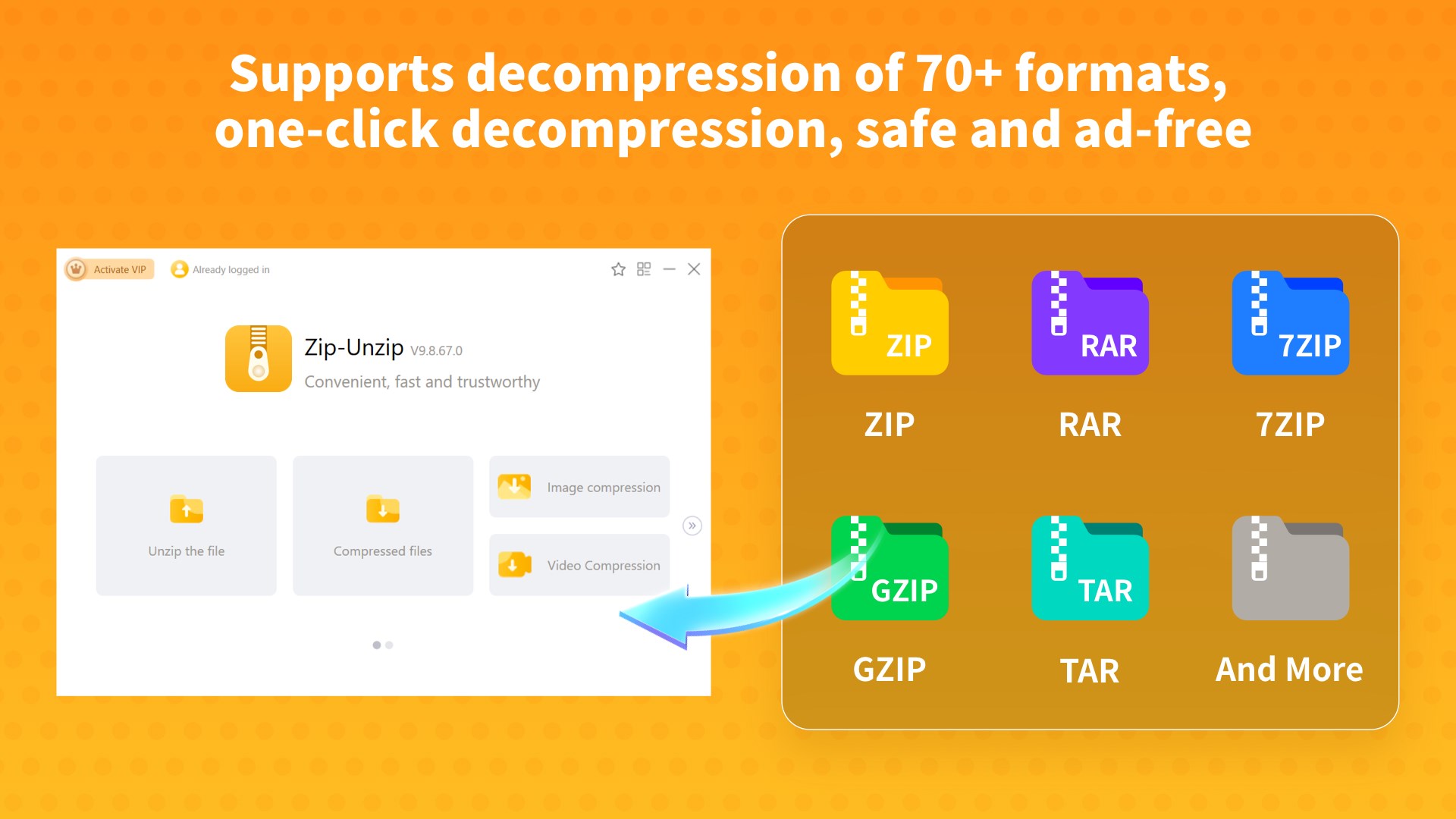
- Support for multiple compression formats including RAR and 7Z, enabling versatility in file management.
- Intuitive drag-and-drop interface that makes file compression and extraction a seamless experience.
- Fast processing speeds optimized for quick handling of large archives.
- Simple batch processing capabilities for managing multiple files simultaneously.
Who Is This App For?
The target audience includes everyday Windows users needing a reliable yet straightforward utility for managing compressed files, especially those dealing with various archive formats like RAR and 7Z without complex features overload.
A Friendly Dive Into the App: Your File Compression Companion
Imagine desperately trying to send a hefty folder over email or upload a huge archive to cloud storage—sounds familiar, right? Now, picture a tool that acts like a helpful assistant, tidying and shrinking those files with just a few clicks. That's exactly what Zip Unzip embodies—your go-to sidekick for all things compression, wrapped in a sleek and approachable package. No complex setups, no steep learning curves—just straightforward functionality that gets the job done efficiently.
Streamlined Compression & Extraction: Making Files Disappear and Reappear
The core of Zip Unzip's appeal lies in its support for popular archive formats like RAR and 7Z. Whether you're zipping up a folder containing vacation photos or extracting a downloaded archive, the app handles these tasks with admirable speed. Its drag-and-drop interface transforms what could be tedious commands into a casual, click-based process—simply drag your files onto the interface, click ‘Compress' or ‘Extract,' and voilà! Within moments, your files are either neatly compressed or ready to open.
What makes this feature stand out is its reliability—no fussing with command lines or confusing options. Plus, its batch processing capability is a real time-saver, allowing multiple files to be tackled simultaneously, which is perfect for those who deal with numerous archives regularly without breaking a sweat.
Clean Design and User-Friendly Experience
From a user experience point of view, Zip Unzip scores well. Its interface is simple, clean, and clutter-free, making navigation as easy as flipping through a well-organized toolbox. The workflow is smooth—if you've ever used basic file explorers, operating this app feels like an extension of that familiarity. There are no hidden menus or complicated settings that could deter casual users. Meanwhile, the responsiveness of the app ensures that even large files are processed swiftly, reducing waiting times and frustration.
Learning curve? Minimal. Just a few minutes exploring will have you comfortably zipping and unzipping files like a pro. For those who are less tech-savvy, the straightforward design means you don't need to read a manual or watch tutorials—it's built for quick mastery.
Unique Selling Points and Differentiators
Compared to other utilities in this category, Zip Unzip's standout features are its focus on essential functionality combined with ease of use. While many compression tools try to pack in numerous advanced options, this app keeps things simple yet effective, making it ideal for quick, everyday tasks. Another highlight is its support for both RAR and 7Z formats, broadening compatibility—no need to switch tools for different archive types.
Additionally, the app's lightweight design ensures it operates smoothly even on modest hardware, setting it apart from bulkier, resource-heavy alternatives. If you're someone who appreciates practicality over bells and whistles, Zip Unzip understands your needs.
Final Recommendations & Usage Tips
Overall, Zip Unzip is a solid choice for Windows users looking for a straightforward, reliable utility to handle common compression tasks. Its ease of use, support for popular formats, and efficient processing make it a handy addition to your software toolkit. I recommend it particularly for users seeking a no-nonsense solution without a steep learning curve.
To maximize your experience, use the drag-and-drop feature for quick operations and explore batch processing for handling multiple archives at once. While it lacks some advanced features found in high-end tools, its core functionalities are delivered with precision and simplicity, making it a dependable companion for daily file management needs.
Pros
- Fast and efficient compression and extraction
- User-friendly interface
- Small app size and low resource consumption
- Supports batch operations
- Built-in password protection
Cons
- Limited advanced options
- No cloud integration
- Inconsistent handling of rare formats
- Minor bugs in interface responsiveness
- Limited customization options











