

- Name WinSCP
- Category Utilities & tools
- Available on PC
- OS Windows 10 version 14393.0 or higher
- Keyboard Not specified
- Mouse Not specified
- languages Belarusian, Catalan, Chinese (Simplified), Chinese (Traditional), Croatian, Czech, Danish, Dutch, English, Finnish, French, German, Hungarian, Icelandic, Italian, Japanese, Korean, Lithuanian, Norwegian, Persian/Farsi, Polish, Portuguese, Romanian, Russian, Slovak, Spanish, Swedish, Tamil, Turkish, Ukrainian, Vietnamese
Seamless Secure File Transfer Simplified
WinSCP for Windows, developed by Martin Prikryl, is a robust open-source graphical tool that streamlines secure file transfers between local computers and remote servers. With its intuitive interface and powerful features, it transforms what could be a technical maze into a manageable task — a true boon for those handling frequent server interactions.
Core Functionality Highlights: Making Remote Files Feel Local
1. Intuitive Graphical Interface with Dual-Pane View
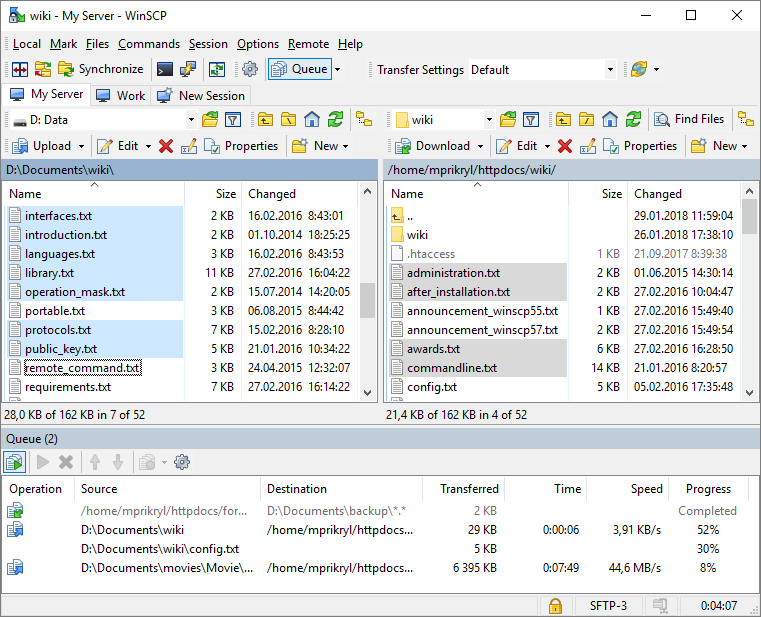
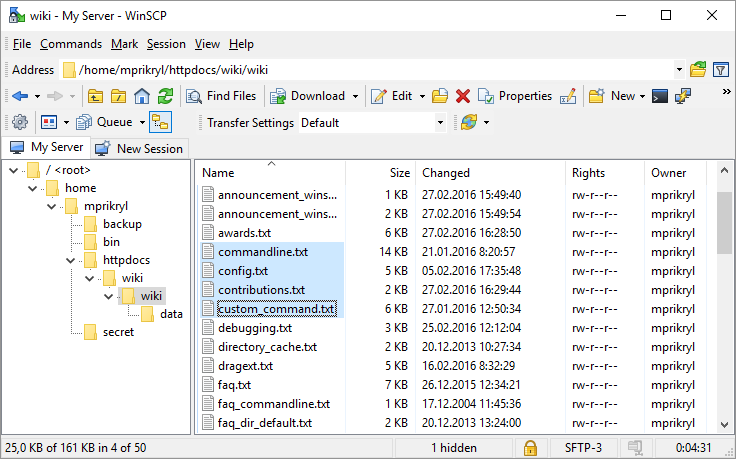
The hallmark of WinSCP is its user-friendly, dual-pane layout that resembles a traditional file explorer. Whether you're a seasoned administrator or a newcomer, this visual interface demystifies complex operations and allows drag-and-drop transfer, minimizing errors and accelerating workflows. Its design fosters a feeling of control, like maneuvering files on your desktop, but with the security of SSH.
2. Support for SFTP, SCP, and FTP Protocols
WinSCP isn't picky about how you connect — it supports the major secure protocols including SFTP and SCP, along with traditional FTP, ensuring broad compatibility with different server environments. The app's intelligent handling of these protocols guarantees encrypted data transmission, effectively shielding your data from prying eyes during transfer, much like passing a secret note in a safeguarded envelope.
3. Automation and Scripting Capabilities
Power users will appreciate WinSCP's scripting features and integration with Windows task scheduler. This transforms routine file transfer tasks into autopilots — think of it as having an invisible assistant that runs your backups or syncs files at specified intervals, freeing up your time for more strategic work.
User Interface and User Experience: Effortless and Friendly
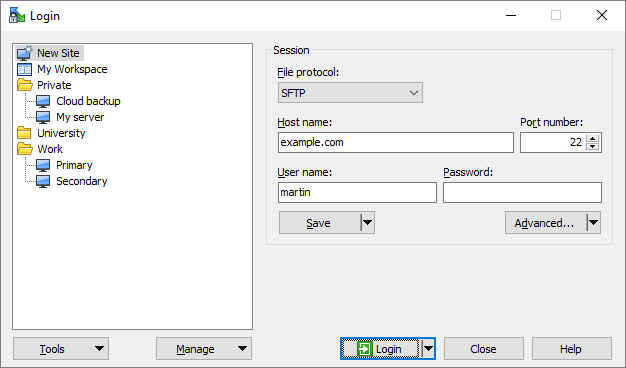
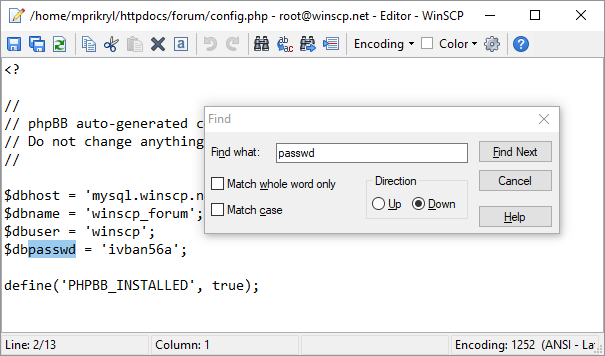
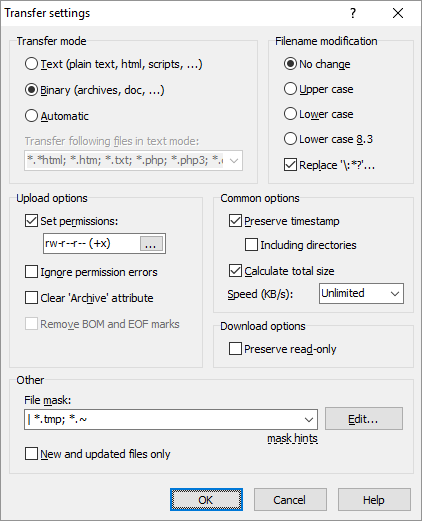
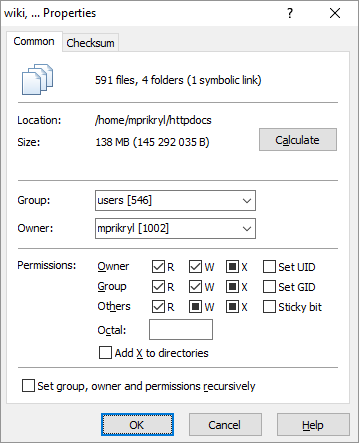
Upon launching WinSCP, you're greeted with a clean, straightforward interface that balances simplicity with advanced options. The design feels familiar, akin to Windows Explorer, yet comes packed with advanced tools conveniently tucked away for when you need them. Operations like connecting to a server, transferring files, or editing remote files are executed with minimal clicks, making the learning curve gentle.
Transitions are smooth, and responsiveness is solid — no annoying lags or crashes even during prolonged sessions. This stability enhances confidence, especially important when managing critical data. For beginners, guided setup options and clear dialogs help ease into SSH-based file management, while seasoned professionals find the scripting and automation features potent enough to integrate into larger workflows.
Distinguishing Features: Why WinSCP Stands Out
While there are numerous file transfer utilities, WinSCP's strength lies in its blend of simplicity and depth. Its support for multiple protocols, combined with its automation features, is a big advantage, but what truly sets it apart is its focus on security integrated within an accessible GUI. Unlike some utilities that require command-line mastery, WinSCP offers a visual approach that doesn't compromise on security or power.
Moreover, the application's open-source nature ensures continuous improvements and community-driven support, adding a layer of reassurance not always present in proprietary software. Its smooth integration with Windows Explorer via context menus and command-line scripting further enhances its utility, making it a natural extension of your existing digital toolkit.
Final Verdict: A Trusted Companion for Secure File Management
All things considered, I'd recommend WinSCP without hesitation to anyone needing a reliable, secure, and user-friendly file transfer tool. Whether you're an IT professional managing multiple servers or a casual user backing up personal data, WinSCP delivers essential features with an approachable interface. Its standout automation and multi-protocol support are perfect for enhancing productivity and ensuring data security.
If you're seeking a tool that feels like an extension of your digital workspace — reliable, efficient, and thoughtfully designed — WinSCP is definitely worth adding to your software arsenal. It's more than just a file transfer app; it's a smart assistant for your remote file management needs.
Pros
- User-Friendly Interface
- Supports Multiple Protocols
- Integrated Text Editor
- Automation with Scripts
- Strong Security Features
Cons
- Limited Advanced Features in Free Version
- Occasional Stability Issues on Rare Systems
- Learning Curve for Advanced Features
- Slow Updates for New Protocols
- Limited Built-in Cloud Storage Integration










