

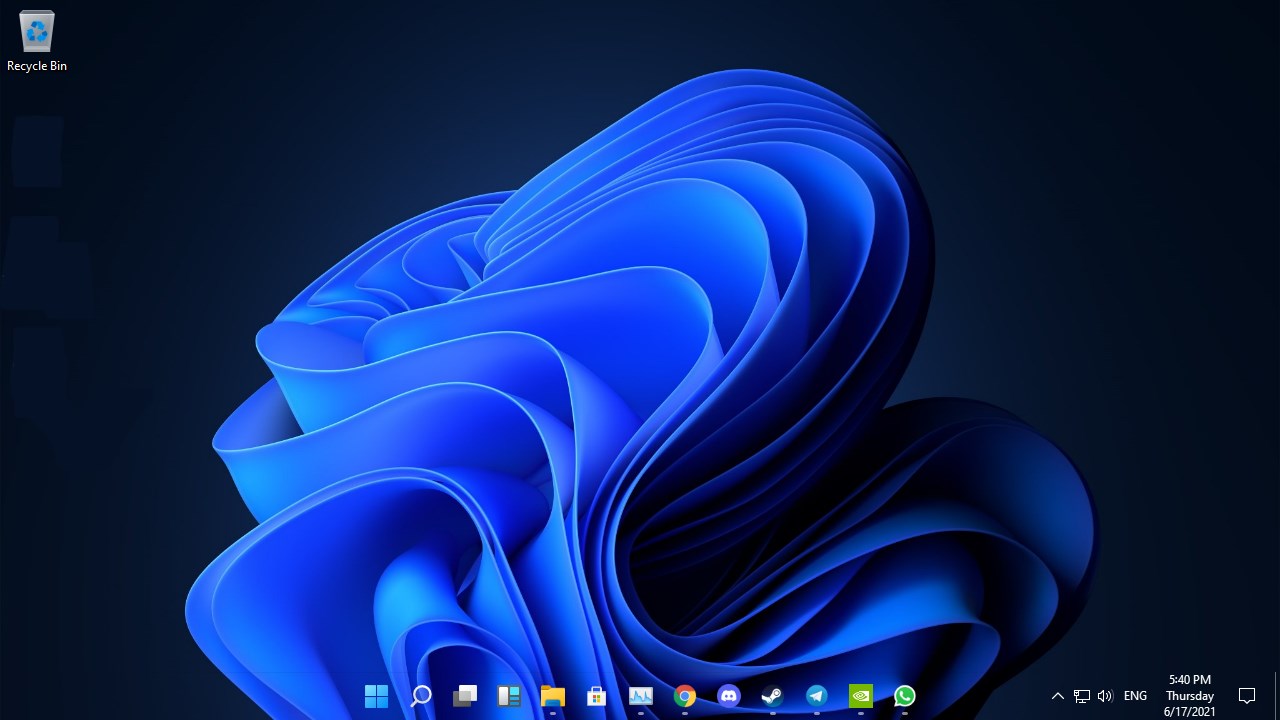
- Name Transparent Taskbar·
- Category Utilities & tools
- Available on PC
- OS Windows 10 version 18362.0 or higher
- languages Chinese (Simplified), Chinese (Traditional), English (United States), German, Hebrew, Indonesian, Japanese, Korean , Russian, Spanish (United States), Turkish, Ukrainian
A Sleek and Practical Enhancement for Windows: Transparent Taskbar
Imagine your Windows desktop as a clean, polished gemstone—sometimes, all it needs is a subtle touch of transparency to glow even brighter. Enter Transparent Taskbar by Cainey Studio, a lightweight yet powerful utility that brings a refined, modern look to your taskbar while enhancing its functionality. Whether you're a power user seeking visual customization or someone who values clean aesthetics, this app promises to elevate your Windows interface seamlessly and efficiently.
Who is Behind the App? The Creative Minds of Cainey Studio
Developed by Cainey Studio, an indie team specializing in user interface enhancements, Transparent Taskbar is their latest contribution to improving Windows personalization. With a focus on simplicity and utility, they aim to provide tools that enhance user experience without the bloat common in many customization applications. Their dedication is evident in the app's smooth performance and thoughtful feature set, designed to cater to users who appreciate subtle yet impactful visual improvements.
Top Features That Make a Difference
- Adjustable Transparency Levels: Fine-tune the opacity of your taskbar to match your aesthetic, whether you prefer a barely-there hint of glass or a more prominent see-through effect.
- Automatic Blur Effect: Enable a sleek blur for better readability of icons and text, making your taskbar both stylish and functional.
- Universal Compatibility & Customization: Works flawlessly across different Windows versions, with options to customize the appearance, including color overlays and visual effects, ensuring your desktop looks exactly how you want it.
- Lightweight & Non-Intrusive: Designed to run smoothly without affecting system performance, making it ideal for daily use without the risk of lag or crashes.
Experience Spotlight: How It Looks and Feels
Launching the app, you're greeted with a clean, minimal interface—think of it as entering a well-organized workspace where every tool is within reach but doesn't clutter your vision. Setting transparency is a straightforward slider, similar to adjusting a dimmer switch, allowing you to find that perfect visual balance. The blur effect adds depth, akin to viewing your desktop through a frosted glass window—subtle yet impactful. The app responds instantly to adjustments, with changes applying seamlessly in real time, making experimentation both satisfying and frustration-free.
What Makes It Stand Out in the Crowd?
Compared to typical Windows customization tools, Transparent Taskbar's standout feature is its focus on simplicity combined with effective visual enhancements. Its adjustable transparency and blur effects are finely tunable, giving users precise control—imagine customizing the glass in a high-end watch dial rather than applying a one-size-fits-all filter. Additionally, the app's lightweight footprint means it won't slow down your system or cause conflicts with other utilities, a common pitfall among more bloated customization tools. Its intuitive design ensures even beginners can tweak their taskbar appearance without diving into complicated settings or needing technical expertise.
Final Recommendations: Is Transparent Taskbar For You?
If you appreciate clean, modern aesthetics on your Windows desktop and want a hassle-free way to add transparency and sleek effects to your taskbar, this app comes highly recommended. It's particularly well-suited for users seeking subtle visual upgrades rather than dramatic interface overhauls. Given its straightforward interface and smooth performance, I'd suggest giving it a try—especially if you're looking for a simple, effective way to personalize your workspace without sacrificing usability.
Pros
- Enhanced Transparency customization
- Easy to install and configure
- Lightweight and resource-efficient
- Compatible with various Windows versions
- Supports customization options
Cons
- Limited advanced customization settings
- Occasional flickering issue when switching themes
- Compatibility issues with some third-party themes
- No official support for multi-monitor setups
- Limited free version features










