

- Name Xbox Accessories
- Category Utilities & tools
- Available on PC
- OS Windows 10 version 19041.0 or higher
- languages Afrikaans, Albanian, Amharic, Arabic, Azerbaijani, Basque, Belarusian, Bulgarian, Catalan, Chinese (Simplified), Chinese (Simplified, Singapore), Chinese (Traditional), Chinese (Traditional, Hong Kong SAR), Croatian, Czech, Danish, Dutch, English (Australia), English (Canada), English (United Kingdom), English (United States), Estonian, Filipino, Finnish, French, French (Canada), Galician , German, Greek, Hebrew, Hindi, Hungarian, Icelandic, Indonesian, Italian, Japanese, Kannada, Kazakh, Khmer, Korean , Lao, Latvian, Lithuanian, Macedonian, Malay, Malayalam, Norwegian (Bokmål), Persian, Polish , Portuguese (Brazil), Portuguese (Portugal), Romanian, Russian, Serbian (Latin, Serbia), Slovak, Slovenian (Slovenia), Spanish (Mexico), Spanish (Spain), Swedish, Tamil, Telugu, Thai, Turkish, Ukrainian, Uzbek, Vietnamese
Elevate Your Gaming Experience with Xbox Accessories for Windows
Microsoft's Xbox Accessories app for Windows provides a comprehensive platform for configuring and customizing your Xbox controllers and accessories, transforming your gaming setup into a more tailored and immersive environment.
A Closer Look at the App's Core Features
Effortless Controller Customization
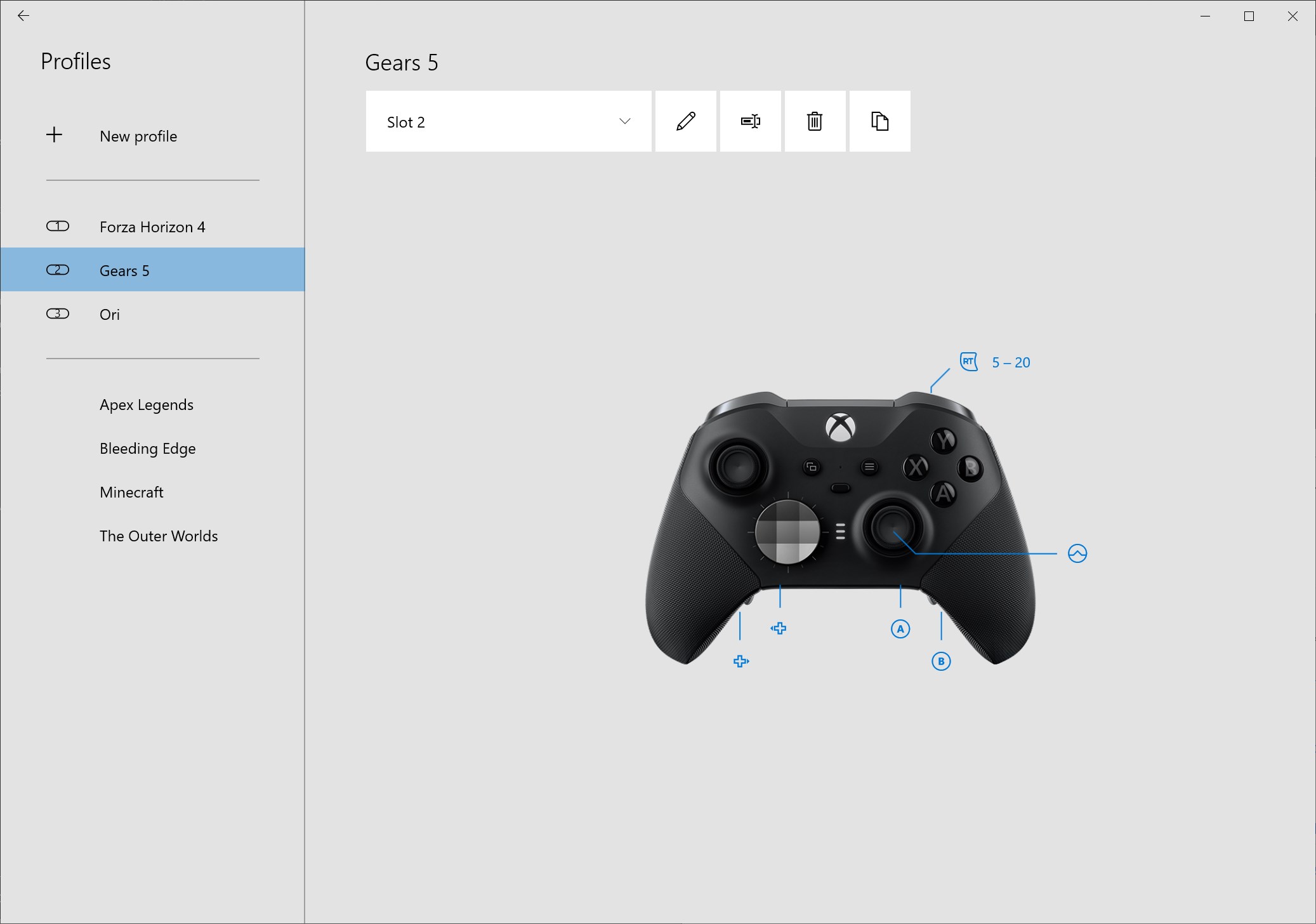
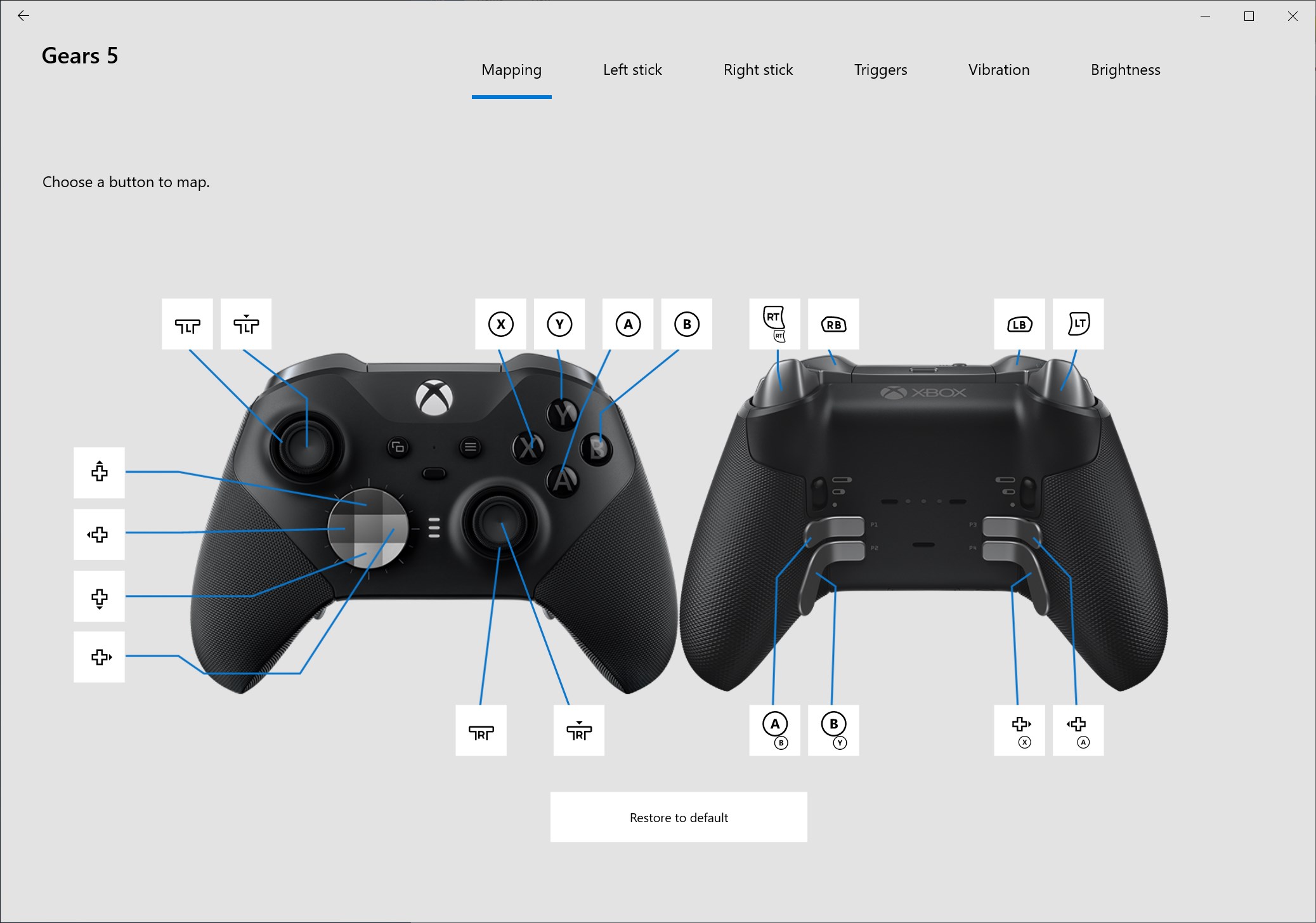
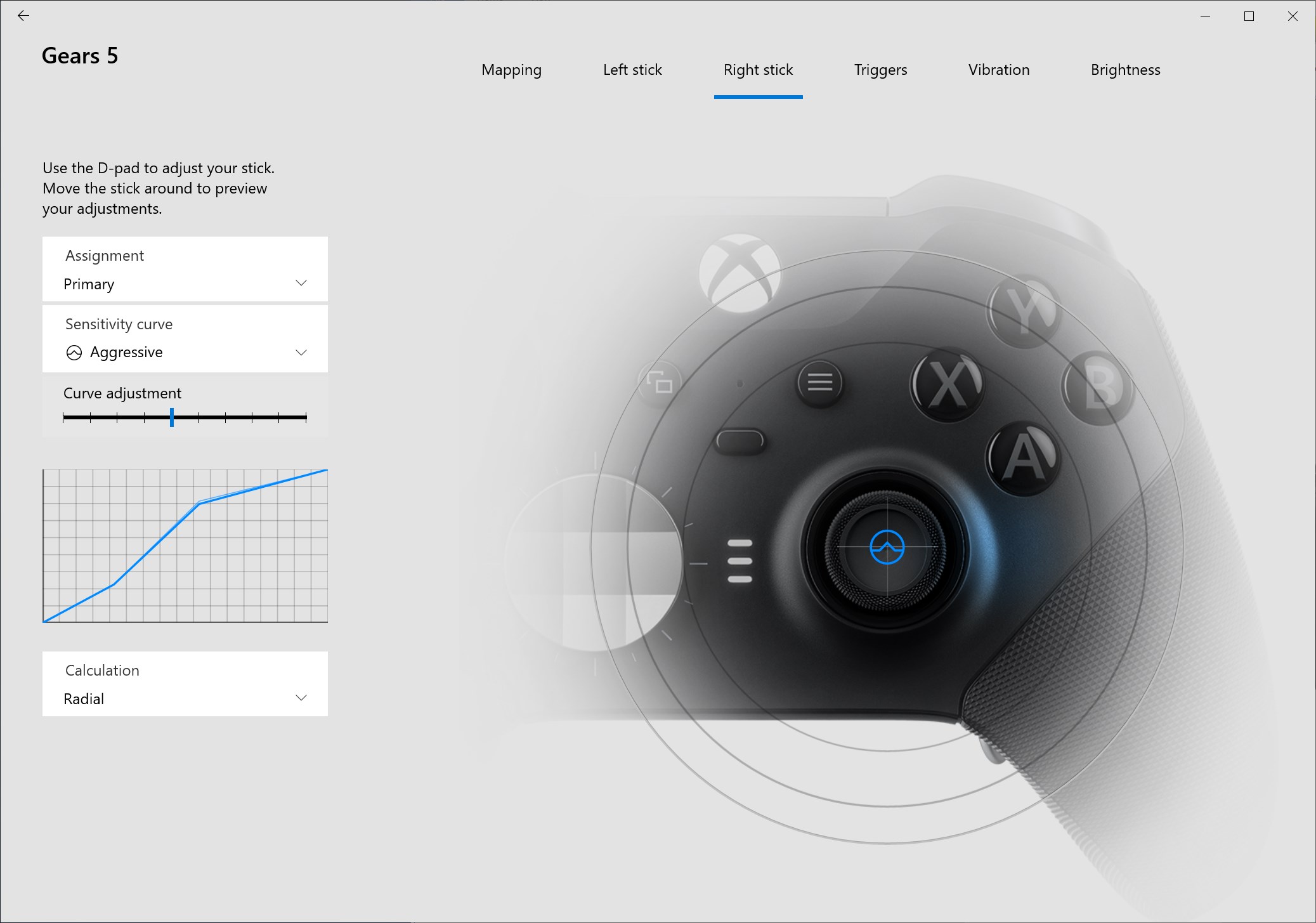
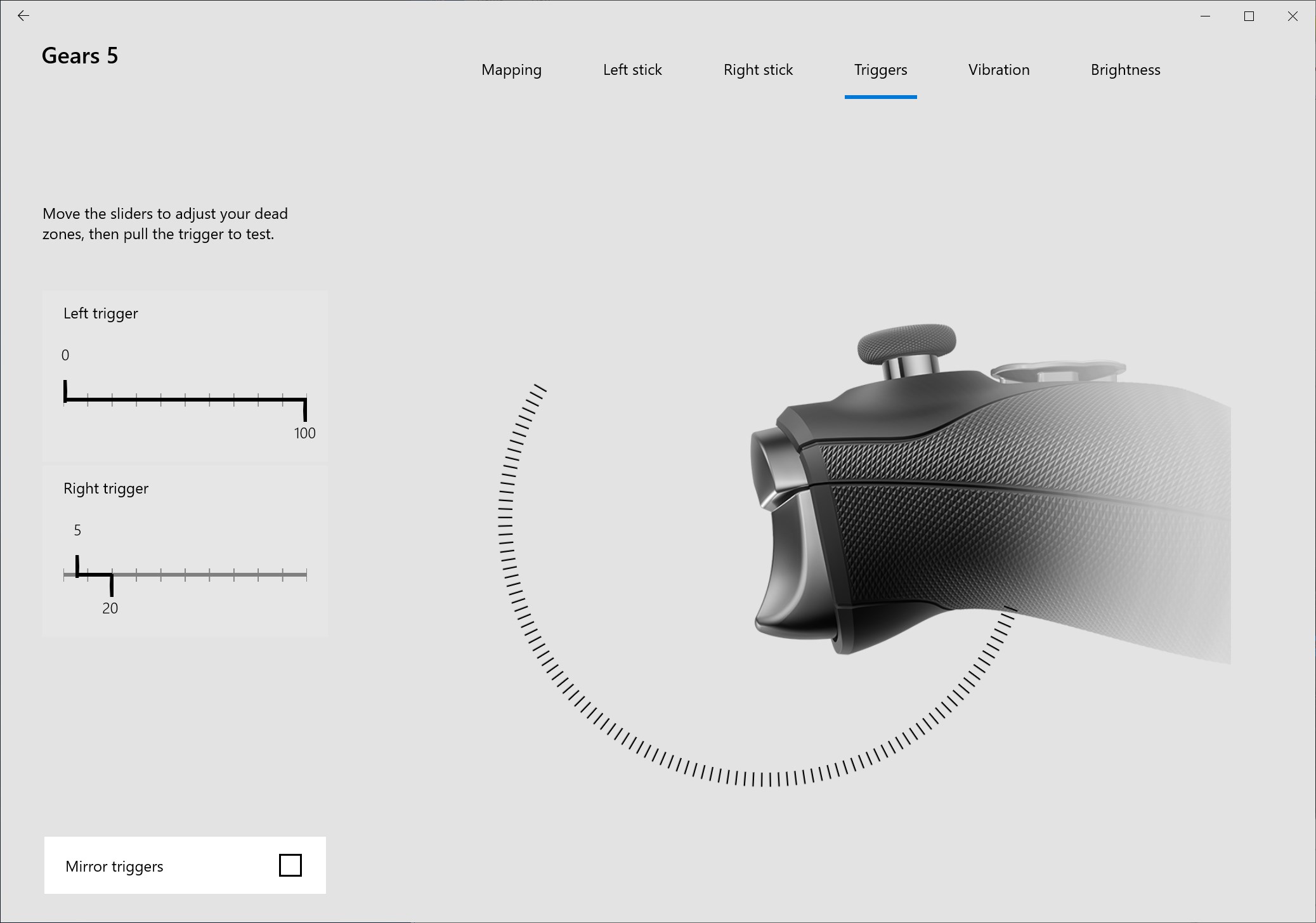
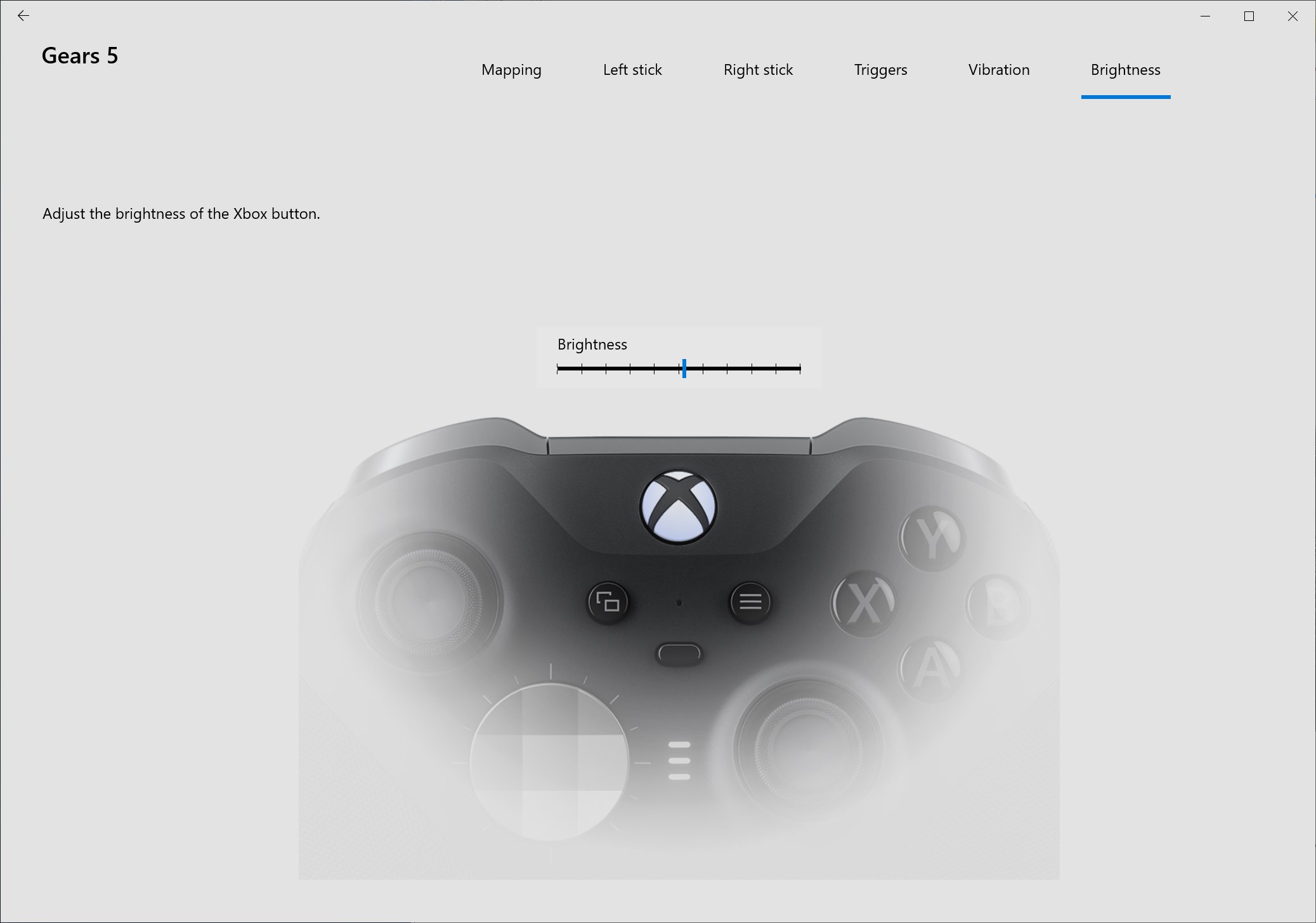
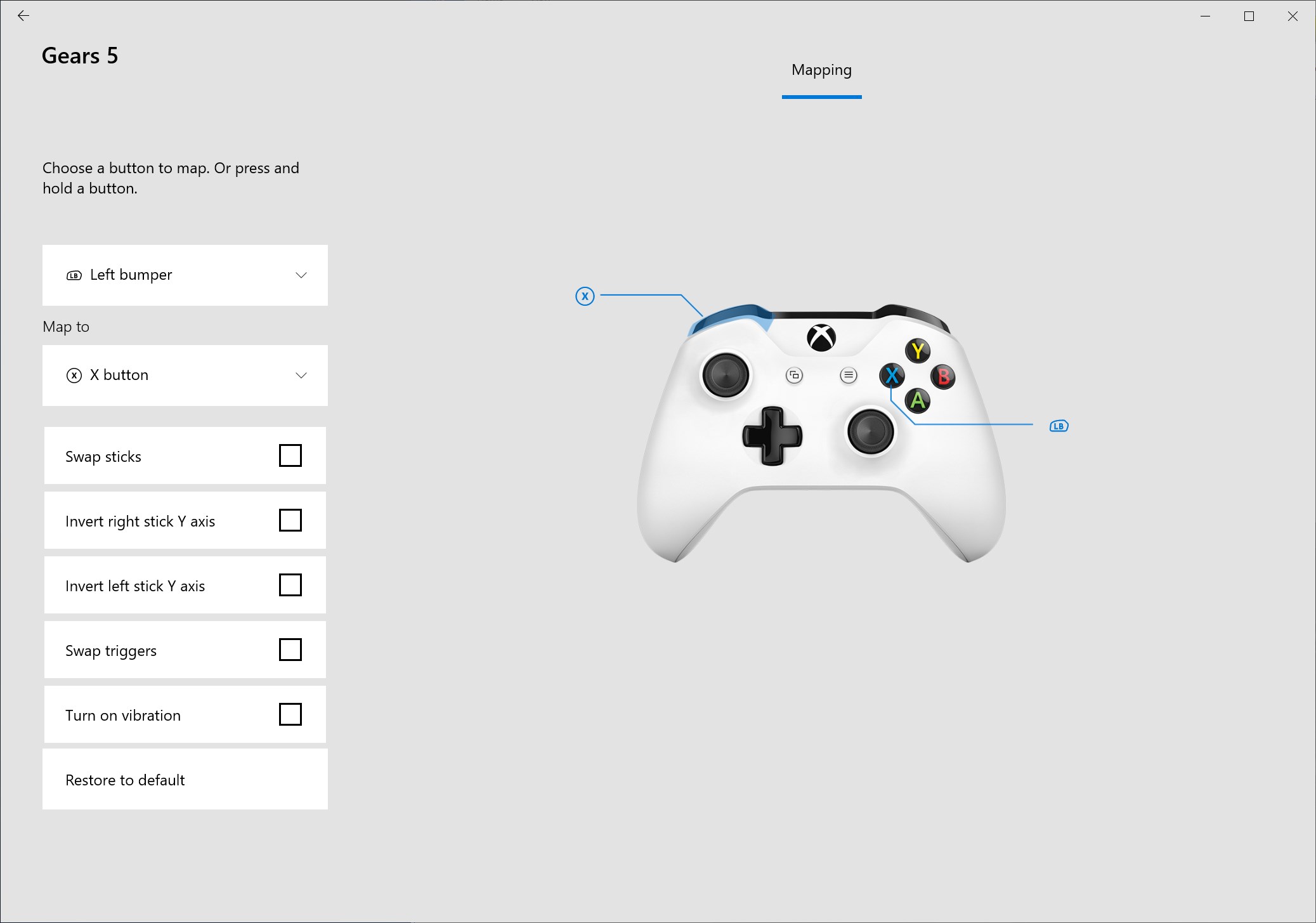
This app shines brightest in its ability to let users remap buttons, adjust trigger sensitivities, and create custom profiles for different games. Think of it as giving your controller a personal makeover—perfect for gamers who want precise control or prefer specific configurations for various titles. The process is intuitive, allowing even newcomers to craft their ideal setup without fuss.
Firmware Updates and Diagnostics
One of the standout features is seamless firmware management. The app checks for updates and ensures your controller runs with the latest features, bug fixes, and security enhancements. Additionally, built-in diagnostics help troubleshoot connectivity or hardware issues, saving users trips to support and making maintenance straightforward—akin to a health check-up for your gaming gear.
Profile Management and Cloud Syncing
Managing multiple profiles becomes a breeze with this app. Whether you're swapping between a racing wheel and a standard controller or sharing settings with friends, the app allows storing and switching profiles swiftly. Cloud synchronization further ensures your preferences follow you across devices, providing consistency whether you're gaming on a PC or a Surface device. This feature creates a seamless gaming experience, as if your settings are living in the cloud, ready when you are.
User Experience: Interface, Usability, and Performance
The interface of Xbox Accessories for Windows is clean and straightforward, like a well-organized workspace—everything is in its place, inviting new users to start tinkering without intimidation. Navigating through profiles, updates, and diagnostics feels smooth, with responsive interactions that won't frustrate even those new to such tools. The learning curve remains gentle; basic functions are accessible immediately, while advanced customization options are just a few clicks away for more experienced gamers.
What Sets It Apart from Other Utilities & Tools
Compared to generic controller management apps or third-party utilities, Xbox Accessories for Windows offers a level of integration and reliability that's hard to beat. Since it's developed by Microsoft, it guarantees tight compatibility with Xbox hardware and Windows OS, minimizing bugs or configuration conflicts. Its cloud profile syncing and firmware update features are particularly notable—imagine having your perfected grip and sensitivity settings follow you from device to device without manual export or complicated procedures. Unlike other tools that offer limited customization, this app targets serious gamers and casual users alike, providing a comprehensive suite in a single, user-friendly package.
Final Verdict: Recommended for Dedicated and Casual Gamers
If you're someone who values control, customization, and keeping your gaming gear in top shape, Xbox Accessories for Windows is a valuable addition to your toolkit. It's especially recommended for those who own multiple Xbox-compatible devices or frequently switch between different controllers and profiles. For casual players satisfied with default settings, the app may be more than necessary, but for enthusiasts seeking precise adjustments and seamless management, it's a compelling choice. Overall, it's a well-crafted utility that enhances hardware usability without overwhelming the user.
Pros
- User-friendly interface
- Seamless device pairing
- Customizable profiles
- Real-time firmware updates
- Comprehensive accessory management
Cons
- Occasional connection delays
- Limited customization options for certain accessories
- App crashes on certain Android versions
- Inconsistent notification alerts
- Requires internet connection for some features











