
- Name Windows HDR Calibration
- Category Utilities & tools
- Available on PC
- OS Windows 11 version 22000.0 or higher
- Mouse Integrated Mouse
- languages Afrikaans, Albanian, Arabic, Azerbaijani, Basque, Bosnian (Latin, Bosnia and Herzegovina), Bulgarian, Catalan, Chinese (Simplified), Chinese (Traditional), Croatian, Czech, Danish, Dutch, English (United Kingdom), English (United States), Estonian, Finnish, French, French (Canada), Galician , Georgian, German, Greek, Hebrew, Hindi, Hungarian, Icelandic, Indonesian, Kazakh, Korean , Latvian, Lithuanian, Malay, Norwegian (Bokmål), Persian, Polish , Portuguese (Brazil), Portuguese (Portugal), Romanian, Russian, Serbian, Serbian (Latin, Serbia), Slovak, Slovenian (Slovenia), Spanish (Mexico), Spanish (Spain), Swedish, Thai, Turkish, Ukrainian, Vietnamese, Welsh
Introducing Windows HDR Calibration: Your Windows Display's Perfect Tune-up Tool
In the world of high-definition content, a poorly calibrated display can turn vibrant visuals into dull greyscales—luckily, Windows HDR Calibration steps in as a dedicated companion to optimize your screen's HDR performance, ensuring your content looks vivid and true to life. Developed by Microsoft Corporation, this application offers a streamlined way for users to fine-tune their HDR settings without the need for external equipment or complex procedures.
A Closer Look at the Core Features
Precision HDR Calibration Made Simple
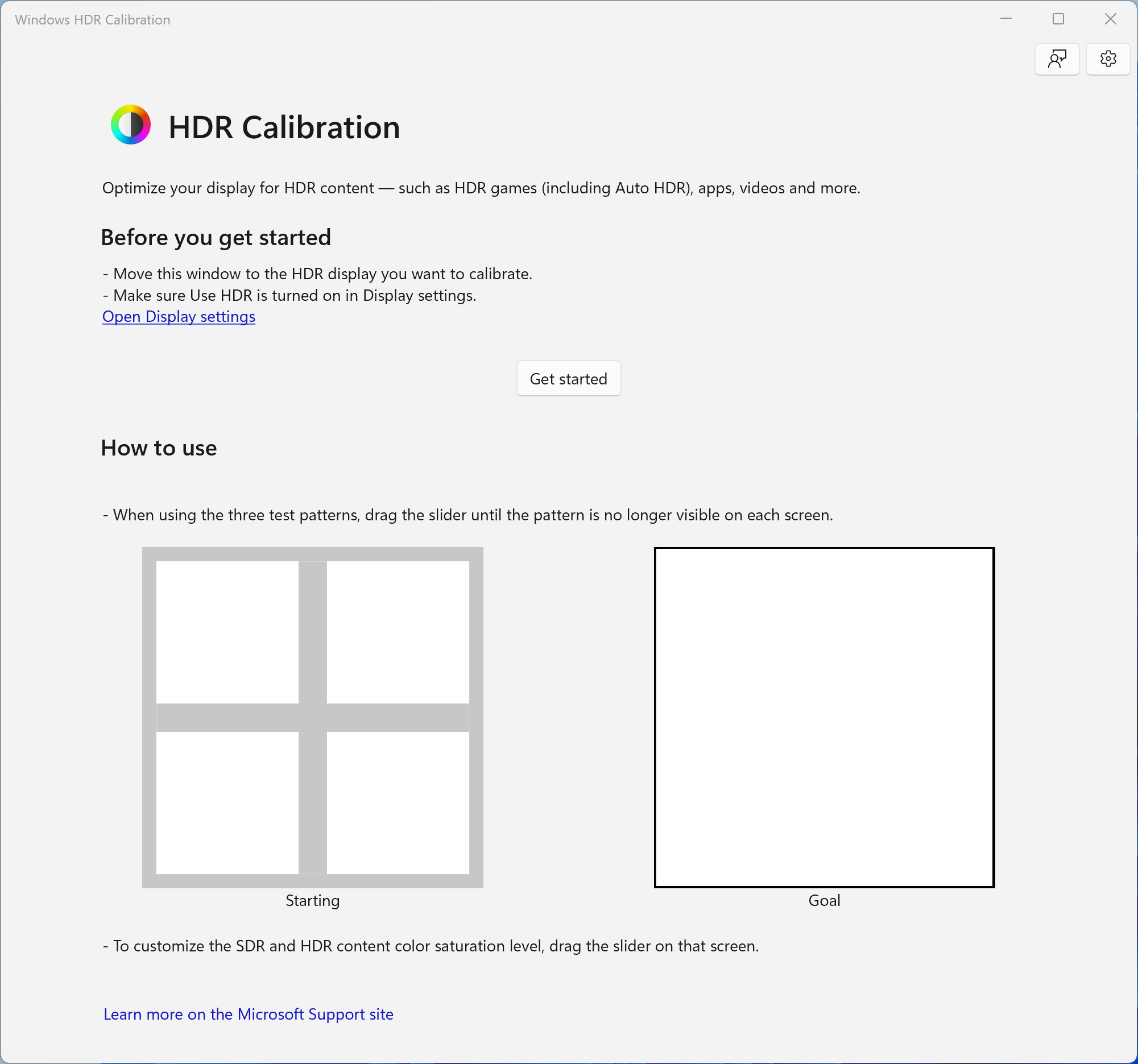
This app's standout feature is its guided calibration process that takes users step-by-step through adjusting their display settings for optimal HDR experience. Using a series of test images and recommended adjustments, it helps you achieve the perfect balance between brightness, contrast, and color accuracy. Whether you're gaming, watching movies, or editing photos, this tool ensures your HDR content pops with accurate luminance and color depth.
Automatic Calibration Recommendations
One of the more innovative aspects is its intelligent recommendation system. After initial measurements, the app analyzes your display's current settings and suggests precise adjustments to improve overall HDR quality. It's like having a professional calibrator at your fingertips, guiding you towards settings that match industry standards—saving both time and guesswork.
User-Friendly Interface and Seamless Experience
The application features a clean, modern interface that guides users effortlessly. Its intuitive design minimizes the learning curve, making HDR calibration accessible even to those unfamiliar with technical jargon. Transitioning between calibration stages is fluid, with responsive controls and clear instructions, making the process feel more like a guided art than a complex tech task.
What Sets It Apart from Similar Utilities? The Unique Edge
Unlike generic calibration tools, Windows HDR Calibration is uniquely integrated into the Windows ecosystem and offers tailored recommendations specifically for HDR content settings. Its biggest draw is the direct, step-by-step guidance calibrated for Windows displays—making it vastly more user-friendly than manually tweaking settings via display menus. Moreover, its ability to provide real-time visual feedback during adjustments helps users understand the impact of each change, empowering them to fine-tune their display precisely as they prefer.
Should You Give It a Try? Recommendations & Usage Tips
If you're a casual user or a serious content creator looking to squeeze the best visuals from your Windows display, this app is definitely worth exploring. Its straightforward setup and guidance make it accessible while delivering meaningful improvements. However, if your display already has factory-calibrated HDR settings and you're satisfied with the current picture, the app might offer marginal gains.
For optimal results, I recommend using this calibration tool in a dimly lit room to better perceive luminance adjustments and color shifts. Regular recalibration—especially after driver updates or hardware changes—can help maintain the vividness and accuracy of your HDR images over time.
In summary, Windows HDR Calibration stands out as a thoughtfully designed utility that simplifies HDR tuning with targeted, easy-to-understand guidance. Its greatest strength lies in its precise calibration recommendations tailored specifically for Windows displays—making it an indispensable tool for anyone eager to enhance their HDR viewing experience without diving into complicated settings or third-party hardware.
Pros
- Easy calibration process
- Improves HDR image quality
- Integrated with Windows OS
- User-friendly interface
- Supports various display hardware
Cons
- Limited customization options
- Requires compatible hardware
- Calibration may need repetition
- Occasional detection issues
- Limited tutorials or guidance











