

- Name VR Connect (File Transfer)
- Category Business
- Available on PC, Mobile, Surface Hub, HoloLens
- OS Windows 10 version 17763.0 or higher
- Keyboard Integrated Keyboard
- Mouse Integrated Mouse
- languages English (United States)
Effortless File Transfers Between VR and Windows: An In-Depth Review of VR Connect (File Transfer)
If you've ever wished to seamlessly bridge the gap between your virtual reality environment and your Windows desktop, VR Connect (File Transfer) offers a compelling solution. Designed to simplify the often clunky process of file sharing, this app promises an intuitive experience that caters to both casual users and power users alike.
Basic App Overview
VR Connect (File Transfer) is a dedicated Windows application aimed at streamlining file transfer processes between VR headsets and PC environments. Developed by APP Software, a team specializing in utility tools that enhance device interoperability, the app stands out with its focus on user-friendliness and reliability.
Main Features and Highlights:
- Seamless Wireless Transfers: Transmit files effortlessly without tangled cables or complex configurations, creating a smooth virtual workspace.
- Cross-Platform Compatibility: Supports a wide range of VR devices and Windows versions, ensuring broad usability.
- Secure Data Handling: Implements encryption to protect your sensitive files during transmission.
- Intuitive User Interface: User-friendly layout that minimizes learning curve, even for first-time users.
Target Audience
This app is ideal for VR enthusiasts, remote workers, developers, and businesses seeking efficient virtual collaboration. If you regularly need to move files between your VR environment and Windows PC, VR Connect aims to be your reliable digital courier.
Vivid Experience: Connecting the Virtual Dots
Imagine standing in your virtual workshop, tools and files floating around you—wouldn't it be fantastic if your digital workspace could sync seamlessly with your desktop? That's exactly what VR Connect attempts: turning what can be a tedious chore into a breeze, like passing a note to your friend in another room without leaving your comfy chair.
Core Functionality Deep Dive
1. Easy and Fast File Transfers
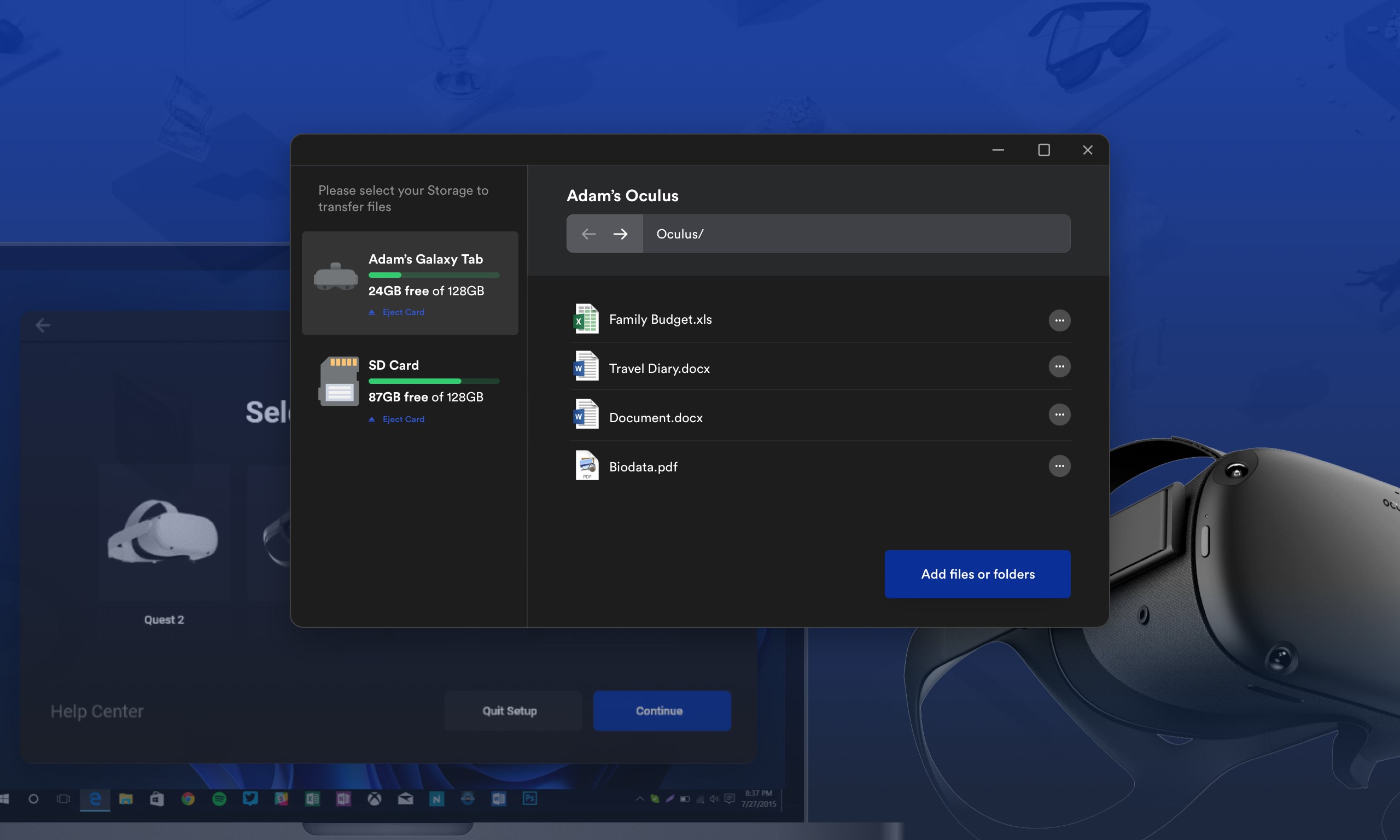
One of the app's shining features is its ability to enable wireless file transfers with minimal fuss. The setup process is straightforward—simply connect your VR device to the same Wi-Fi network as your PC, and the app automatically detects eligible devices. Files can then be dragged and dropped into a clean, uncluttered interface. Transfer speeds are generally smooth, making the experience feel more like a gentle stream than a rushing river, even when handling larger files.
2. Collaborative Work and Task Management
Unlike many similar apps that treat file sharing as a standalone feature, VR Connect shines here by integrating basic collaborative tools to enhance teamwork within VR environments. It allows users to share not just files, but also notes and task lists, which can be synchronized between VR and PC, promoting synchronized project management. This feature is particularly beneficial for remote teams or educational settings, where real-time sharing and coordination can significantly elevate productivity. Its unique selling point is the focus on collaboration synchronization—making virtual workspace planning as effortless as jotting down notes on a digital whiteboard.
3. User Interface & User Experience
The app sports a sleek, modern interface that resembles a well-organized digital toolbox—clean, simple, and easy to navigate. The learning curve is practically flat; even newcomers can get their files moving within minutes. Operation flow is fluid, with quick response times that make the experience feel intuitive rather than cumbersome. This kind of thoughtful design minimizes user frustration and helps focus on the task rather than the tool.
What Makes VR Connect Stand Out?
In a crowded market of generic file transfer apps, VR Connect distinguishes itself through its emphasis on collaborative work features, allowing users to manage tasks and share notes within VR environments seamlessly. Unlike standard transfer tools that handle only data, this app positions itself as a mini workflow hub, blending vertical file sharing with horizontal task coordination. This multi-dimensional approach caters to modern needs for integrated virtual collaboration, making it particularly appealing for creative teams, educators, and remote workers seeking efficiency and connectivity.
Final Recommendations and Usage Advice
Overall, VR Connect (File Transfer) comes across as a thoughtfully designed utility that offers reliable performance without overwhelming the user. Its highlight—collaborative synchronization combined with smooth transfer capabilities—makes it especially suited for teams operating in VR settings. For individual users looking for straightforward file sharing, it's more than capable, but the real magic lies in its collaborative potential.
We recommend this app for anyone already immersed in VR workflows or those seeking a dependable bridge between virtual and desktop environments. It's worth considering if seamless collaboration and task management within VR are priorities for your digital ecosystem. However, casual users who only need occasional file transfers might find the feature set more than necessary for their simple needs.
Pros
- Easy File Transfer Between Devices
- User-Friendly Interface
- Fast Transfer Speeds
- Supports Multiple File Formats
- Stable Connection
Cons
- Limited to Local Network
- Occasional Connectivity Drops
- Lack of Cloud Integration
- Limited Customization Options
- Initial Setup May Be Slightly Complex











