

- Name Volume² - advanced Windows volume control
- Category Utilities & tools
- Developer Alexandr Irza
- Available on PC
- OS Windows 10 version 17763.0 or higher
- Keyboard Integrated Keyboard
- Mouse Integrated Mouse
- languages English (United States)
Introducing Volume²: A Precise and User-Friendly Windows Volume Control
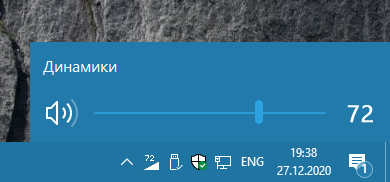
Volume² by Alexandr Irza is a highly customizable Windows application designed to offer users an enhanced way to manage their system's audio with precision and ease. It positions itself as a smarter alternative to the default volume controls, catering to those who crave more control and a tidier workspace for their sound settings.
About the Developer and Core Features
Developed and published by Alexandr Irza, Volume² stands out in the crowded utility market through its straightforward yet powerful features. The app focuses on delivering a refined volume management experience with an emphasis on visual clarity and intuitive operation.
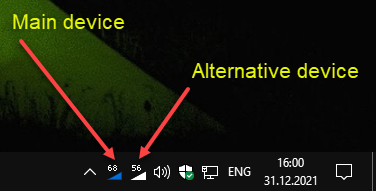
- Multi-Device Volume Control: Allows independent volume adjustment of multiple audio devices, providing tailored sound environments for different scenarios.
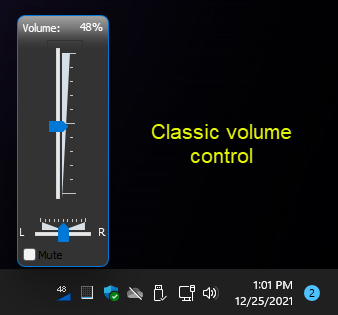
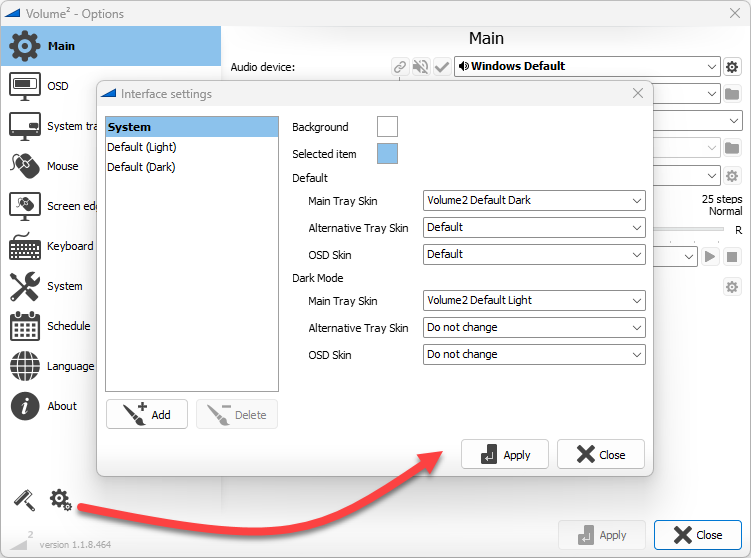
- Customizable Interface and Shortcuts: Users can personalize the appearance and assign hotkeys for quick access, making volume adjustments seamless without interrupting workflow.
- Advanced Notifications & Presets: Supports notifications for volume changes and enables saving multiple preset configurations for different activities or preferences.
- Quiet Mode & Mute Controls: Easily toggle mute states or activate quiet modes for specific apps or system-wide, fitting into daily use effortlessly.
Volume² is primarily aimed at power users, audiophiles, streamers, and professionals who need fine-tuned audio control, as well as casual users desiring a more elegant, less cluttered approach to volume management.
Engaging the User: A Fresh Take on Volume Management
Imagine sitting at your desk, ready to dive into a podcast, a Zoom meeting, or your favorite playlist. Default Windows controls are like a stubborn old radio — functional but clunky and limited. Volume² transforms this experience into a sleek, intuitive dance with sound; it's like upgrading from a knob dial to a precise touchscreen slider — everything feels more natural and less disruptive. It's not just a tool; it's an audio companion that makes controlling sound feel refined and effortless, turning what used to be mundane into a refined experience.
Deep Dive into Core Functionality
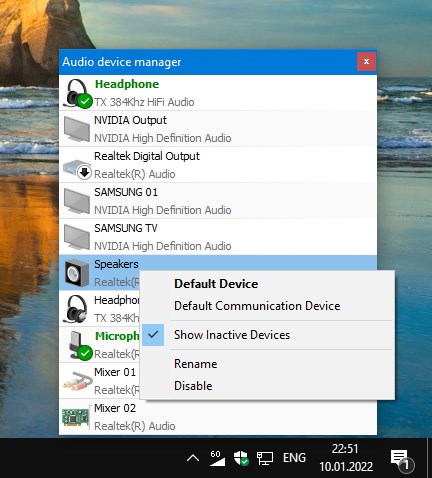
Multi-Device Volume Management
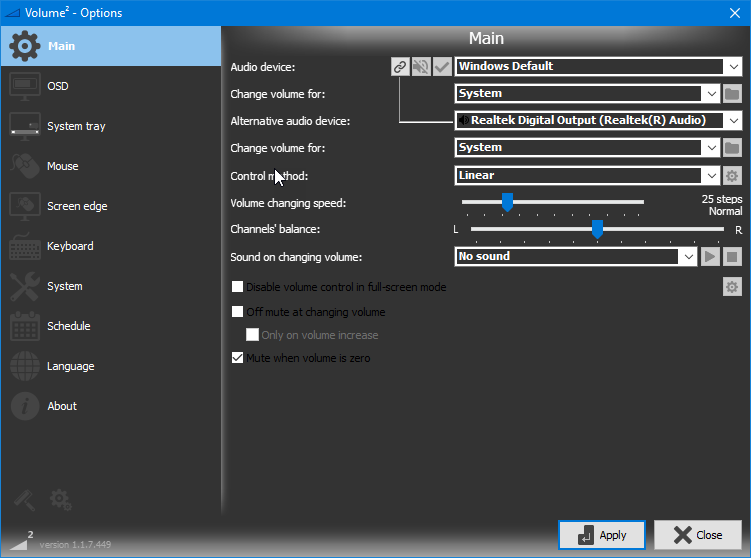
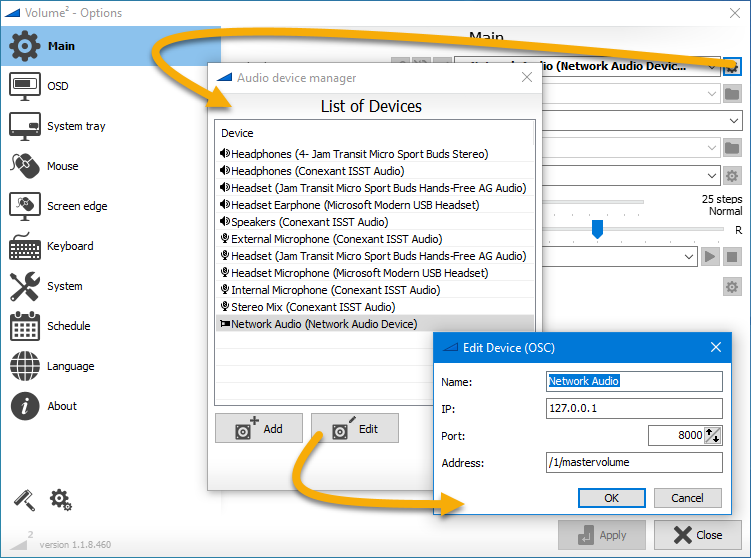
This feature is particularly compelling for users with multiple audio outputs—think of a gamer switching between headphones and external speakers or a streamer managing mic and music independently. Volume² displays all connected audio devices in a clear interface, letting you tweak each one individually. The convenience of adjusting device volumes without navigating through confusing system settings is a game-changer. It's akin to having a dedicated soundboard at your fingertips, where every device has its own dedicated slider, giving you complete control over your audio landscape.
Customization and Hotkeys for Fluid Workflow
One of Volume²'s standout features is its strong emphasis on personalization. You can change themes, rearrange controls, or assign keyboard shortcuts for rapid volume adjustments. This setup means that whether you're a developer needing to lower sound during important calls or a music enthusiast fine-tuning audio without leaving your game, the app adapts seamlessly. The learning curve is gentle, and the interface remains clutter-free, making your sound adjustments feel like a natural extension of your desktop environment.
Notifications & Preset Management
The application's notification system keeps you informed of any volume changes, reducing surprises and helping you maintain your preferred audio levels. Additionally, the ability to save presets means you can quickly switch between different sound profiles—for work, entertainment, or meditation sessions—as if flipping through different playlists. This function is especially useful for users who need quick, reliable transitions without meddling with settings repeatedly. Volume²'s preset feature elevates it from a simple volume control to a versatile sound management tool.
Design, User Experience, and Competitive Edge
Volume² boasts a sleek, minimalist interface that is both visually appealing and highly functional. Its design feels like a well-crafted dashboard — straightforward, organized, and unobtrusive. Operation is remarkably smooth; sliders glide effortlessly, and hotkeys respond instantaneously, providing a fluid user experience. The app's intuitive layout ensures even beginners can learn to navigate it within minutes, while power users will appreciate the depth of customization available.
Compared to other utilities in its class, Volume² distinguishes itself through its multi-device management and robust preset capabilities. Many similar tools focus narrowly on system volume but fall short in giving users granular control over multiple devices or flexible customization options. Volume²'s comprehensive approach, combined with its clean aesthetics, positions it as an ideal choice for those seeking both functionality and elegance in audio control solutions.
Final Thoughts: Is Volume² Worth Your Attention?
Absolutely. Volume² strikes a commendable balance between sophistication and simplicity. Its most compelling advantages are the multi-device control and user-centric customization, setting it apart in a crowded market of basic volume utilities. For anyone who values precise, effortless sound management—be it for professional use, gaming, streaming, or casual listening—this app deserves a close look.
While it may take a short time to fully explore all its features, the intuitive design makes adoption straightforward. I'd recommend it to users who want not just control, but an elegant interface that enhances their overall audio experience. If you're tired of the default Windows volume sliders feeling like a stubborn, unresponsive knob, give Volume² a try; it might just become your new sound command center.
Pros
- Intuitive volume management interface
- Multiple device control
- Advanced features like per-application volume
- Minimal system resource usage
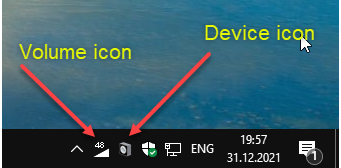
- Integration with Windows taskbar
Cons
- Occasional lag in volume slider response
- Limited free features
- Compatibility issues with certain Windows versions
- Customization options could be expanded
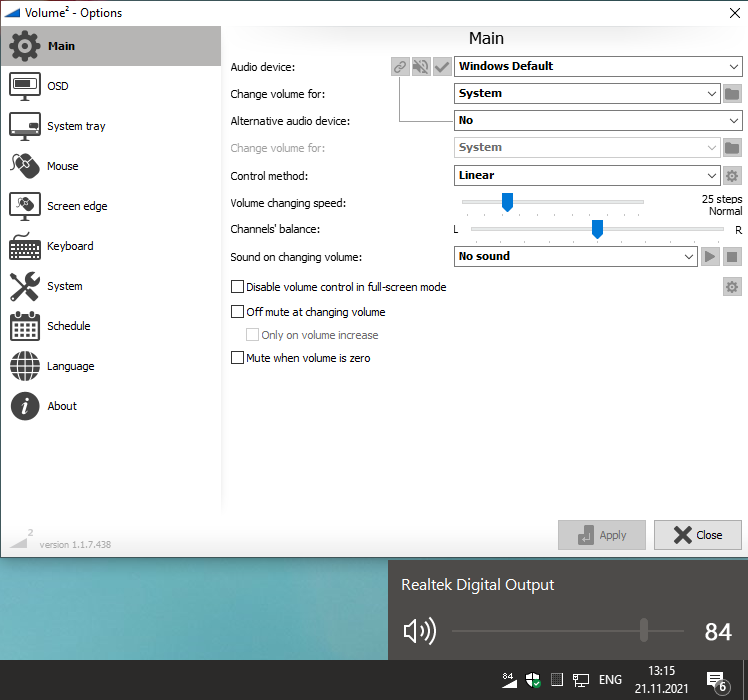
- No on-screen volume display











