

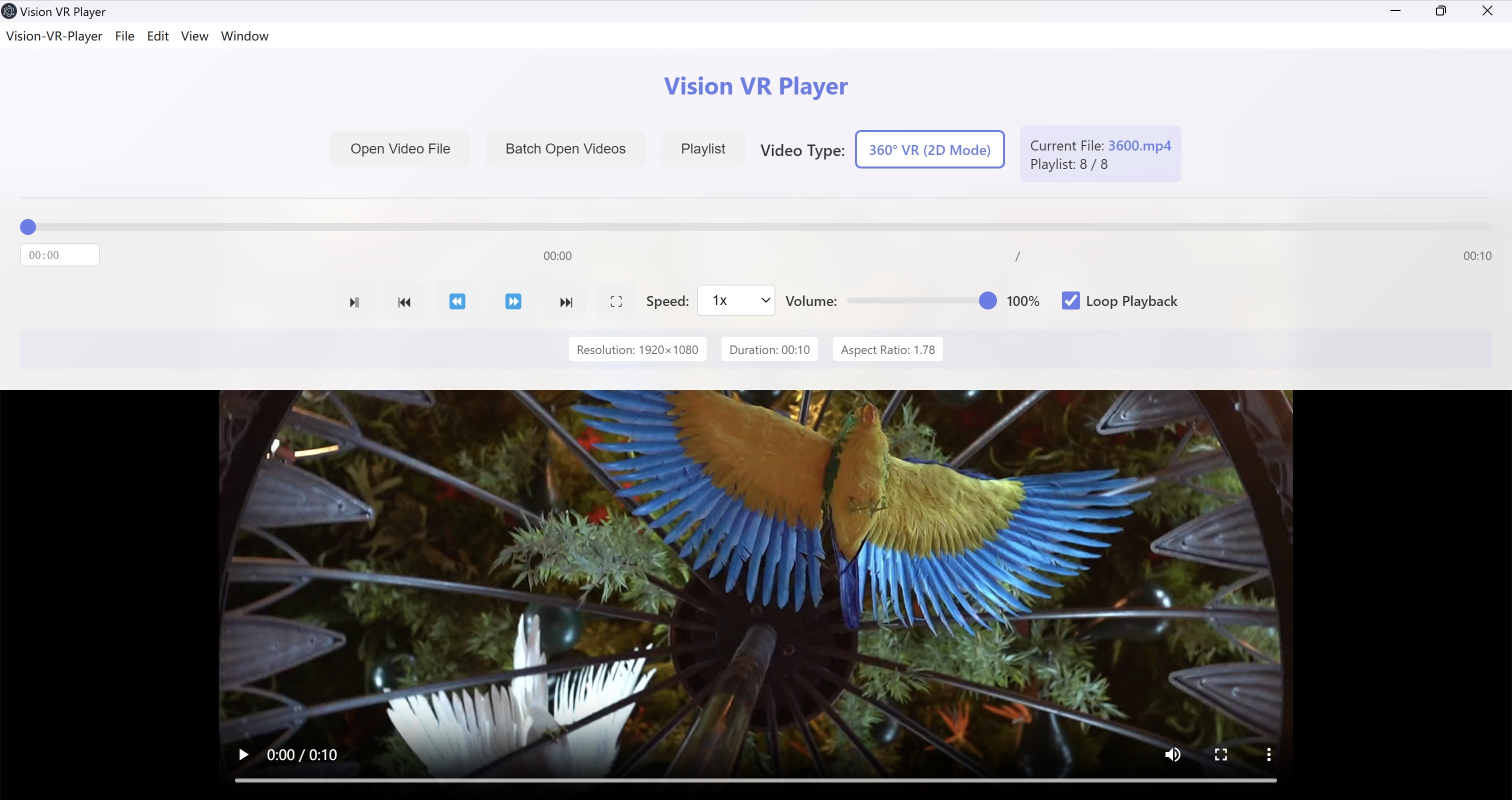

- Name Vision VR Player
- Category Utilities & tools
- Developer Cainey Studio
- Available on PC
- OS Windows 10 version 14316.0 or higher
- languages English (United States)
An Immersive Gateway to Virtual Reality: Vision VR Player for Windows
Imagine stepping into a world where your 3D and VR content come alive with ease—Vision VR Player for Windows transforms your PC into a fully capable VR media hub, offering a seamless way to enjoy your immersive experiences without the need for dedicated VR hardware. Whether you're a hobbyist exploring 360-degree videos or a content creator testing VR multimedia, this app aims to be your versatile companion.
Developed by and Key Highlights
Created by Cainey Studio, a team dedicated to bridging virtual reality and user-friendly applications, Vision VR Player offers a suite of features tailored for VR enthusiasts. Its main highlights include robust support for various 3D and 360-degree media formats, an intuitive interface that simplifies navigation, and smooth playback performance optimized for Windows systems. Designed with both casual viewers and serious VR content creators in mind, the app targets users who seek a straightforward yet powerful media player tailored for immersive content.
Enter the World of VR with a Tap
Launching Vision VR Player is like opening a portal to another dimension—simple, inviting, and immediately engaging. Whether you're at home relaxing or showcasing your latest VR project to friends, this app makes it easy to access your media library. Its straightforward setup process and clear navigation mean you spend less time fiddling with settings and more time immersed in your content. From the moment you load your first 360-degree video, the experience feels natural—as if you're stepping into a virtual cinema.
Rich Core Features that Elevate VR Viewing
The standout feature of Vision VR Player is its extensive media format support. It can handle a variety of 3D modes such as SBS (Side-by-Side), TB (Top-Bottom), and equirectangular videos, making it versatile enough to handle most VR content available online or created by users. Additionally, the app offers customizable viewing options including stereoscopic 3D effects and adjustable viewing angles, which enhance immersion, especially when used with VR headsets or even on a standard monitor.
Design and User Experience: Navigating the Virtual Seas
The interface strikes a balance between minimalism and functionality—clean menus, easily accessible controls, and an uncluttered workspace make it intuitive even for beginners. The app responds fluidly to mouse clicks and keyboard shortcuts, ensuring smooth navigation. The learning curve is gentle; exploring features feels like unboxing a new gadget—exciting yet manageable. Users report that switching between different media types or adjusting settings is straightforward, without the frustration of endless menus or confusing options.
Unique Selling Points: What Sets It Apart
Compared to other media players, Vision VR Player's most distinctive advantage is its dedicated support for a wide array of VR media formats within a single, user-friendly package. Its ability to offer a near-realistic VR experience on a Windows PC, even without specialized VR hardware, makes it stand out. The app's focus on streamlining immersive content playback—especially its customizable view modes and multi-format compatibility—gives users a significant edge in enjoying VR media effortlessly.
Final Thoughts and Recommendations
Overall, I find Vision VR Player to be a compelling tool for anyone interested in exploring or showcasing VR content on a Windows PC. Its ease of use, broad format support, and thoughtful design make it suitable both for casual viewers and content creators trying to preview their VR projects. While it might not replace high-end VR hardware experiences, it offers an excellent entry point for immersive media consumption. I recommend giving it a try if you're seeking a unified, accessible platform to enjoy your VR library without fuss. For users craving simplicity and versatility in their VR viewing experience, this app could very well become your go-to media player.
Pros
- Immersive VR experience
- Wide device compatibility
- Customizable playback options
- User-friendly interface
- Regular updates and support
Cons
- Occasional lag or stuttering
- Limited offline content storage
- Complex setup process for some headsets
- Basic UI lacks advanced customization options
- Limited multiplayer features











