

- Name UFS Explorer RAID Recovery
- Category Utilities & tools
- Developer Bohdan Shulha, SysDev Laboratories.
- Available on PC
- OS Windows 10 version 0.0 or higher
- Keyboard Integrated Keyboard
- Mouse Integrated Mouse
- Memory 1 GB
- languages English, German, Spanish, Portuguese, Ukrainian
Unraveling Data from the Depths of RAID: UFS Explorer RAID Recovery for Windows
If you've ever faced the nerve-wracking scenario of a corrupted or failed RAID array, you'll understand the importance of a reliable recovery tool. UFS Explorer RAID Recovery for Windows positions itself as a seasoned digital locksmith—ready to open the doors to lost data with precision and ease. Developed by SysDev Laboratories, this application aims to simplify complex RAID recovery tasks, whether you're a tech professional or a dedicated tech enthusiast.
Foundational Info: Who, What, and Who for?
Positioning the App
UFS Explorer RAID Recovery is a specialized software designed to facilitate the reconstruction and retrieval of data from damaged or inaccessible RAID configurations.
Developer and Publisher
Developed by Bohdan Shulha as part of SysDev Laboratories, and published by SysDev Laboratories UK Limited, this tool reflects the company's focus on robust data recovery solutions.
Main Features Highlights
- Supports a wide range of RAID types, including RAID 0, 1, 5, 6, 10, and more, accommodating complex storage configurations.
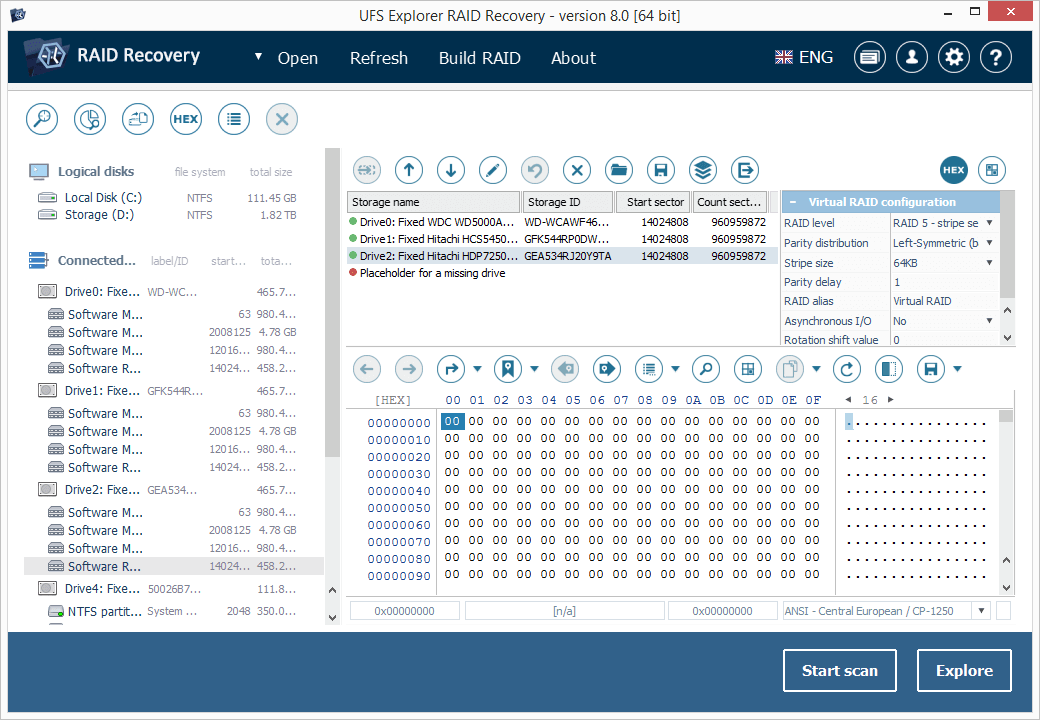
- Automatic detection and reconstruction of RAID arrays, minimizing manual configuration effort.
- Non-destructive scan options that preserve original data integrity during recovery attempts.
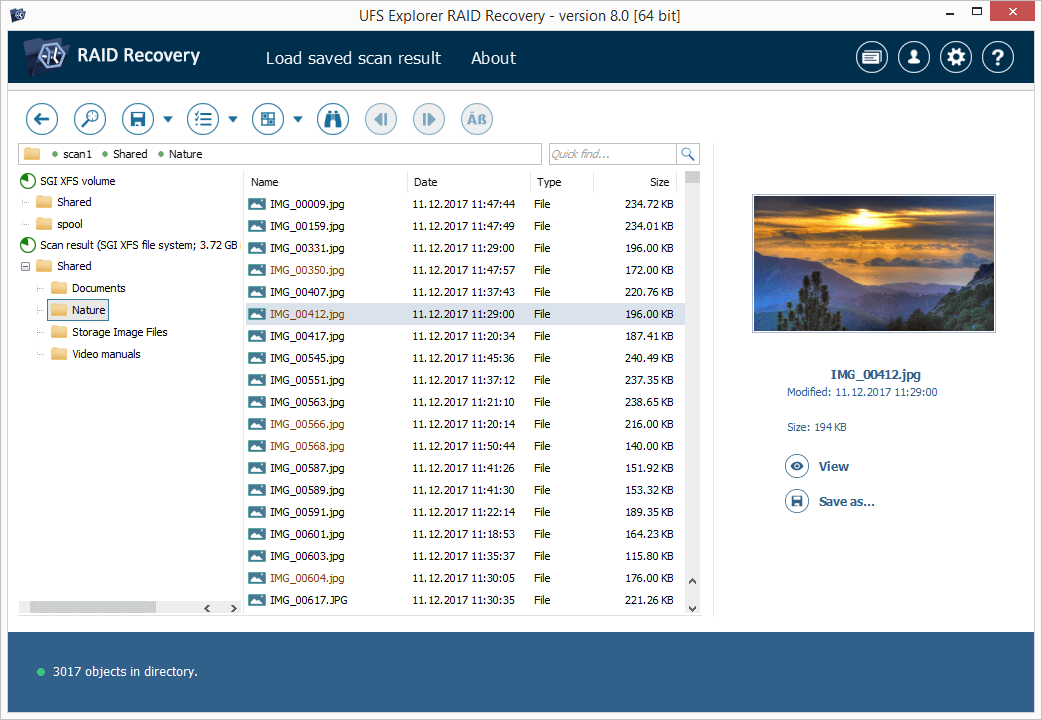
- File preview and selective recovery, enabling users to retrieve only the necessary files without restoring entire arrays.
Target Audience
This application is ideal for IT professionals, data recovery specialists, and advanced users who manage physical or virtual RAID systems and require dependable recovery tools to salvage precious data.
Engaging with the Tool: The Experience of Data Rescue
Imagine your critical data as buried treasure hidden within a complex labyrinth of drives and disks. UFS Explorer RAID Recovery is like a seasoned explorer with a keen map, guiding you through the twists and turns of corrupted arrays to reclaim your treasures—files, photos, documents, and more. Its interface mirrors this practicality: straightforward, intuitive, and designed to demystify what could otherwise be a bewildering process.
Intuitive and User-Focused Interface
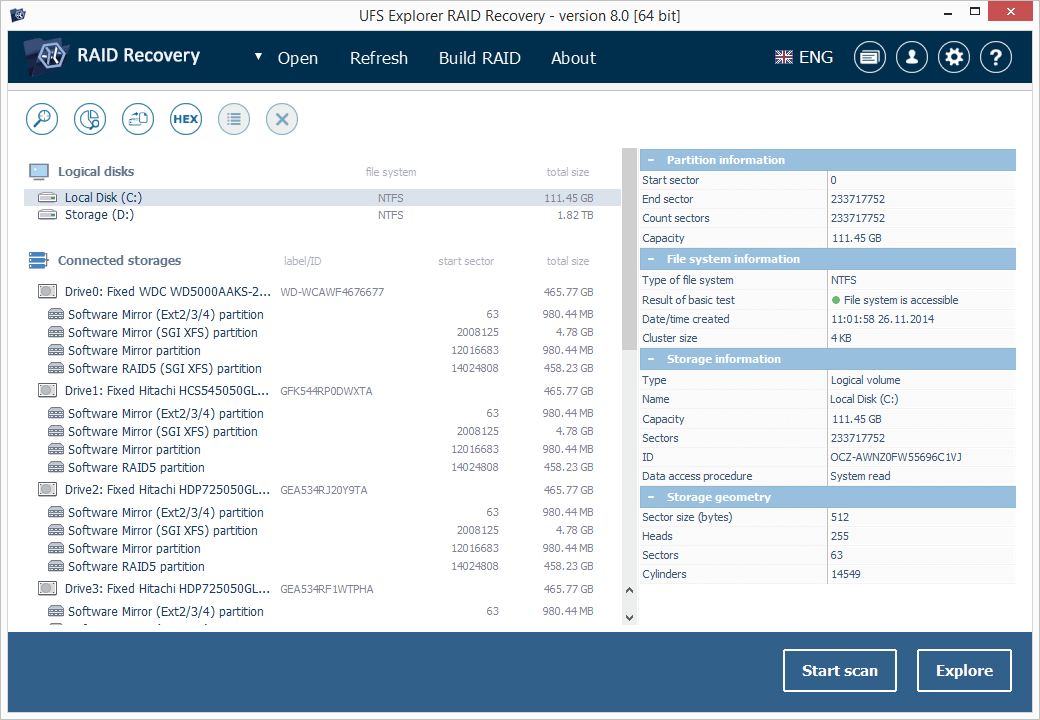
The software boasts a clean, organized layout that feels more like a well-planned workshop than a cluttered toolbox. Whether you're a seasoned techie or a newcomer to RAID recovery, the interface lowers the learning curve substantially. You can easily load your RAID metadata, scan for damages, and navigate recovery options with minimal fuss. Contextual hints and step-by-step guides are readily available for those new to RAID structures, making the experience less daunting.
Powerful Core Functions: Automatic Detection and Precise Reconstruction
The standout feature here is the automatic RAID detection capability. Imagine having a detective work out the exact composition of a tangled, broken puzzle—without you having to piece it together manually. This automation saves time and reduces human error, especially in complex RAID configurations. For users who handle multiple RAID types, this feature acts like a trusted GPS, expertly identifying the correct array layout before proceeding with recovery.
Complementing this is the ability of the software to reconstruct RAID arrays even when some disks are missing or damaged. The application intelligently analyses disk signatures and reconstructs the array structure, akin to an expert restorer bringing a faded painting back to life. This flexibility sets it apart from simpler tools that require manual setup, making the recovery process more efficient and less prone to mistakes.
Performance and User Experience: Smooth Sailing or Choppy Waters?
From a usability standpoint, UFS Explorer RAID Recovery offers a seamless experience. Operations such as scanning, mounting, and extracting files happen swiftly, thanks to optimized algorithms. Users will find the process of previewing files before recovery particularly handy—imagine browsing through a photo album and only choosing the cherished memories to restore. The brief learning curve is appreciated; even novices can follow along with minimal guide support, though some familiarity with RAID concepts enhances the overall experience.
Differentiation: What Makes It Stand Out?
Compared to other utilities, UFS Explorer RAID Recovery excels in its automatic array detection combined with non-destructive scanning. Many recovery tools require users to manually configure RAID parameters, which can be intimidating and error-prone. Here, the "plug-and-play" nature of the process simplifies what is otherwise a technical and painstaking task. Additionally, its ability to recover data from various RAID levels—including complex setups like RAID 50 or nested configurations—gives it a notable edge, especially for professional environments.
Final Verdict: Is It Worth Your Attention?
All in all, I'd recommend UFS Explorer RAID Recovery for Windows to users who need a dependable tool that balances power with ease of use. Its unique automatic detection and reconstruction capabilities make it particularly compelling—think of it as having a dedicated assistant who understands RAID architectures inside out. While it may not be a casual everyday utility, professionals and advanced users will find it an invaluable addition to their toolkit.
If you're facing the daunting task of RAID data recovery, this app offers a systematic, user-friendly approach that can save time and mitigate errors. As always, ensure you work with clones or copies of damaged disks to preserve original data integrity, but rest assured, this software is equipped to guide you through even the most complex recovery scenarios.
Pros
- Powerful RAID Recovery Capabilities
- User-Friendly Interface
- Supports Wide Range of File Systems
- Deep Scanning Features
- Preview Functionality Before Recovery
Cons
- Slow Scan Process on Large Drives
- Limited Free Features
- Complex RAID Configurations May Need Expert Setup
- Lack of Multi-language Support
- Occasional Software Stability Issues











