

- Name TreeSize Free
- Category Utilities & tools
- Developer https://www.jam-software.com
- Available on PC
- OS Windows 10 version 0.0 or higher
- languages German, English, Bulgarian, Chinese, Danish, Finnish, French, Greek, Italian, Japanese, Korean, Dutch, Norwegian, Polish, Portuguese (Brazil), Portuguese (Portugal), Romanian, Russian, Swedish, Slovak, Spanish, Czech, Turkish, Hungarian, Ukrainian
TreeSize Free for Windows: A Clear Eye on Your Disk Space
Managing disk space can often feel like navigating a dense jungle, trying to spot the hidden treasures or lurking pitfalls. TreeSize Free for Windows emerges as your trusty map, offering a straightforward way to visualize and analyze your storage—helping you reclaim space with confidence.
Meet the Developer: JAM Software
Developed by JAM Software, a company renowned for creating robust and user-friendly utility tools, TreeSize Free continues their legacy of delivering reliable storage management solutions. Their focus on clarity and efficiency is evident in this free offering, providing users with a valuable tool without any fuss.
Key Features that Set TreeSize Free Apart
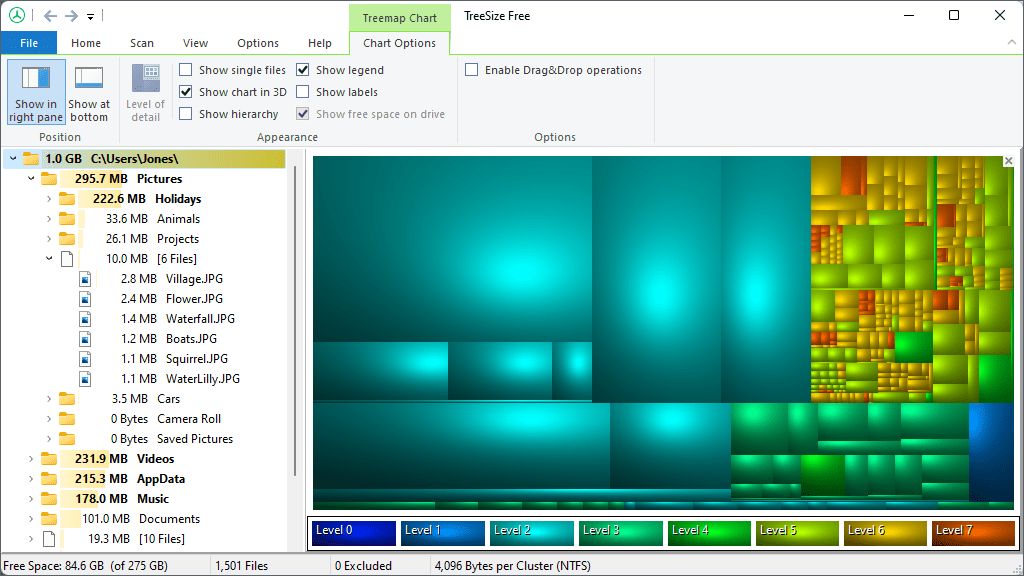
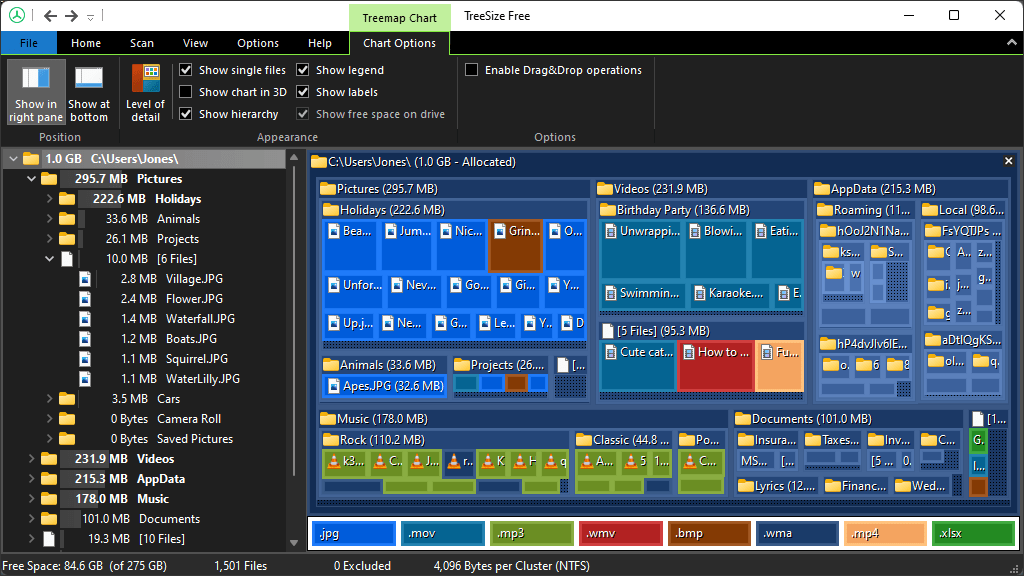
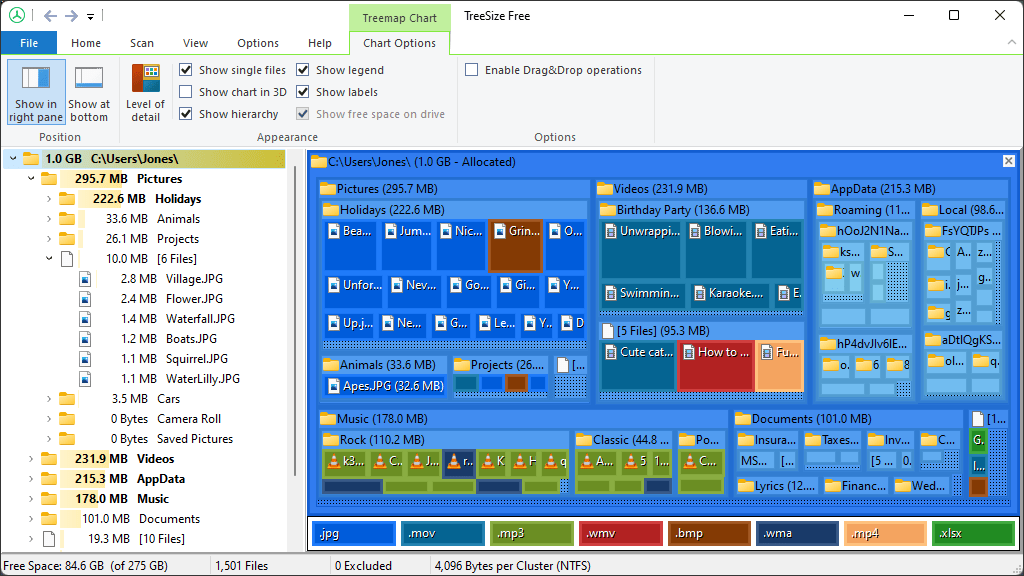
- Visual Hierarchical Disk Analysis: It provides an intuitive tree map view that visually breaks down disk usage at folder and file levels, making it easy to pinpoint space hogs.
- Detailed Size and Percentage Data: Every folder and subfolder is presented with precise size metrics, allowing for informed decision-making about which files to clean or delete.
- Quick Search & Filter: Quickly locate large files or specific folders using filtering options, streamlining the cleanup process.
- Compatibility & Efficiency: Supports various storage types and drives, offering an efficient scanning process that doesn't bog down your system.
Engaging Insights into Its Core Functionality
Imagine walking into a cluttered garage, uncertain of what's taking up most space. TreeSize Free acts like a friendly organizer, gently revealing the layout of your digital storage. Its core strength lies in its ability to provide detailed visual mapping of disk usage, transforming a daunting task into a manageable exploration. Whether you're trying to free up a few gigabytes or understand your storage habits, this tool offers clarity without fuss.
Intuitive User Interface & Seamless Operation
From the moment you launch TreeSize Free, the interface greets you with a clean, straightforward layout reminiscent of a tidy workspace. The left-hand tree view instantly displays your directory structure, while the right side offers detailed size information. Navigating through folders feels like flicking through a well-organized photo album—smooth, responsive, and easy to understand. Scanning folders is quick, even on larger drives, thanks to its optimized performance.
Learning curve? Minimal. Even those not overly tech-savvy can quickly grasp how to identify large files or deep-dive into suspicious directories. It's like having a friendly helper guiding you through your storage landscape, making the cleanup process both accessible and satisfying.
Unique Advantages & Differentiators
Unlike some utilities that offer a cluttered or overly technical experience, TreeSize Free emphasizes clarity through its visual hierarchy and precise data display. Its classic folder view paired with an informative bar graph renders what might be an overwhelming amount of data into a comprehensible snapshot. Additionally, its scanning speed and lightweight design mean you don't have to wait long or worry about system slowdowns—making it a true efficiency booster.
Moreover, the free version caters effectively to personal users and small-scale professional needs, while its paid counterparts extend features for enterprise-scale management. This layered approach ensures that users can start simple and upgrade as their needs grow.
Final Thoughts: Is It Worth Your Time?
All in all, TreeSize Free is like a well-organized toolbox in your digital workshop—simple, reliable, and effective. Its standout features, especially the visual hierarchy and detailed filtering, make it a top tier choice for anyone looking to tackle disk clutter methodically. I recommend giving it a try, especially if you're often puzzled by what's eating up your storage, and prefer a straightforward, no-nonsense solution. Perfect for home users and small business owners alike, it's a helpful companion in your digital decluttering journey.
Pros
- User-friendly interface
- Quick and detailed scanning
- Supports multiple file systems and drives
- Provides clear visualizations
- Lightweight and resource-efficient
Cons
- Limited features compared to paid versions
- No built-in file deletion function
- Lack of real-time monitoring
- Limited reporting options
- Sometimes slow on very large drives











