
- Name Transparent Sticky Notes
- Category Business
- Available on PC
- OS Windows 10 version 14316.0 or higher
- languages English (United States)
A Clear, Convenient Note-taking Companion for Windows
Transparent Sticky Notes for Windows by LiHe serves as an intuitive digital sticky note solution, blending seamlessly into your desktop environment with transparency and ease of access. It's designed for users seeking a lightweight yet effective way to keep reminders, ideas, and quick references right at their fingertips without cluttering their workspace.
Meet the Developer and Core Features
Developed by LiHe, a team committed to enhancing productivity tools for Windows users, this application stands out by offering a sleek and transparent interface that mimics real sticky notes but with the advantages of digital flexibility. Its main features include customizable transparency levels, multi-note management, and collaborative annotations—making it not just a note app, but a personal assistant on your desktop.
Seamless Integration with Your Desktop Environment
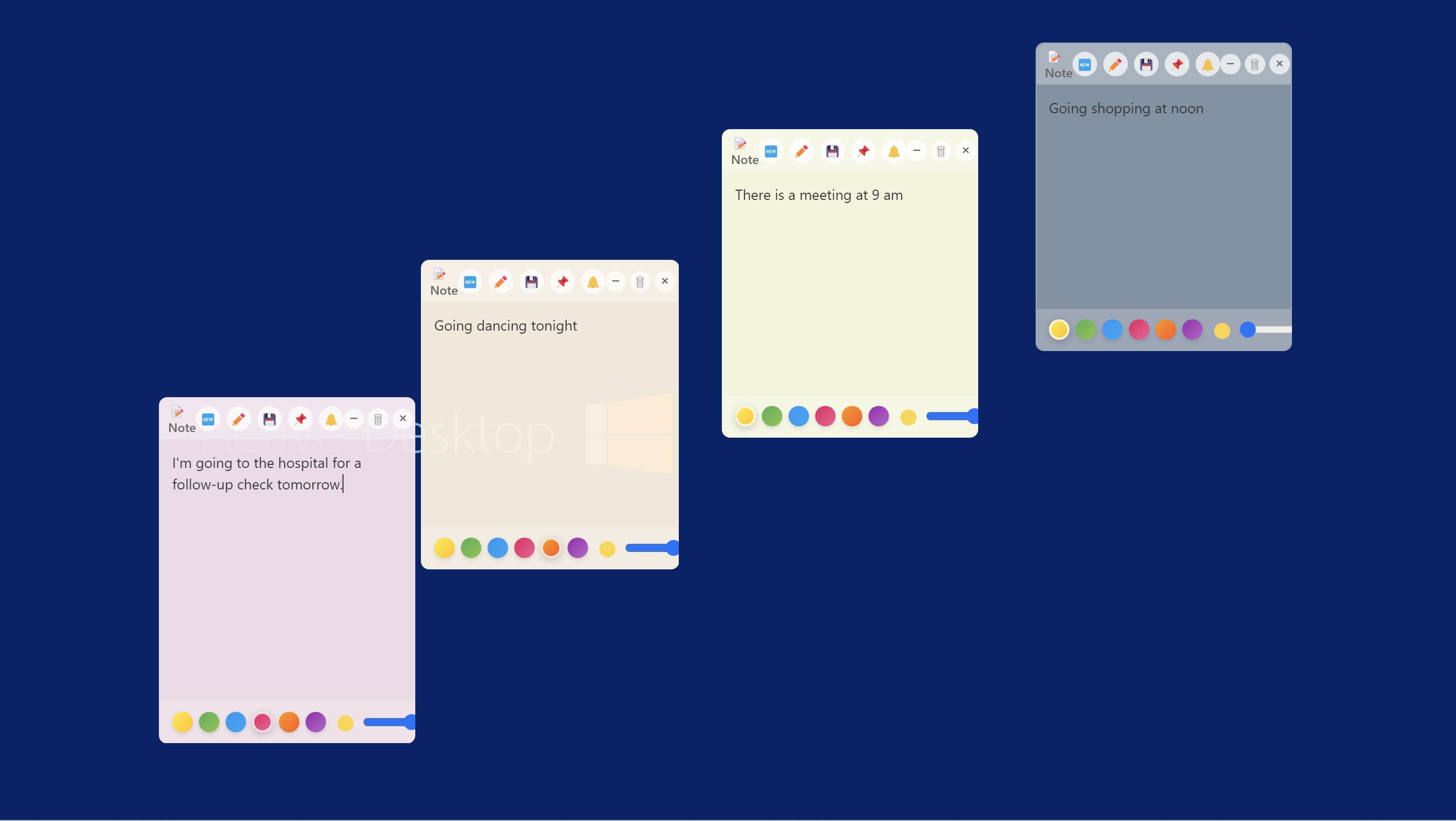
From the moment you launch the app, its minimalistic and transparent design feels like a natural extension of your workspace. Unlike traditional sticky notes that sit obtrusively on your screen, these notes are semi-transparent, allowing you to see behind them—perfect for keeping reference material visible while working. The interface is clean, modern, and inviting, enabling quick note creation with just a few clicks. The fluidity of the interface ensures that adding or editing notes feels effortless, almost like doodling on a clean glass board.
Intuitive Note Management & Collaborative Features
Managing multiple notes is streamlined with a simple layout that lets users categorize or pin important notes for quick access. One of the standout features is its collaborative capability, allowing users to share notes with colleagues or team members via links or cloud sync. This turns the app into a mini collaboration hub—no more endless email chains or disorganized message threads. Instead, your team can edit, comment, and update shared notes in real time, promoting clear communication in remote or hybrid work environments.
Windows-Optimized User Experience
The app showcases a user-friendly experience, with responsiveness that feels smooth and natural—almost like doodling on a transparent glass surface. Its learning curve is gentle; even first-time users will find the task of customizing transparency, sizes, and organization straightforward. The app runs quietly in the background, with minimal impact on system performance, making it a reliable companion whether you're managing a quick reminder or a complex project note.
Differentiators and Unique Selling Points
Comparing Transparent Sticky Notes to other business-oriented note-taking tools, its transparency feature is what sets it apart. Unlike traditional sticky note apps that add visual clutter, this app's semi-transparent notes integrate into your desktop unobtrusively, helping you maintain focus. Additionally, its collaborative annotation feature elevates it from simple reminder apps to a true team communication tool—something often lacking in similar lightweight options. It offers a practical balance of simplicity and collaborative power, ideal for teams working in shared digital spaces.
Final Recommendations and Usage Suggestions
In sum, Transparent Sticky Notes for Windows is a thoughtful and efficient tool suited for individual professionals and teams alike. I recommend it to anyone who values unobtrusive, customizable notes and the ability to collaborate without switching platforms. It's perfect for project managers, students, or remote workers who want quick access to ideas without cluttering their desktops—think of it as a transparency layer that keeps your thoughts visible and organized. Overall, this app earns a solid recommendation for its smart design and collaborative enhancements, making productivity both smoother and more visual.
Pros
- Intuitive Sticky Note Interface
- Transparent Background
- Customizable Appearance
- Cloud Synchronization
- Lightweight Performance
Cons
- Limited Editing Features
- No Search Functionality
- Basic Annotation Tools
- Limited Export Options
- Occasional Sync Delays











