
- Name Tax2PDF
- Category Business
- Available on PC, Mobile, Surface Hub, HoloLens
- OS Windows 10 version 17763.0 or higher
- Keyboard Integrated Keyboard
- Mouse Integrated Mouse
- languages English (United States)
Tax2PDF for Windows: Your Reliable Tax Document Companion
Tax2PDF for Windows is a streamlined application designed to convert various tax-related documents into professional-quality PDFs, ensuring compliance and ease of sharing. Developed by SM Software, this tool aims to simplify the often tedious process of managing financial documentation for professionals and small business owners alike.
Basic Information at a Glance
Tax2PDF is a Windows-based application that enables users to swiftly transform tax spreadsheets, forms, and reports into standardized PDF files. Created by SM Software, a dedicated team specializing in office productivity tools, the app offers notable features such as bulk conversion, customizable templates, and seamless integration with local storage. Its primary target audience includes accountants, tax consultants, small business owners, and anyone dealing with financial documentation who seeks a straightforward, reliable, and efficient conversion tool.
Engaging and User-Friendly Interface
Stepping into Tax2PDF feels like entering a well-organized digital library—clean, intuitive, and inviting. The interface employs a modern aesthetic with neatly arranged buttons and a minimalistic layout, making it accessible even for users with limited technical expertise. The main dashboard provides quick access to bulk conversion options, template settings, and recent files, reducing the time needed to find essential functions.
Operation flows are smooth and responsive, with minimal lag even during batch processing, which feels akin to a well-oiled machine seamlessly handling a cargo of documents. Users benefit from an easy learning curve—most features can be grasped within minutes, thanks to clear icons and straightforward instructions embedded within the app.
Core Functionalities That Make Your Life Easier
Reliable Document Conversion with Customization Options
The heart of Tax2PDF lies in its ability to convert diverse tax documents into PDFs effortlessly. Whether it's spreadsheets, scanned forms, or crafted reports, the app supports a wide array of formats, ensuring no file type gets left behind. Beyond simple conversion, it allows users to customize the output—adjust margins, include watermarks, and select output quality—tailoring each PDF to fit specific professional or legal standards. This flexibility helps maintain document integrity and ensures compliance with different reporting requirements.
Bulk Processing & Template Management
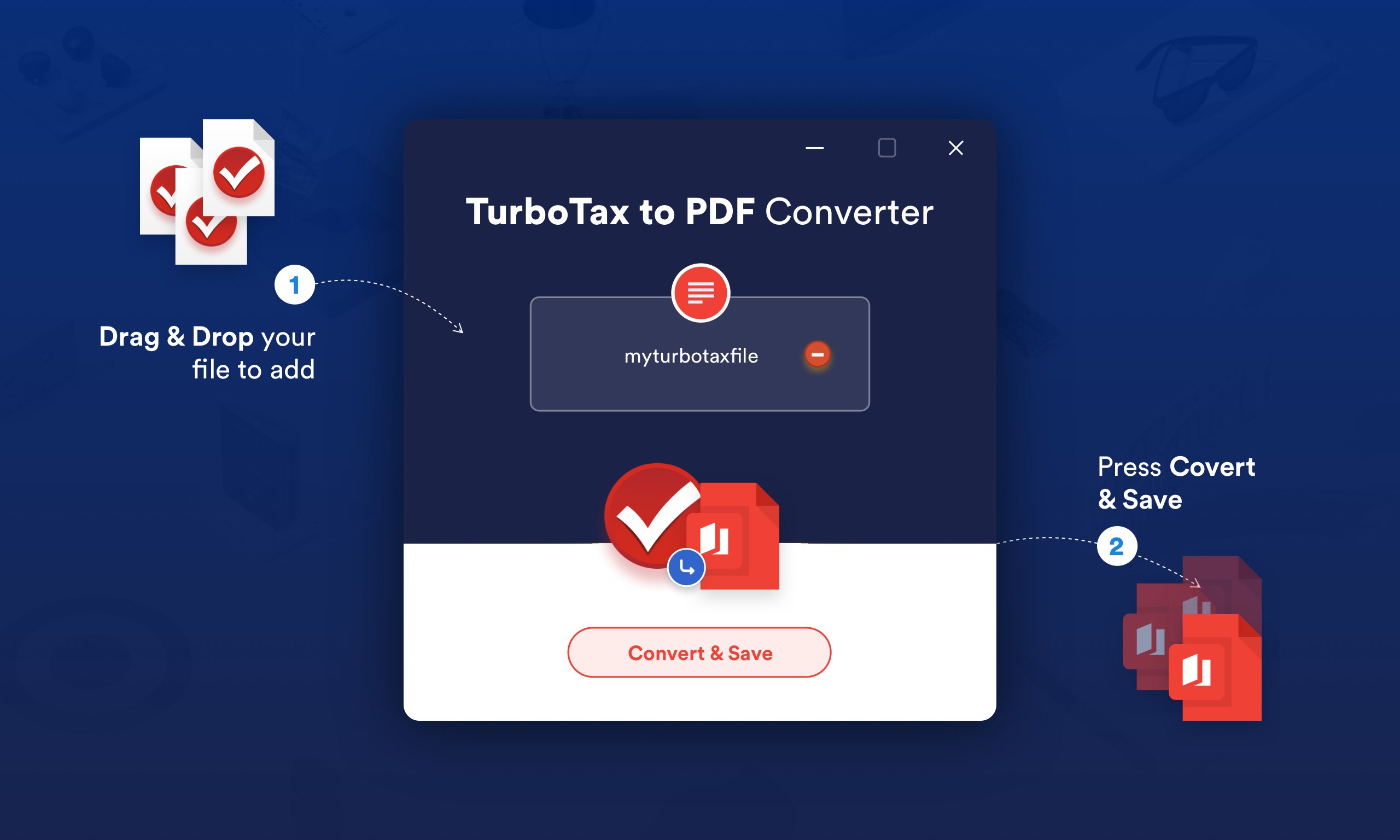
One standout feature is the batch processing capability. Instead of converting files one by one, users can queue multiple documents, saving significant time—think of it as a productive assembly line for your tax paperwork. Additionally, the app provides template management, enabling users to predefine formats, headers, and footers, which is particularly useful for recurring reports or standardized submissions. This feature acts like a personalized printing press tailored specifically to your workflow.
Secure and Seamless Integration
Tax2PDF ensures your sensitive financial data remains protected by prioritizing local processing without requiring cloud uploads. Its integration with Windows Explorer allows you to right-click and convert directly from your file system—a convenience akin to having a digital assistant at your fingertips. Further, the app supports password protection for the generated PDFs, adding an extra layer of security for confidential information.
Comparison with Similar Business Applications
Unlike some competitors that merely convert documents without additional features, Tax2PDF distinguishes itself with its focus on collaborative and task-oriented functionalities. Its batch processing and template management are optimized to support team workflows—allowing multiple users to share standardized templates and streamline report production. The app's ability to handle complex workflows efficiently makes it especially attractive for small teams managing numerous tax documents simultaneously.
While many applications focus solely on conversion, Tax2PDF's emphasis on customization, security, and integrated workflow management provides a more comprehensive toolkit for professionals who need both reliability and flexibility. This sets it apart in the crowded field of document converters, serving as a true partner in financial document management rather than just a simple utility.
Final Thoughts and Recommendations
Overall, Tax2PDF for Windows is a solid choice for anyone seeking a dependable, easy-to-use tool to convert tax documents into professional PDFs. Its core strengths—bulk processing, customization, and security—align well with the needs of small business owners, accountants, and tax professionals. If you value efficiency and consistency in handling financial documentation, this application deserves a spot on your desktop.
While it may not replace more comprehensive enterprise solutions, for its target audience, Tax2PDF offers a focused, thoughtfully designed solution. I recommend giving it a try if you regularly prepare or manage tax-related files and appreciate a tool that simplifies rather than complicates your workflow.
Pros
- User-friendly Interface
- Fast Conversion Speed
- Supports Multiple File Formats
- Accurate PDF to Text Extraction
- Secure Data Handling
Cons
- Limited Customization Options
- Occasional Conversion Errors with Complex PDFs
- Free Version Has Usage Limitations
- Slow Performance with Large Files
- Lack of Integration with Other Apps











