

- Name Summoners War Optimizer Pro
- Category Utilities & tools
- Developer Xzandro
- Available on PC, Mobile, Surface Hub, HoloLens
- OS Windows 10 version 17763.0 or higher
- Keyboard Integrated Keyboard
- Mouse Integrated Mouse
- Memory 4 GB
- DirectX Not specified
- languages English (United States), German
The Ultimate Summoners War Companion: An In-Depth Look at Summoners War Optimizer Pro for Windows
If you're an avid Summoners War player aiming to level up your game efficiency, Summoners War Optimizer Pro emerges as a dedicated assistant, promising to streamline team building and rune optimization with precision. But does it truly elevate your gameplay or just add another tool to your digital toolbox? Let's explore this software's core features and see how it stacks up in the crowded universe of gaming utilities.
Overview: Your Personal Summoners War Strategist
Developed and published by Xzandro, Summoners War Optimizer Pro is a Windows-based application designed specifically for Summoners War enthusiasts. Its primary goal is to assist players in optimizing teams and rune setups seamlessly—like having a seasoned strategist by your side. It shines in automating complex calculations and providing actionable insights, reducing the tedious grind often associated with rune management.
Targeted at dedicated players seeking to improve their rune efficiency and team composition, the app caters to both casual players ready to delve deeper and competitive gamers aiming for top-tier battle performance.
Engaging and Intuitive Interface
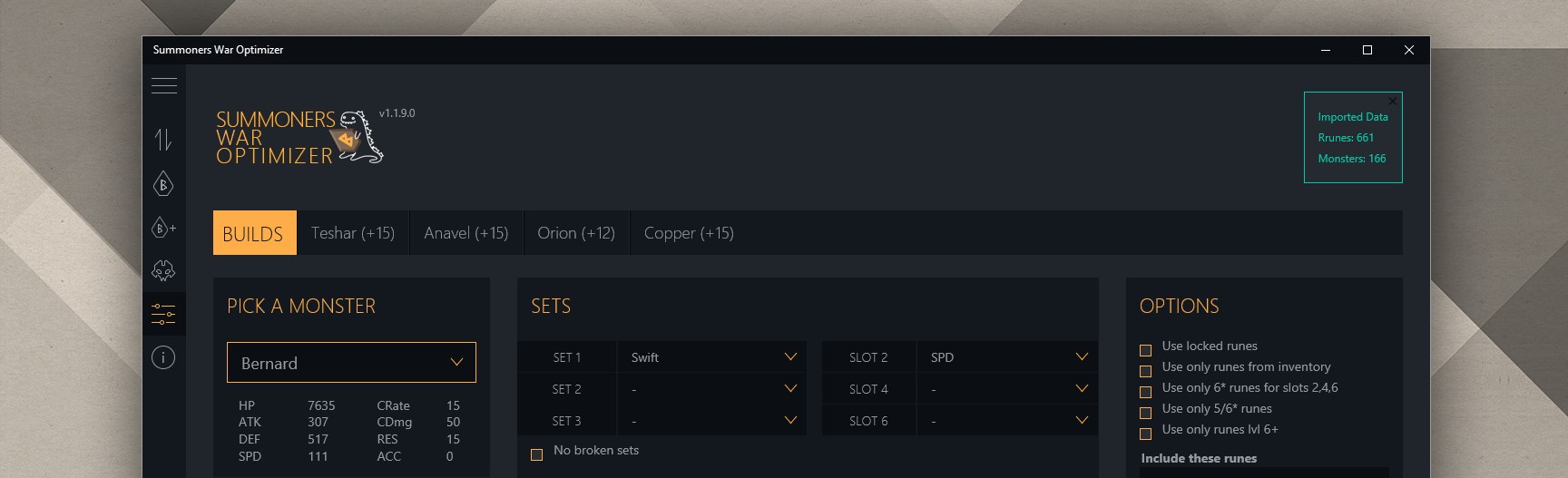
From the moment you launch Summoners War Optimizer Pro, you're greeted with an interface that balances simplicity and functionality—imagine a cockpit that's both sleek and packed with information. Clear menus, organized dashboards, and straightforward navigation make onboarding painless, even for newcomers to this kind of utility.
The user experience is complemented by smooth operation; clicking, filtering, and updating data happen fluidly without frustrating lag. The learning curve is gentle, allowing users to quickly grasp core functionalities. The layout is designed with efficiency in mind—think of it as a well-arranged closet: everything you need is just a few clicks away, reducing clutter and confusion.
Core Features: Precision Tools for the Serious Summoner
Rune Optimization Engine
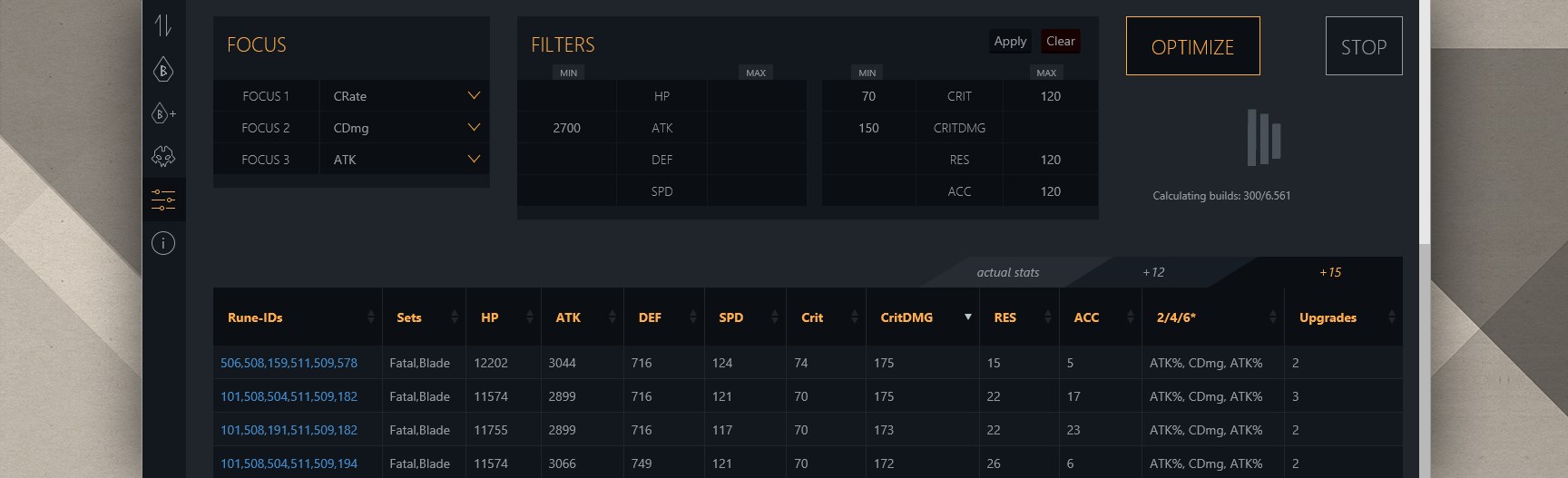
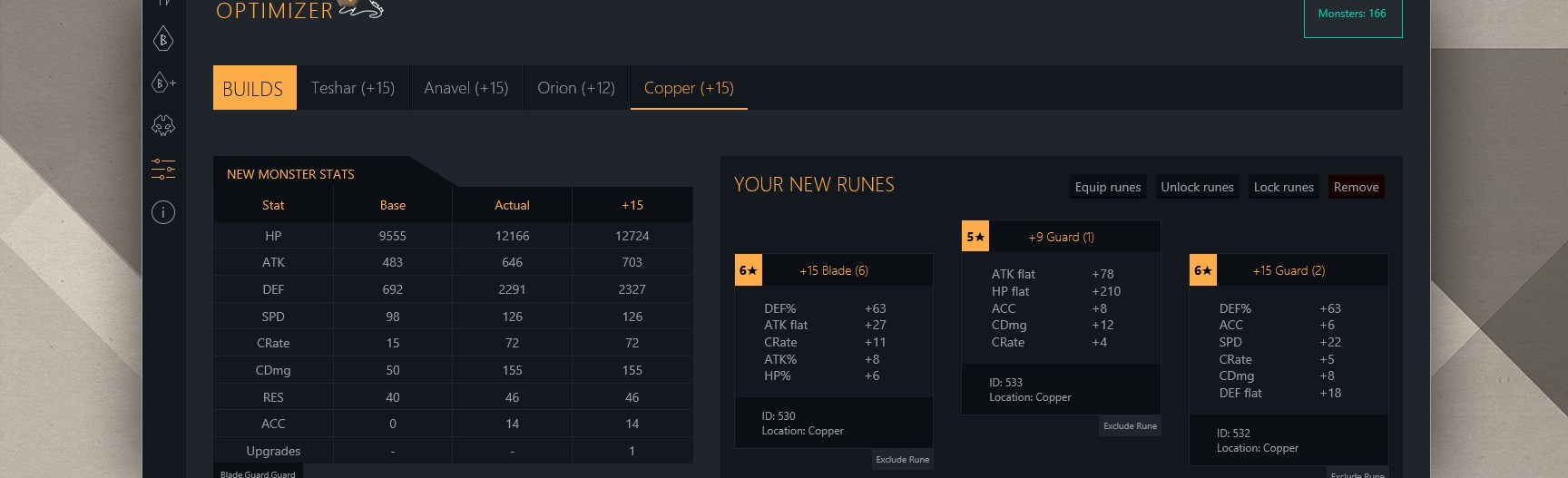
At the heart of the app lies its sophisticated rune optimizer. It analyzes your current rune inventory and suggests ideal upgrades to boost your heroes' potential, almost as if it's scheming behind the scenes to craft the perfect setup. Unlike generic calculators, this engine considers multiple parameters—slot preferences, sub-stats, set effects—delivering tailored suggestions that help you make data-driven decisions. It's particularly adept at maximizing rune efficiency, turning the often overwhelming task of rune farming into a manageable, targeted process.
Team Builder and Battle Simulation
Building a balanced team can feel like assembling a puzzle—each piece crucial for victory. This app simplifies that by offering a team builder that allows you to configure, tweak, and visualize team combinations. It also provides simulation features, estimating potential battle outcomes based on your chosen line-up. This is especially useful when planning for Guild Wars, Arena, or Dragon's Lair events, turning guesswork into strategic certainty. It's like having a battleground coach ready to advise you before the real fight begins.
Data Management and Integration
The app also excels in managing large data sets—your collection, rune details, hero stats—all stored cohesively. It enables easy importing/exporting, ensuring compatibility with other tools or spreadsheets. The ability to filter heroes by various criteria makes it effortless to identify your best assets quickly. This comprehensive data handling turns what could be a chaotic jumble of numbers into a well-organized command center tailored for efficiency.
What Sets It Apart?
While many utilities promise to optimize gameplay, Summoners War Optimizer Pro's standout feature is its dedicated rune optimization engine combined with real-time simulation capabilities. Unlike basic calculators, it provides nuanced suggestions based on your exact inventory and goals. This targeted, personalized advice significantly reduces trial-and-error, saving countless hours in rune farming. Its seamless integration with existing data and straightforward interface also distinguish it from bulkier or more complicated tools, making it appealing to those who prefer streamlined, effective solutions rather than cluttered software.
Final Recommendation: Worth Adding to Your Arsenal?
Considering its features, usability, and targeted approach, Summoners War Optimizer Pro earns a solid recommendation for serious summoners looking to enhance their team-building efficiency. It's not a magic wand—success still depends on your in-game efforts—but this app acts as a smart co-pilot, guiding you through optimization tasks with precision and ease.
If you want a focused, powerful tool that simplifies the complex art of rune and team optimization without overwhelming you, Summoners War Optimizer Pro is a worthwhile investment. Beginners might find it useful too, provided they are willing to learn some basics, but it truly shines when wielded by those committed to elevating their summoners experience with strategic insight and data-backed decisions.
Pros
- Comprehensive Monster Optimization Tool
- User-Friendly Interface
- Time-Saving Automation Features
- Customizable Building Strategies
- Regular Updates with New Content
Cons
- Limited Free Access
- Performance Issues on Older Devices
- Learning Curve for New Users
- Occasional Data Sync Delays
- Limited Offline Functionality











