

- Name SQLite Viewer & Editor
- Category Utilities & tools
- Available on PC
- OS Windows 10 version 14316.0 or higher
- languages English (United States)
Introducing SQLite Viewer & Editor for Windows: A User-Friendly Companion for Database Management
If you're a developer, data analyst, or database enthusiast looking for a straightforward yet powerful tool to handle SQLite databases, the SQLite Viewer & Editor for Windows by Central Software might just be your new favorite app. Designed to streamline the process of viewing and editing SQLite files, it promises to bring simplicity without sacrificing essential features.
About the Developer and Core Offerings
Developed by Central Software, a reputable team known for creating practical and accessible software solutions, this application aims to bridge the gap between complex database tools and user-friendly interfaces. Its main highlights include an intuitive visual interface, a robust editing environment, and efficient data search and export functionalities—all tailored for Windows users. The app targets developers, database administrators, and students who need quick access to their SQLite files without delving into command-line intricacies or complex setups.
Engaging and Practical: A Dive into the User Experience
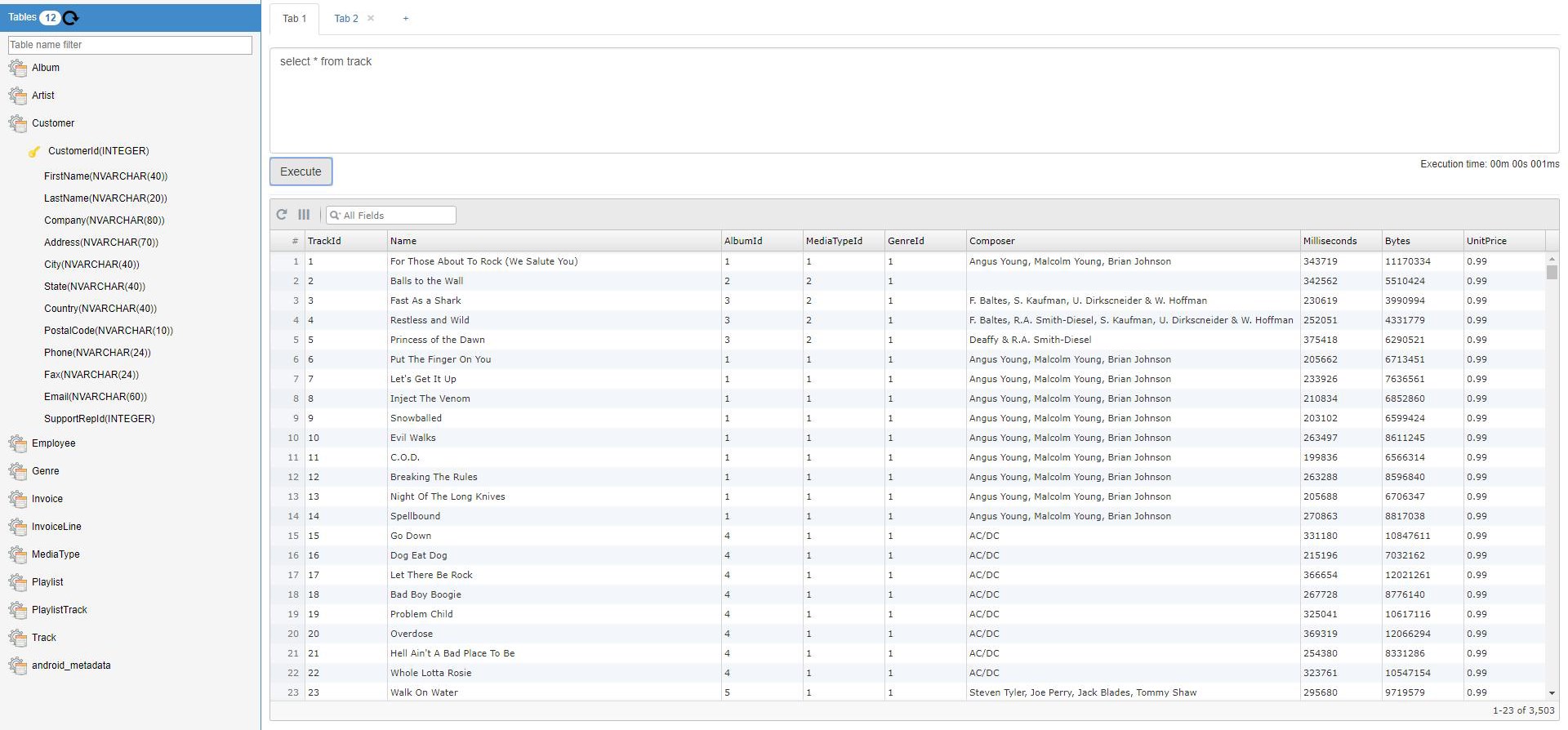
Imagine cracking open a sleek, well-organized toolbox—no clutter, no fuss, just what you need to fix your project. This is exactly the experience the SQLite Viewer & Editor aims to deliver. Its clean interface and logical layout make database navigation feel almost effortless, transforming what could be a daunting task into a smooth ride. This friendly design helps users, whether beginners or seasoned pros, get straight to their data without wading through unnecessary complications.
Core Functionality: Viewing and Editing Made Simple
This application's standout feature is its ability to showcase SQLite databases in a clear, table-like view. Think of it as flipping through pages of a well-annotated ledger—quick and easy. You can load .sqlite files directly, browse tables, and even preview individual records with a few clicks. The editing function further enhances usability by allowing modifications directly within the interface. This is like having a digital spreadsheet tailored specifically for databases, minimizing context switching and saving valuable time.
Powerful Search, Export, and Compatibility
Beyond basic viewing, the app offers efficient search options—think of it as a GPS for your data—helping locate specific records swiftly. Its export features enable exporting data into formats like CSV or SQL scripts, akin to printing a clean report from your digital ledger. Compatibility is another strength; it handles large databases smoothly, ensuring performance remains steady even with sizable files. The app's stability and responsiveness make data management less of a chore and more of an engaging task.
Evaluating the Experience: Interface, Performance, and Unique Advantages
The interface design strikes a good balance between simplicity and functionality. It's not overloaded with complex options, yet provides enough tools to perform advanced tasks when needed. Responding swiftly during navigation and editing showcases its optimized performance, akin to a well-oiled machine. The learning curve is gentle—users familiar with basic database concepts will find themselves up and running within minutes.
Compared to similar utilities—such as DB Browser for SQLite or SQLite Studio—this app's notable strength lies in its seamless integration of viewing and editing within a unified, minimalistic environment. Its streamlined workflow reduces the number of steps to accomplish common tasks, making everyday database management feel more natural and less cumbersome. The app's intuitive search and export functionalities further differentiate it by providing quick access and easy data sharing, both essential for efficient workflows.
Final Thoughts and Recommendations
All in all, SQLite Viewer & Editor for Windows by Central Software is a solid choice for anyone seeking an accessible yet capable tool for managing SQLite databases. Its focus on user-friendly design, combined with key powerful features, makes it suitable for both beginners and professionals needing quick data access and modifications. If you prioritize straightforward operations without sacrificing performance, this app deserves a spot in your toolkit.
We recommend giving it a try if you often work with SQLite files or need a lightweight, reliable database viewer and editor. Although it might not replace advanced enterprise tools, its simplicity and efficiency make it a compelling option for everyday tasks. Whether you're debugging, learning, or preparing data for analysis, this app delivers an experience that's both practical and pleasing—an excellent companion on your data journey.
Pros
- Intuitive User Interface
- Quick Data Viewing
- Basic Editing Capabilities
- File Import and Export
- Lightweight and Portable
Cons
- Limited Advanced Features
- Occasional Crashes
- No SQL Query Editor
- Limited Support for Encryption
- Minor Compatibility Issues











