

- Name SmartThings
- Category Utilities & tools
- Available on PC
- OS Windows 10 version 19041.0 or higher
- languages Albanian, Arabic, Armenian, Assamese, Azerbaijani, Bangla (Bangladesh), Bangla (India), Basque, Belarusian, Bosnian (Latin), Bulgarian, Catalan, Chinese (Simplified), Chinese (Traditional), Chinese (Traditional, Hong Kong SAR), Croatian, Czech, Danish, Dutch, English (Canada), English (Philippines), English (United States), Estonian, Finnish, French, French (Canada), Galician , Georgian, German, Greek, Gujarati, Hindi, Hungarian, Icelandic, Indonesian, Irish, Italian, Japanese, Kannada, Kazakh, Khmer, Korean , Kyrgyz, Lao, Latvian, Lithuanian, Macedonian, Malay, Malayalam, Marathi, Mongolian (Mongolia), Nepali, Norwegian (Bokmål), Odia, Persian/Farsi, Polish , Portuguese (Brazil), Portuguese (Portugal), Punjabi (India), Romanian, Russian, Serbian (Latin), Sinhala, Slovak, Slovenian, Spanish (Spain), Spanish (United States), Swedish, Tamil, Telugu, Thai, Turkish, Ukrainian, Urdu, Uyghur, Uzbek, Vietnamese
SmartThings for Windows: Bringing Your Smart Home to Your Desktop
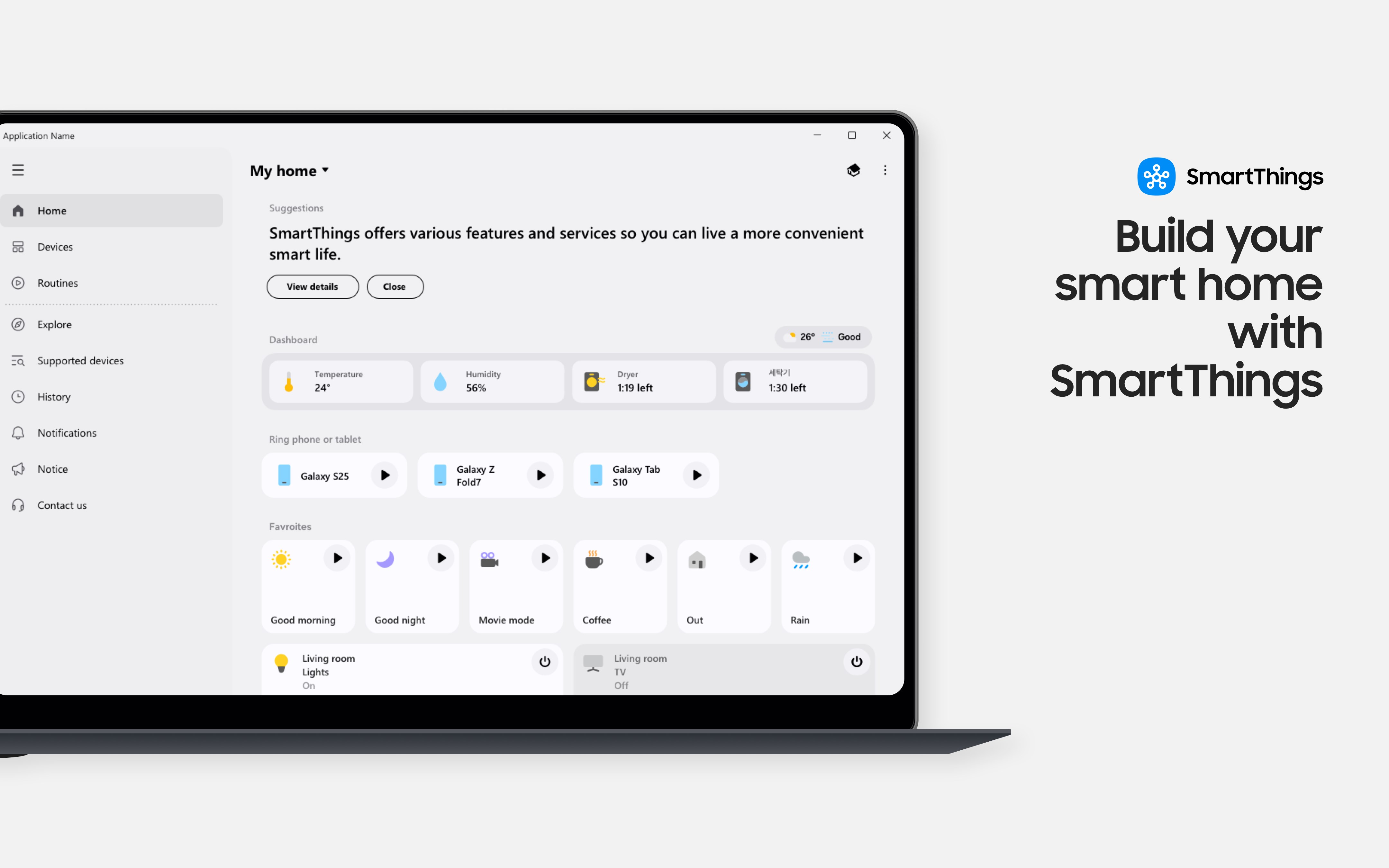
SmartThings for Windows is a versatile application designed to seamlessly bridge your smart home ecosystem with your PC, offering control, automation, and monitoring at your fingertips. Developed by Samsung Electronics Co. Ltd., this app aims to enhance the smart home experience by providing a centralized platform for managing various connected devices directly from your Windows desktop.
Core Functionality and Highlights
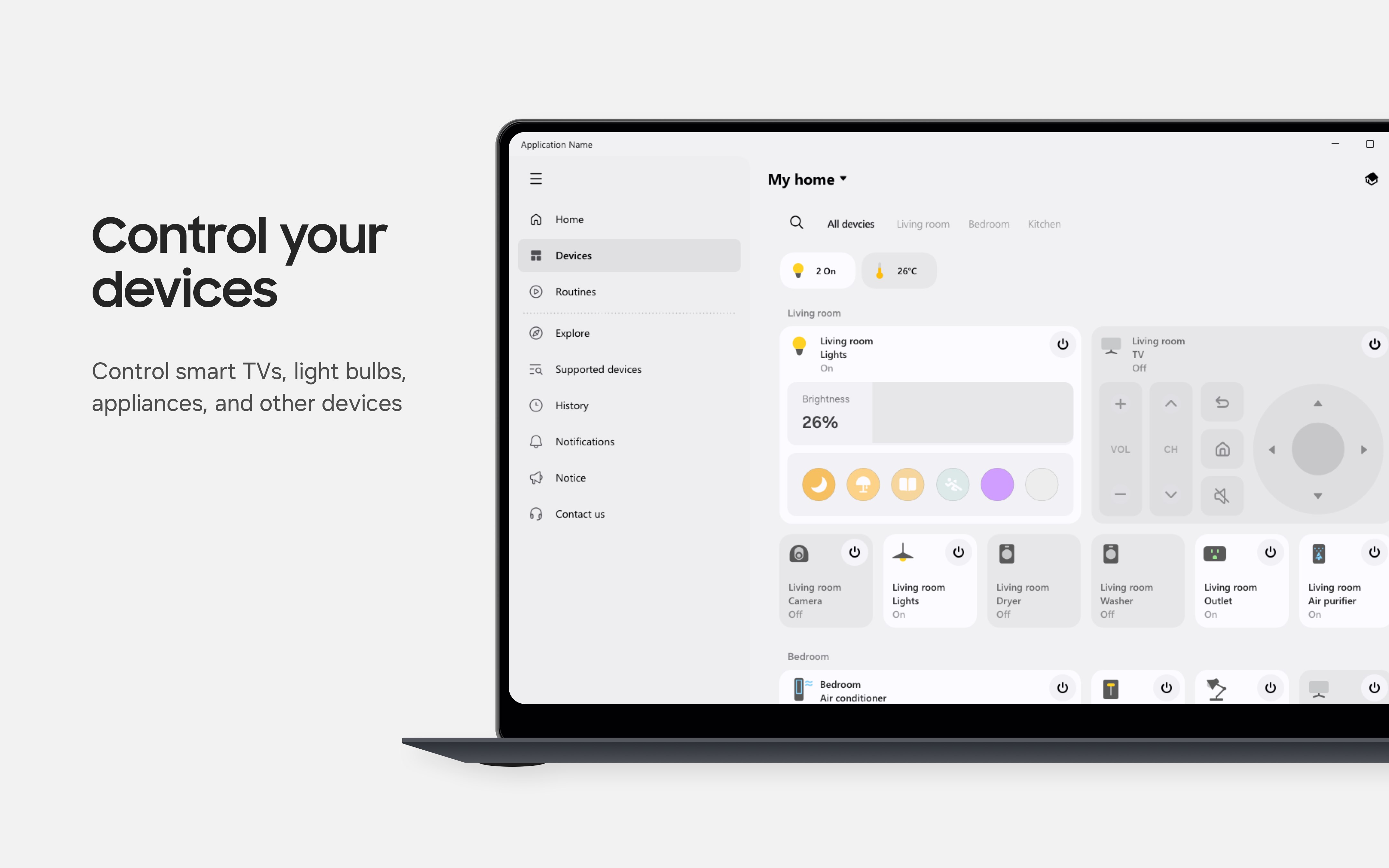
Unified Device Control and Management
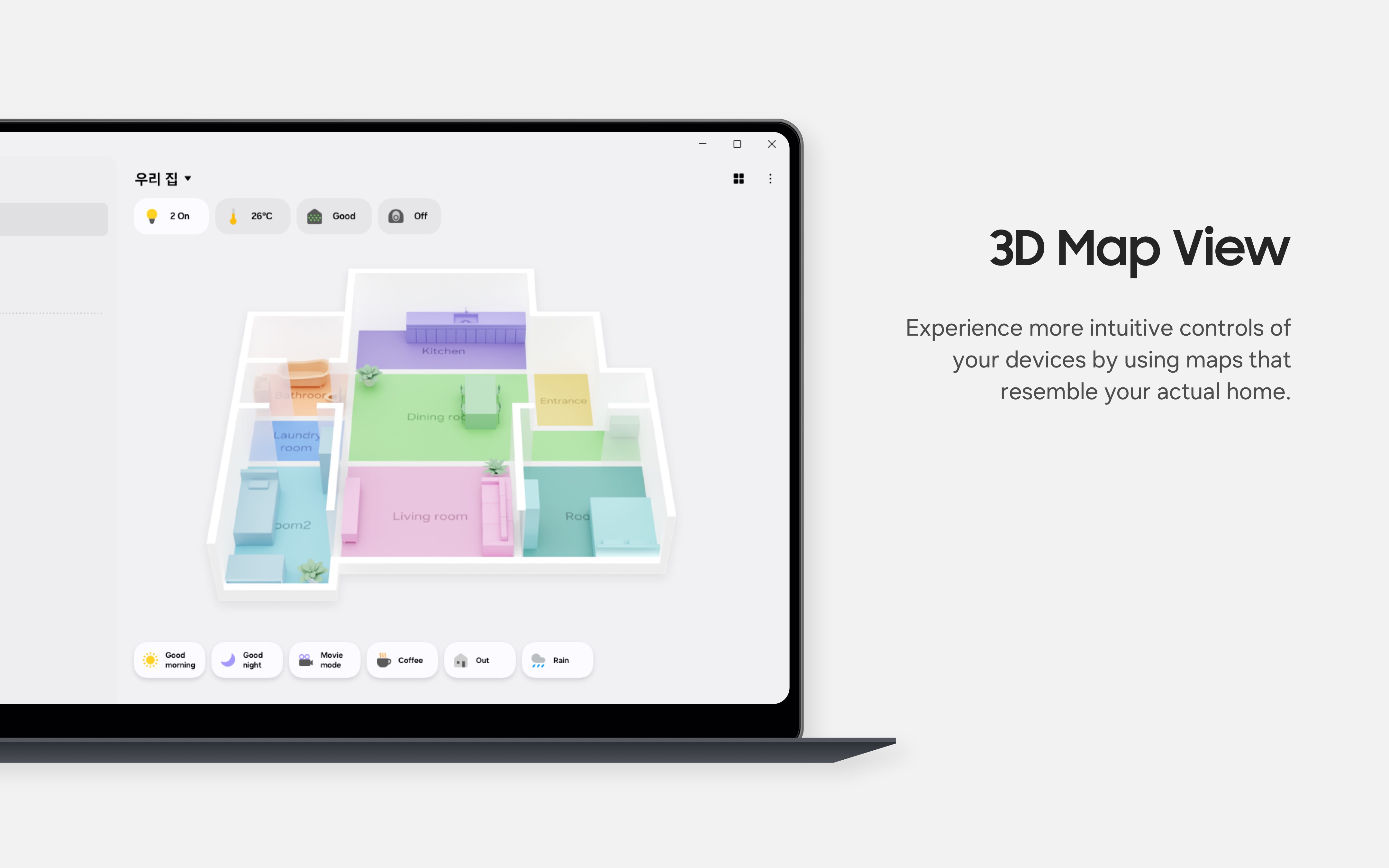
The app enables users to easily connect and manage multiple smart devices within the SmartThings ecosystem from a single interface. Whether it's adjusting your smart lights, checking the status of security cameras, or controlling smart appliances, everything is accessible without switching between different apps. This consolidation simplifies overall device management, making it more intuitive and less cluttered.
Automation and Szenarios
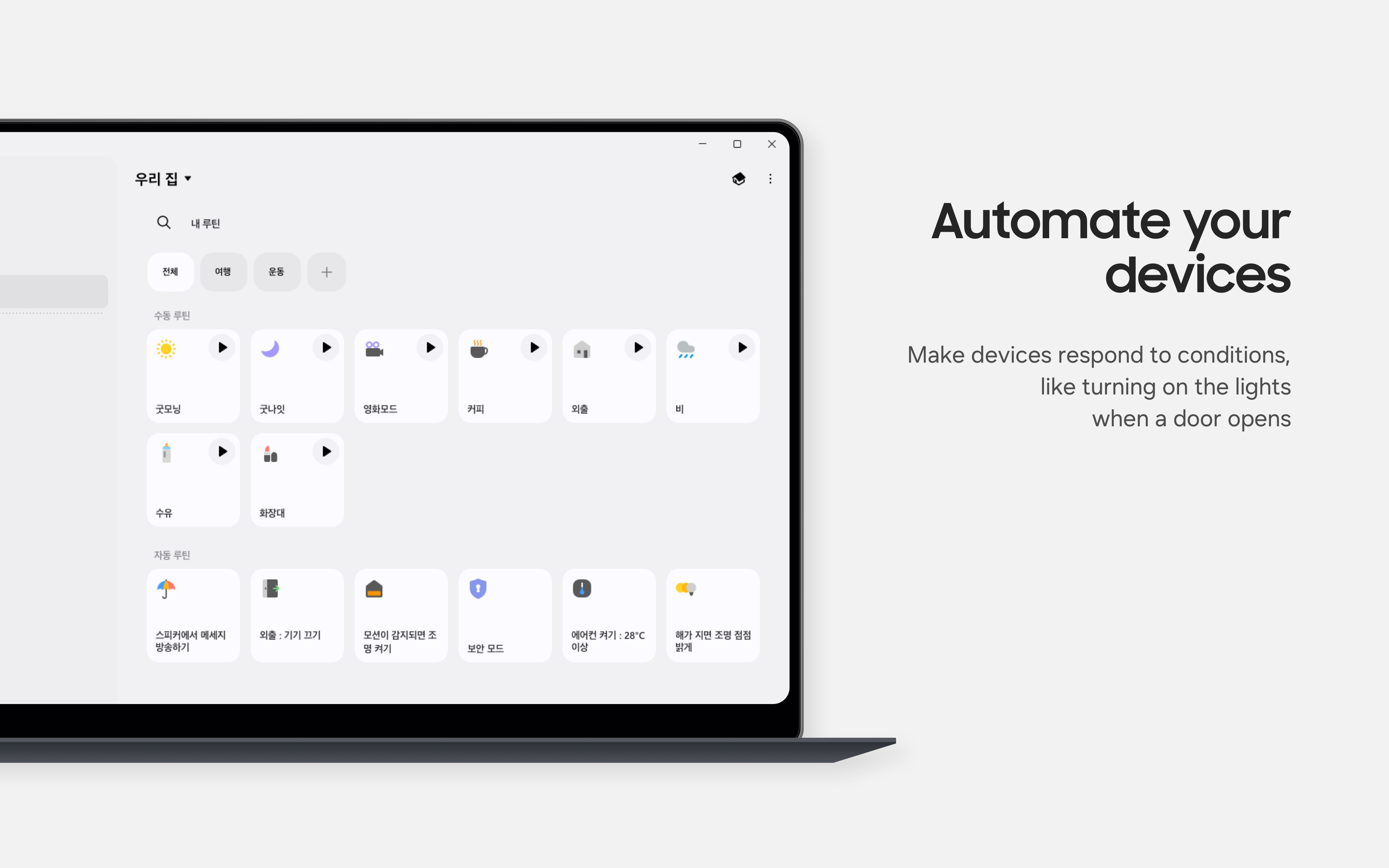
One of the standout features of SmartThings for Windows is its automation capability. You can create custom routines or Szenarios that trigger based on specific conditions—such as time of day, device status, or location. For instance, set your lights to turn on when you arrive home or your coffee maker to start brewing at a set hour. These automations help streamline your daily routines, giving you a smarter and more responsive environment.
Real-Time Notifications and Monitoring
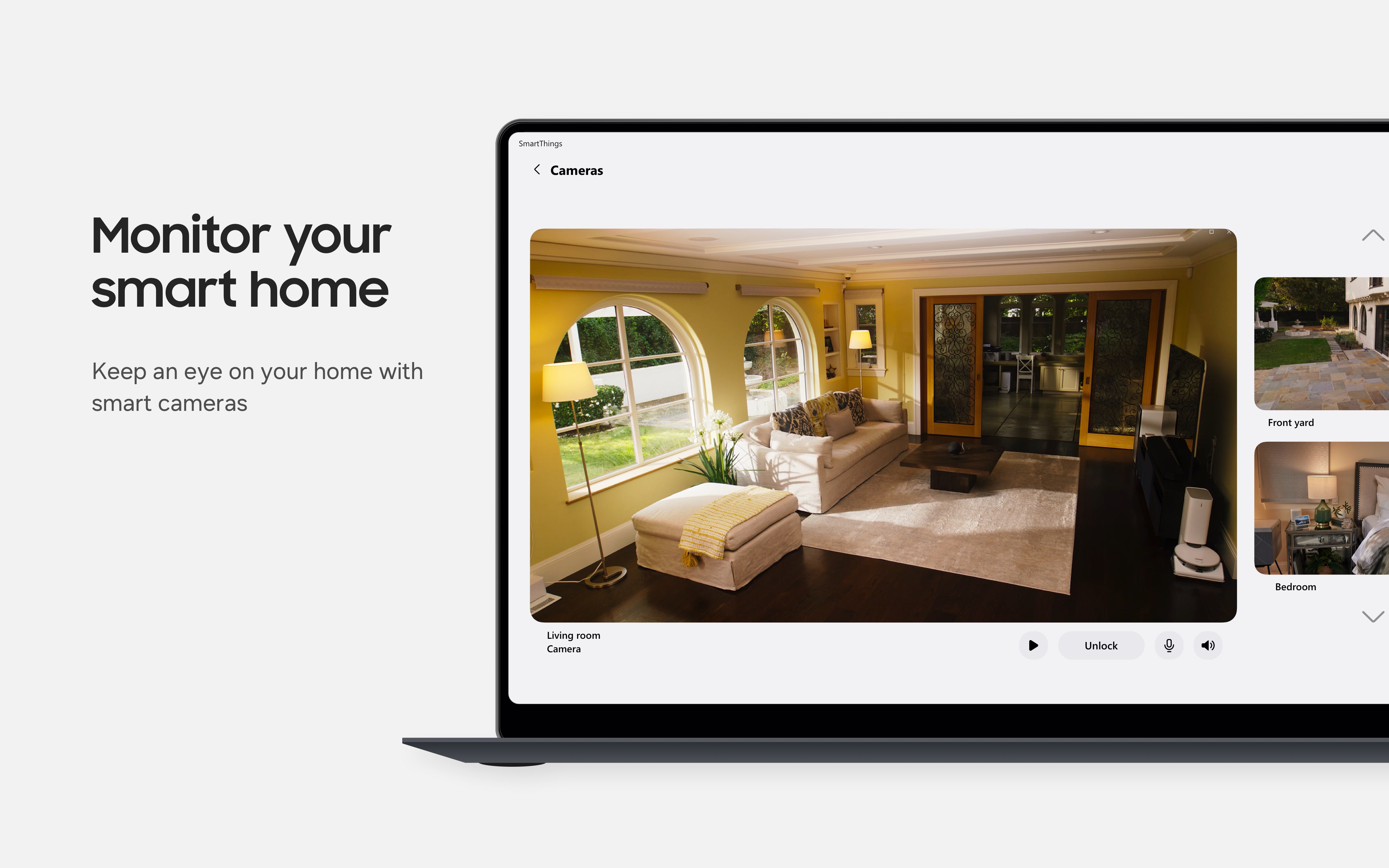
The app provides real-time alerts and status updates for your connected devices, enabling quick reactions to security breaches or device malfunctions. Visual dashboards and live feeds from security cameras give you peace of mind, knowing your smart home is always within your virtual reach—even from your Windows desktop.
User Interface and Experience
The interface of SmartThings for Windows strikes a balance between straightforwardness and sophistication. Its clean layout makes navigation effortless, even for new users. Icons and menus are logically arranged, with intuitive controls that mimic familiar desktop application patterns, reducing the learning curve. The app runs smoothly on most standard Windows setups, with responsive interactions that make device management feel natural—almost like conducting a symphony of connected gadgets with a few clicks.
Unique Selling Points and Differentiation
Compared to similar utility apps, SmartThings for Windows boasts a particularly strong emphasis on integration and automation. Unlike general device controllers that focus solely on manual control, this app's ability to create complex Szenarios and deliver instant notifications elevates it above more basic utilities. Its seamless synchronization with Samsung's broader ecosystem and the robustness of automations make it a compelling choice for users invested in Samsung's smart home products.
Recommendation and Use Cases
I would consider SmartThings for Windows a high-quality addition for anyone looking to streamline their smart home controls without juggling multiple apps. It's especially recommended for users already within Samsung's ecosystem or those who prioritize automation and real-time monitoring. For casual users, it offers enough simplicity for basic device management, while power users can leverage its automation features for more sophisticated setups.
Overall, SmartThings for Windows stands out as a thoughtful, user-friendly platform that transforms your PC into a command center for your smart home—making home automation feels less like a chore and more like a natural extension of your daily life.
Pros
- Intuitive Device Management
- Wide Device Compatibility
- Robust Automation Features
- Seamless Integration with SmartThings Ecosystem
- Regular Updates and Improvements
Cons
- Occasional Connectivity Issues
- Limited Customization Options for Notifications
- Learning Curve for Advanced Automations
- Some Devices Have Longer Response Times
- Limited Support for Non-Microsoft Ecosystems











